A container stuck on Restarting (1) 5 seconds ago is the most common way a deploy fails on a single server. The status tells you almost nothing, but two numbers do: the exit code and whether the kernel killed the process.
In this guide we reproduce five distinct causes with plain Docker, show the exact command that finds each one, and fix it. Then we ship the same kind of crash to a Levelrail app and look at what the user sees. Every command and output below comes from a real run, and the rough edges we hit have their own section.
What you need#
- Docker. Our run used Docker 28.3.0 on an arm64 Mac.
- A tiny Node 22 image. One image,
lrcrash/app:v1, is a 25 line server. It exits with a log line ifDATABASE_URLis unset, writes a file to/dataat startup, and listens onPORT. - For the last part, a running Levelrail instance. If you do not have one, follow the five minute install.
Every container below runs with --restart unless-stopped, so a crash starts it again.
Step 1: Read the three numbers first#
Whatever the cause, start with the same three commands:
docker ps --filter name=lrc-env --format 'table {{.Names}}\t{{.Status}}'
docker logs --tail 4 lrc-env
docker inspect lrc-env --format 'RestartCount={{.RestartCount}} ExitCode={{.State.ExitCode}} OOMKilled={{.State.OOMKilled}} Status={{.State.Status}}'
Here is cause 1 (a missing environment variable), 6 seconds after docker run -d --name lrc-env --restart unless-stopped lrcrash/app:v1:
NAMES     STATUS
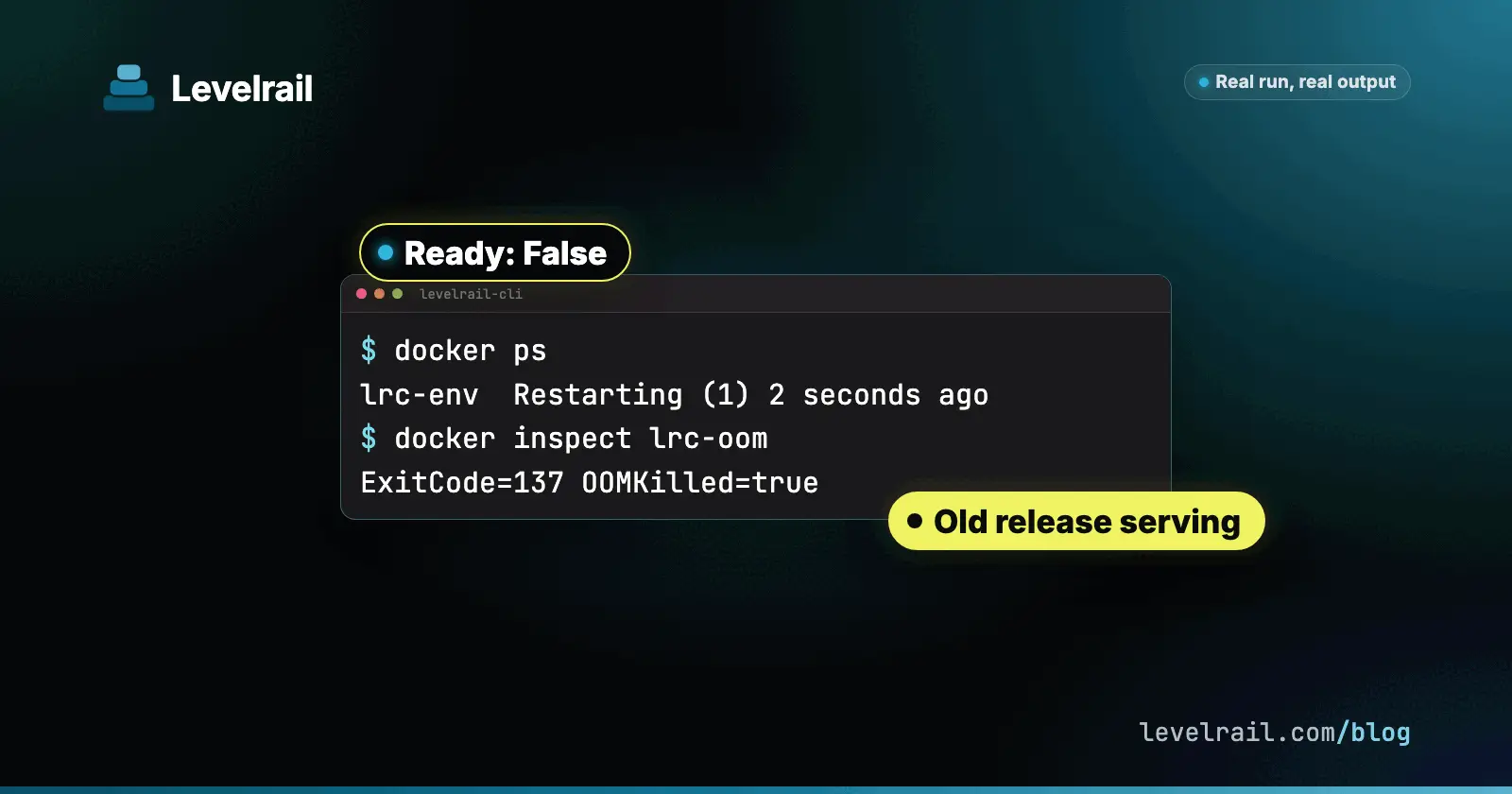
lrc-env   Restarting (1) 2 seconds ago
fatal: DATABASE_URL is required
fatal: DATABASE_URL is required
fatal: DATABASE_URL is required
fatal: DATABASE_URL is required
RestartCount=8 ExitCode=1 OOMKilled=false Status=restarting
The number in Restarting (1) is the exit code of the last run. docker logs keeps the output of every run, so the same line repeats once per restart.
How fast does it loop?#
We recorded docker events while this container ran. These are the start times, in seconds after the first start:
+0s +0s +0s +1s +2s +3s +7s +13s +26s +52s +103sThe gaps roughly double. The Docker documentation describes it this way: “An increasing delay (double the previous delay, starting at 100 milliseconds) is added before each restart to prevent flooding the server” and a “maximum delay of 1 minute” (docker run reference). We did not run long enough to observe the cap, so we only confirm the doubling.
Cause 1: A required environment variable is missing#
Symptom: Restarting (1), a one line error in the logs, and the container dies within a few hundred milliseconds.
Diagnose: the three commands above. Exit code 1 plus a message means the app chose to stop, and the message names the variable.
Fix: a restart policy cannot add variables to an existing container, so recreate it:
docker rm -f lrc-env
docker run -d --name lrc-env --restart unless-stopped -e DATABASE_URL=postgres://demo@db.example.com/shop -e DATA_DIR=/tmp lrcrash/app:v1
docker ps --filter name=lrc-env --format 'table {{.Names}}\t{{.Status}}'NAMES STATUS
lrc-env Up 12 secondsCause 2: The command or entrypoint cannot run#
This one has several exit codes, and they tell you which kind of “cannot run” you have. We reproduced all of these:
| What was wrong | Exit code | Log line | Restarts? |
|---|---|---|---|
sh -c 'startapp', binary not installed | 127 | sh: startapp: not found | Yes |
--entrypoint /usr/local/bin/startapp, file missing | 127 | none, docker run itself fails | No |
| Entrypoint file without the execute bit | 126 | none, docker run itself fails | No |
| Script with Windows line endings in the shebang | 255 | exec /start.sh: no such file or directory | Yes |
| Script without a shebang line | 255 | exec /start.sh: exec format error | Yes |
node serve.js, wrong file name | 1 | Cannot find module '/app/serve.js' | Yes |
Two of those never reached the restart policy. When the runtime cannot start the process at all, docker run fails with an error and the container stays in Created:
docker: Error response from daemon: failed to create task for container: ... exec: "/usr/local/bin/startapp": stat /usr/local/bin/startapp: no such file or directory: unknowndocker inspect lrc-ep --format '{{.Name}} RestartCount={{.RestartCount}} ExitCode={{.State.ExitCode}} Status={{.State.Status}}'/lrc-ep RestartCount=0 ExitCode=127 Status=createdThis matches the Docker documentation: “A restart policy only takes effect after a container starts successfully” (start containers automatically).
The 255 cases are the sneaky ones, because the file exists. The host here is arm64 and we did not use emulation, so this exec format error is the honest kind: a script that the kernel cannot execute. Look at the first line of the file inside the image:
docker run --rm --entrypoint head lrcrash/crlf:v1 -n 1 /start.sh | od -c | head -3
docker run --rm --entrypoint head lrcrash/noshebang:v1 -n 1 /start.sh
docker run --rm --entrypoint ls lrcrash/noexec:v1 -l /start.sh0000000 # ! / b i n / s h \r \n
echo hello
-rw-r--r-- 1 root root 37 Oct 24 20:39 /start.shThe \r after /bin/sh is a Windows line ending: the kernel looks for an interpreter named /bin/sh\r. The second file has no shebang. The third has no execute bit.
Fix: convert the line endings, add the shebang, or chmod +x. We rebuilt the first two images and both ran:
sed -i 's/\r$//' start.sh
docker run -d --name lrc-crlf --restart unless-stopped lrcrash/crlf:v2
docker logs lrc-crlfhelloFor the shell form, the fix was running the real command: --entrypoint sh lrcrash/app:v1 -c 'node server.js' came up and logged listening 0.0.0.0:3000.
Cause 3: The port or interface does not match (restarting versus unhealthy)#
This cause does not restart anything, and that is the lesson. We started the app on port 8080 while the health check and the published port both expected 3000:
docker run -d --name lrc-port --restart unless-stopped -p 3000:3000 -e DATABASE_URL=postgres://demo@db.example.com/shop -e DATA_DIR=/tmp -e PORT=8080 \
  --health-interval 5s --health-timeout 2s --health-retries 2 --health-cmd 'wget -qO- http://127.0.0.1:3000/healthz' lrcrash/app:v1
docker ps --filter name=lrc-port --format 'table {{.Names}}\t{{.Status}}\t{{.Ports}}'
docker inspect lrc-port --format 'Health={{.State.Health.Status}} FailingStreak={{.State.Health.FailingStreak}} RestartCount={{.RestartCount}} ExitCode={{.State.ExitCode}} Running={{.State.Running}}'
curl -sS -m 3 -o /dev/null -w '%{http_code}\n' http://localhost:3000/NAMES STATUS PORTS
lrc-port Up 25 seconds (unhealthy) 0.0.0.0:3000->3000/tcp, [::]:3000->3000/tcp
Health=unhealthy FailingStreak=4 RestartCount=0 ExitCode=0 Running=true
curl: (56) Recv failure: Connection reset by peer
000The process is running, RestartCount is 0, and docker ps says Up ... (unhealthy) instead of Restarting. In our run Docker never restarted it. If you expect an unhealthy container to heal itself, it will not.
The health log says why:
docker inspect lrc-port --format '{{range .State.Health.Log}}{{.ExitCode}} {{.Output}}{{end}}' | tail -21 wget: can't connect to remote host (127.0.0.1): Connection refusedA health check can also lie in the other direction. With the right port but HOST=127.0.0.1, the check inside the container passed and the host still got a reset:
NAMES       STATUS
lrc-iface   Up 14 seconds (healthy)
curl: (56) Recv failure: Connection reset by peerdocker exec lrc-iface netstat -ltnProto Recv-Q Send-Q Local Address Foreign Address State
tcp 0 0 127.0.0.1:3000 0.0.0.0:* LISTENThe app listens on loopback only, so published ports cannot reach it. Fix: listen on 0.0.0.0 and make the port, the health check and -p agree. After that:
lrc-port   Up 12 seconds (healthy)
hello from v1 pid=1
If you want the story of a check that passes while the app is dead, read our postmortem.
Cause 4: The kernel kills it for memory (exit 137)#
Exit code 137 is 128 plus signal 9. Plenty of things send signal 9, so the field to read is OOMKilled. We ran an app that allocates 8 MiB every 100 ms with a 64 MiB limit:
docker run -d --name lrc-oom --restart unless-stopped --memory 64m -e MODE=oom -e DATABASE_URL=postgres://demo@db.example.com/shop -e DATA_DIR=/tmp lrcrash/app:v1
docker inspect lrc-oom --format 'RestartCount={{.RestartCount}} ExitCode={{.State.ExitCode}} OOMKilled={{.State.OOMKilled}}'RestartCount=7 ExitCode=137 OOMKilled=truedocker events shows the sequence for each lap. The container started, the kernel reported an out of memory event about a second later, then the container died:
1792874607 start
1792874608 oom
1792874608 die exitCode=137
1792874609 start
1792874610 oom
1792874610 die exitCode=137
One trap we hit: docker inspect describes the current run. Our first inspect, taken while the container was between laps, showed RestartCount=4 ExitCode=0 OOMKilled=false. The 137 only shows while the container is down, so use docker events or inspect again. The logs also end mid-stream with no error message, because the process never got to write one.
Fix: find the real memory need, then raise the limit or fix the leak. With --memory 256m and no leak, the app used 11.3 MiB:
lrc-oom Up 8 seconds
lrc-oom 11.3MiB / 256MiB
Cause 5: It cannot write where it needs to (permission denied, read-only)#
Two variants of the same crash. First, a non-root user and a directory created by root:
docker run -d --name lrc-perm --restart unless-stopped -e DATABASE_URL=postgres://demo@db.example.com/shop lrcrash/app:v1
docker logs --tail 2 lrc-perm
docker run --rm --entrypoint sh lrcrash/app:v1 -c 'id -un; ls -ld /data'fatal: cannot write /data: EACCES: permission denied, open '/data/app.log'
fatal: cannot write /data: EACCES: permission denied, open '/data/app.log'
node
drwxr-xr-x 2 root root 4096 Oct 24 20:39 /dataExit code 1, and the answer sits in the last command: the app runs as node, the directory belongs to root. Fix: chown node:node /data in the Dockerfile. With the rebuilt lrcrash/app:v2, the container stayed Up 8 seconds.
Second, a read-only root filesystem, which is a good hardening flag until the app tries to write:
docker run -d --name lrc-ro --restart unless-stopped --read-only -e DATABASE_URL=postgres://demo@db.example.com/shop -e DATA_DIR=/app lrcrash/app:v2
docker inspect lrc-ro --format 'RestartCount={{.RestartCount}} ExitCode={{.State.ExitCode}} ReadonlyRootfs={{.HostConfig.ReadonlyRootfs}}'fatal: cannot write /app: EROFS: read-only file system, open '/app/app.log'
RestartCount=6 ExitCode=1 ReadonlyRootfs=trueFix: keep --read-only and give the app one writable place:
docker run -d --name lrc-ro --restart unless-stopped --read-only --tmpfs /data:uid=1000,gid=1000 -e DATABASE_URL=postgres://demo@db.example.com/shop lrcrash/app:v2lrc-ro Up 8 seconds
listening 0.0.0.0:3000A tmpfs is wiped on restart. If the app needs the data to survive, mount a volume instead.
The cheat sheet#
| Exit code | Seen with | Check first |
|---|---|---|
| 1 | missing env var, unwritable path, wrong file name | docker logs |
| 126, 127 | not executable, not found | docker run error text, ls -l the file |
| 255 | bad shebang, CRLF, no shebang | first line of the script |
| 137 | memory limit | OOMKilled in docker inspect, docker events |
none, Up (unhealthy) | port or interface mismatch | .State.Health.Log |
The same crash on Levelrail#
On a single Docker host you find a crashloop by looking. A platform should find it for you and, more importantly, keep your users away from it. We deployed v2, an image that exits with code 1 when DATABASE_URL is missing (cause 1), over a healthy v1 with a readiness check, while a request loop sent one request every 200 ms.
levelrail-cli apps deploy shop --image lrcrash/shop:v2
levelrail-cli apps deploys wait shopdeploy dep_YXFsc5HnqD_W of "shop": failed
failure: container_crashed (retryable: false)
cause: The container exited or is restarting repeatedly.
fix: Read the log excerpt for what happens right after start: a bad command, a missing file or a config error is the usual cause. Fix it and redeploy, or roll back.
docs: /deploy-failures#container_crashed
log excerpt:
Container exited with code 1 after 100ms, before it became ready
ExitedDuringReadinessThe wait returned exit code 7 after 2 seconds. Status and logs agree with it:
levelrail-cli apps status shop
levelrail-cli apps logs shopTYPE STATUS REASON MESSAGE LAST TRANSITION
Ready False ExitedDuringReadiness Container exited with code 1 after 100ms, before it became ready 2026-10-24T20:46:17Z
2026-10-24T20:45:47Z stdout starting v1 pid=1
2026-10-24T20:46:16Z stderr fatal: DATABASE_URL is required
2026-10-24T20:46:17Z stderr fatal: DATABASE_URL is requiredThe dashboard shows the crashloop banner with the last lines the container wrote:

Users never saw it#
Throughout the bad deploy, the diagnosis and the fix, the old release kept answering. The request loop sent 3491 requests with 0 failures, all served by v1 or the fixed v2. A container that exits before it passes readiness never gets traffic.
Retries and backoff#
Levelrail kept retrying the crashing container. The control plane log says keeps exiting (1 restarts), next restart in 3s, then (2 restarts), next restart in 10s. The crash lines in apps logs were stamped 20:46:16, 20:46:17, 20:46:29, 20:46:49, 20:47:49, 20:49:19, 20:51:49 and 20:56:19. The gaps were 1, 12, 20, 60, 90, 150 and 270 seconds.
Let it name the cause#
levelrail-cli apps diagnose shopconfidence: high
The app exited because it expected environment variables that are not configured: DATABASE_URL.
suggested next step:
Set DATABASE_URL
causes:
MISSING_ENV (high): Required environment variable is not set
fix 1 [input]: Set DATABASE_URL
env.DATABASE_URL: needs a value (--input env.DATABASE_URL=VALUE)It reads the same deploy error, condition and log line you would have read by hand, with fixed rules. It does not call a model.
The fix path has bumps#
We applied fix 1 and asked for a redeploy:
levelrail-cli apps diagnose shop --apply-fix 1 --input env.DATABASE_URL=postgres://demo@db.example.com/shop --redeploy
levelrail-cli apps apply shopapplied fix 1 to shop: [env.DATABASE_URL]
applying 1 pending change(s) to app "shop": restarting it (env DATABASE_URL)Neither fixed the app. The redeploy still failed with the old environment, and apps status kept printing pending changes: env DATABASE_URL. A plain apps deploy shop --image lrcrash/shop:v2 worked, but only after the retry timer fired: we issued it at 15:54:17 and the container came up at 15:56:19, so deploys wait returned healthy after 2 minutes 14 seconds. Plan for a couple of minutes, not seconds, when you fix a crashloop that has been going for a while.
A crash after the readiness check passes#
The harder case is an app that is healthy for a while, then dies. v3 passes readiness and exits with code 1 forty seconds after it starts.
levelrail-cli apps deploy shop --image lrcrash/shop:v3
levelrail-cli apps deploys wait shopdeploy dep_hxWfutKBr-4T of "shop": healthyThat is exit code 0 after 12 seconds, and it was correct at that moment. Forty seconds later the container crashed. The request loop shows what users got during the next 100 seconds:
15:57:58.425 200 v2
15:58:10.432 200 v3
15:58:39.924 503
15:58:40.128 200 v2
15:58:50.704 200 v3
15:59:20.514 0 TimeoutError   (5 timeouts, 2 s apart)
15:59:30.549 503
15:59:32.144 200 v3
15:59:43.505 200 v2
Traffic flipped between v3 and the old release, and 7 of 646 requests failed (two 503s and five timeouts, about 10 seconds in total) before the post-deploy watch gave up. After the second restart the watch rolled back:
levelrail-cli apps deploys list shopID IMAGE STATUS ROLLOUT REASON
dep_X3Qoi_qPVtFt levelrail-rollback/shop:dep_yVUW930rPhfr succeeded serving AutoRolledBack
dep_hxWfutKBr-4T lrcrash/shop:v3 failed failed PostDeployCrashloopThe failed row carries the reason the new release restarted 2 times after cutover (limit 2), and apps timeline shows both events.

What to know before you rely on it#
We found these while recording this guide:
- A crash after readiness reaches users. In our run 7 requests failed before the automatic rollback, even though the deploy had passed its readiness check. The gate only guards the cutover, not what happens after it.
deploys waitreportshealthyforv3and never changes its mind. Checkapps statusorapps deploys listafter a deploy if the app can crash later.- The dashboard banner stays after recovery. After the fix, the app showed
HealthyandThis app is crashloopingtogether, with lines from the healthy container underneath. It was also still showing after the automatic rollback. - The failure excerpt can include lines from the old container, such as
starting v1andlistening 3000. - The CLI never says “crashloop” or when the next retry happens. That text is in the control plane log only.
- The retries have no cap that we saw: eight attempts in ten minutes, with gaps growing to 270 seconds.
- The fix path in the section above,
diagnose --apply-fix --redeployandapps apply, did not apply the new environment while the crashloop timer was running.
We track these as open issues and will update this guide as they are fixed.

Recap#
- Read
docker ps,docker logsanddocker inspect(ExitCode, OOMKilled, RestartCount) before changing anything. - Exit 1 is the app stopping itself, 126, 127 and 255 are an entrypoint that cannot run, and 137 with
OOMKilled=trueis the memory limit. Up (unhealthy)is not a restart loop. Docker did not restart it, so fix the port, the interface and the health command.- A platform that gates the cutover keeps users on the old release when a new one crashes at start. When a release crashes after the gate, expect a short burst of errors until the watch rolls back.
To see how a gated deploy fails safely, read the rollback guide.
Frequently asked questions#
Why does my Docker container keep restarting?
The main process exits and your restart policy starts it again. Run docker inspect and read ExitCode, then docker logs. In our runs exit 1 meant the app stopped itself (missing env var, unwritable path), 127 meant a command was not found, 255 meant the entrypoint could not be executed, and 137 with OOMKilled true meant the memory limit killed it.
What does Restarting (1) mean in docker ps?
The container is between runs, waiting to be started again by its restart policy, and the number is the exit code of the last run. Restarting (1) means the last run exited with code 1. RestartCount in docker inspect tells you how many restarts have happened.
Does Docker restart an unhealthy container?
Not in our run. A container with a failing health check showed Up (unhealthy) and RestartCount stayed 0. Only a process exit triggers the restart policy, so an unhealthy container needs something else to act on the health status.