Use case: Git deploys

Levelrail builds a Next.js or Node app from your Dockerfile on every git push and runs it on a server you own. The new version takes traffic only after its readiness probe passes, and earlier images stay pinned for rollback. Coming from Vercel? Here is how the two compare.

curl -fsSL https://levelrail.com/install.sh | sudo sh
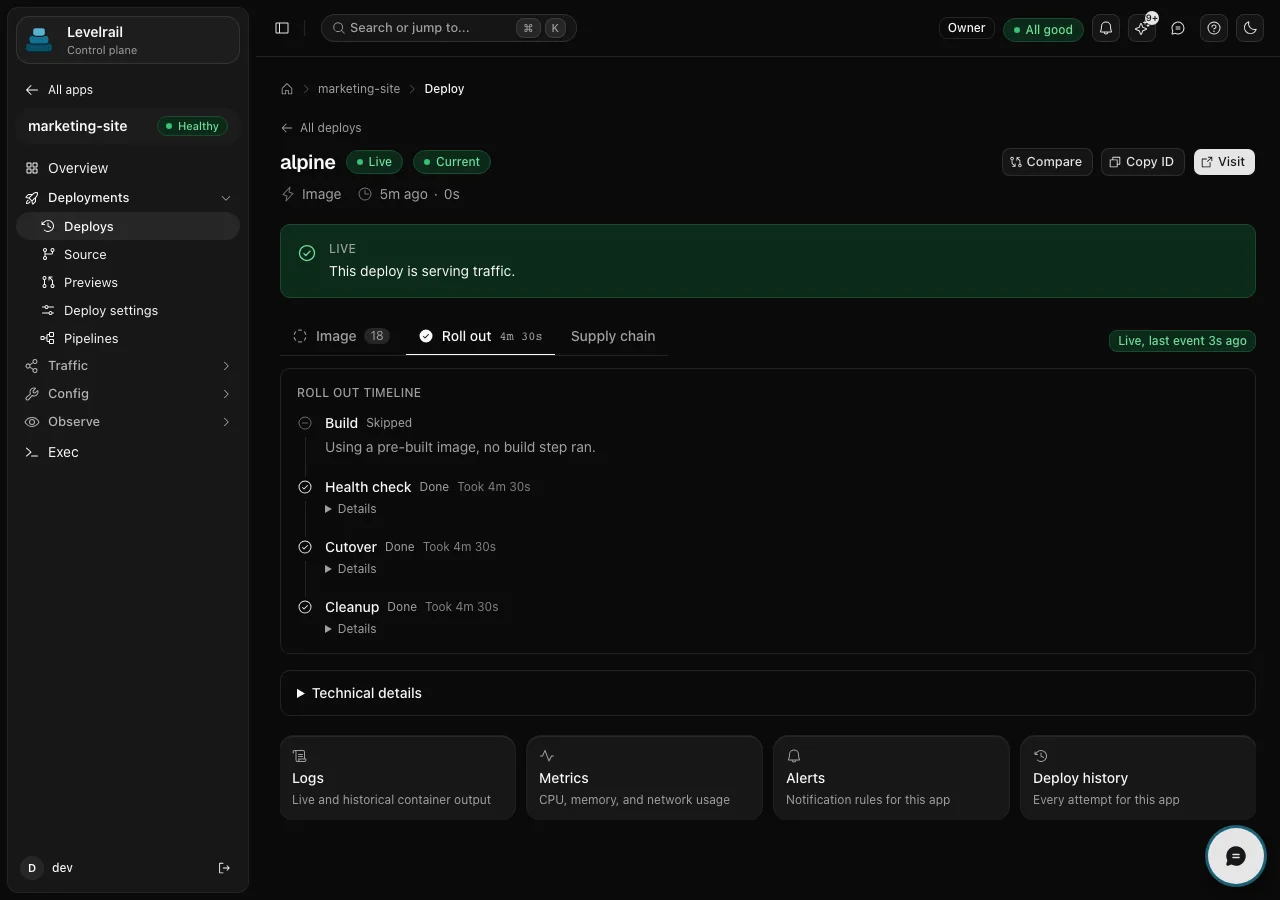
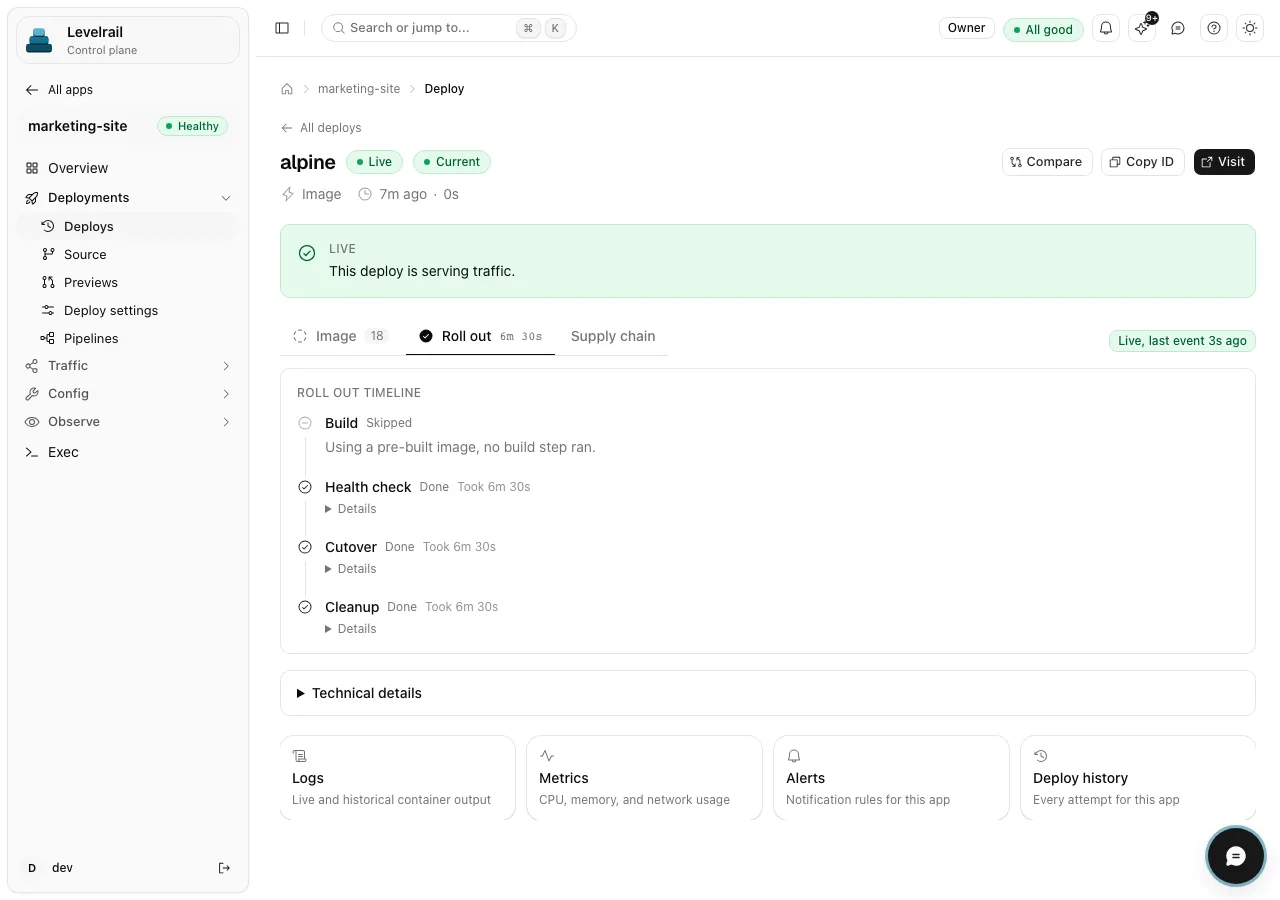
A deploy detail page for an app named marketing-site showing a Live badge, the message that this deploy is serving traffic, and a roll out timeline with health check, cutover and cleanup steps marked done. A deploy detail page for an app named marketing-site showing a Live badge, the message that this deploy is serving traffic, and a roll out timeline with health check, cutover and cleanup steps marked done.
Serving traffic
  • 4 git hosts: GitHub, GitLab, Bitbucket, Gitea
  • Stable PR previews on GitHub Stable
  • Beta PR previews on GitLab and Bitbucket Beta
  • 1 command to roll back

How it works

From git push to a safe cutover

A push builds the image, and the new version takes traffic only after its readiness probe passes. Earlier images stay pinned, so rollback is one command.

What you get

Everything this use case leans on

  • Four git hosts

    Connect GitHub, GitLab, Bitbucket or Gitea. A push triggers a build, and traffic moves to the new version once its readiness probe passes.

  • Pull request previews

    Each pull request gets its own preview environment. Stable on GitHub, beta on GitLab and Bitbucket.

  • Encrypted environment

    Environment variables are encrypted per app. Set environment variables such as NEXT_PUBLIC_* before the build, since Next.js inlines them at build time.

  • Database next door

    Add Postgres or Redis as a managed resource beside the app, with scheduled backups. Databases with backups covers how those get checked.

  • One-command rollback

    Roll back to a pinned earlier image with one command. The older version must pass its health checks before it takes traffic again. More on how deploys work.

In the product
What it looks like

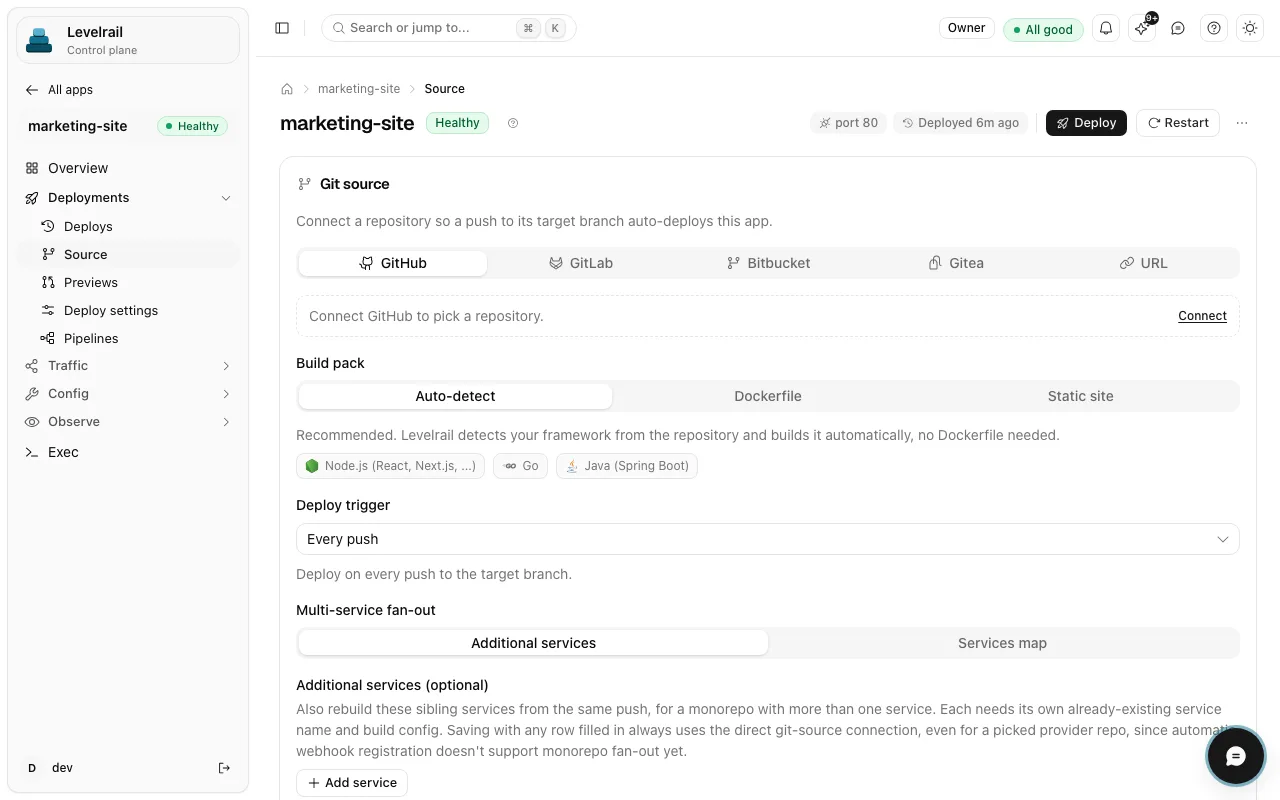
  • The Source page of an app named marketing-site, showing a Git source panel with GitHub, GitLab, Bitbucket, Gitea and URL tabs, build pack choices of Auto-detect, Dockerfile and Static site, and a deploy trigger set to Every push. The Source page of an app named marketing-site, showing a Git source panel with GitHub, GitLab, Bitbucket, Gitea and URL tabs, build pack choices of Auto-detect, Dockerfile and Static site, and a deploy trigger set to Every push.
    Pick a git host, a build pack and a deploy trigger per app. Read the docs
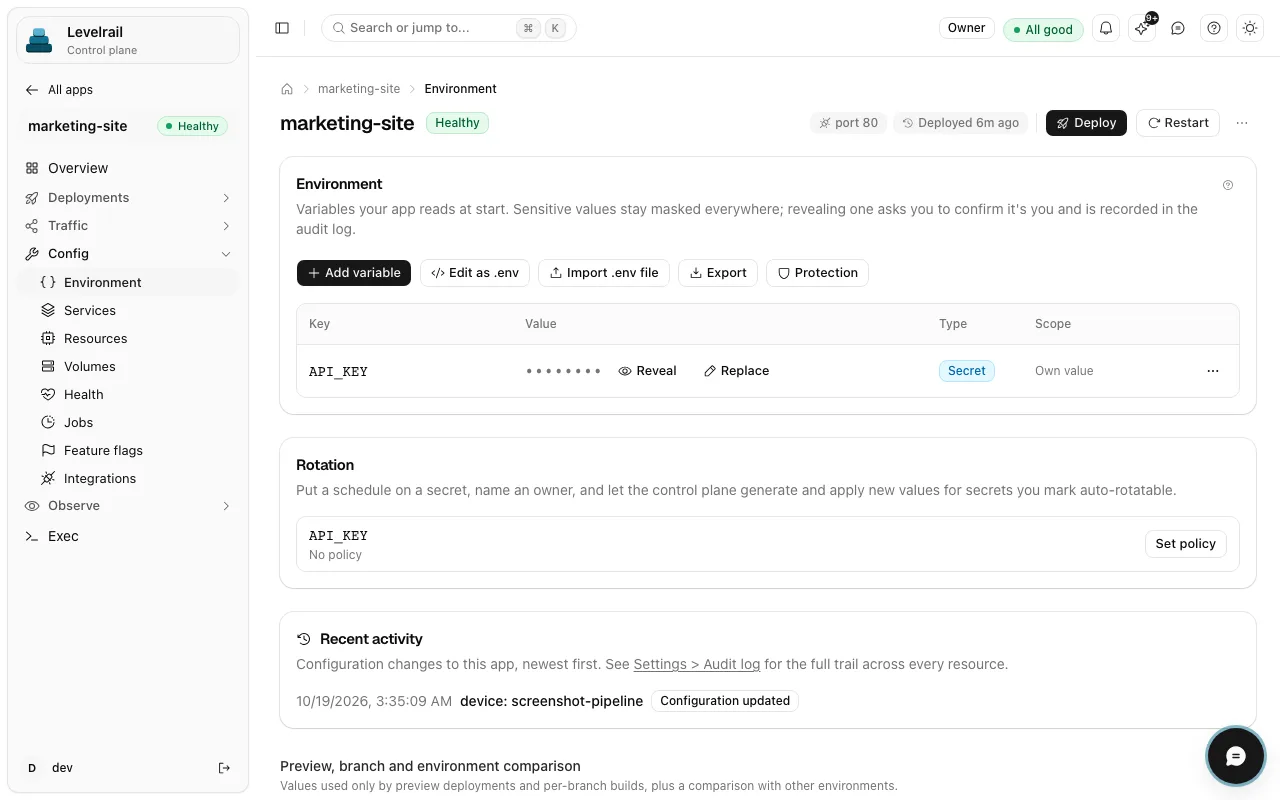
  • The Environment page of an app named marketing-site, showing an API_KEY variable of type Secret with its value masked, buttons to add a variable or import a .env file, and a rotation section. The Environment page of an app named marketing-site, showing an API_KEY variable of type Secret with its value masked, buttons to add a variable or import a .env file, and a rotation section.
    Variables are masked by default, and revealing one is recorded in the audit log. Read the docs
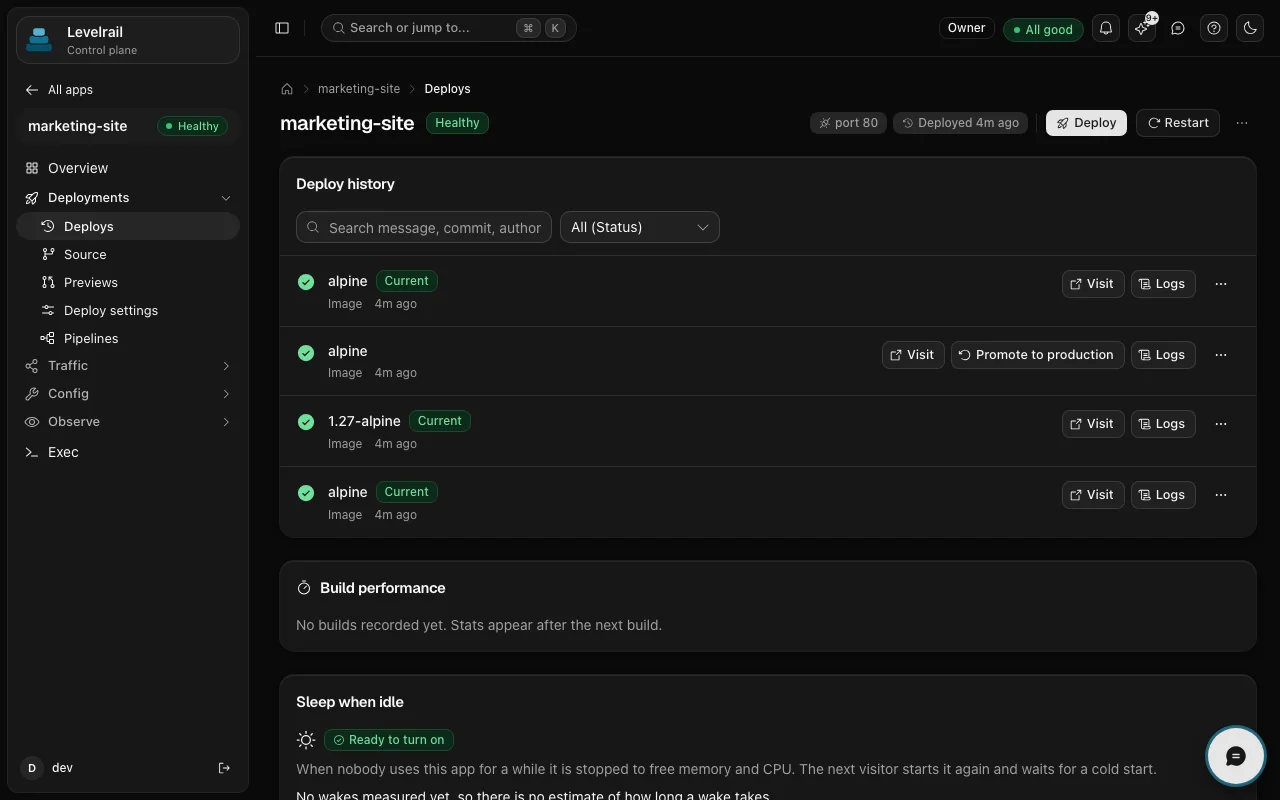
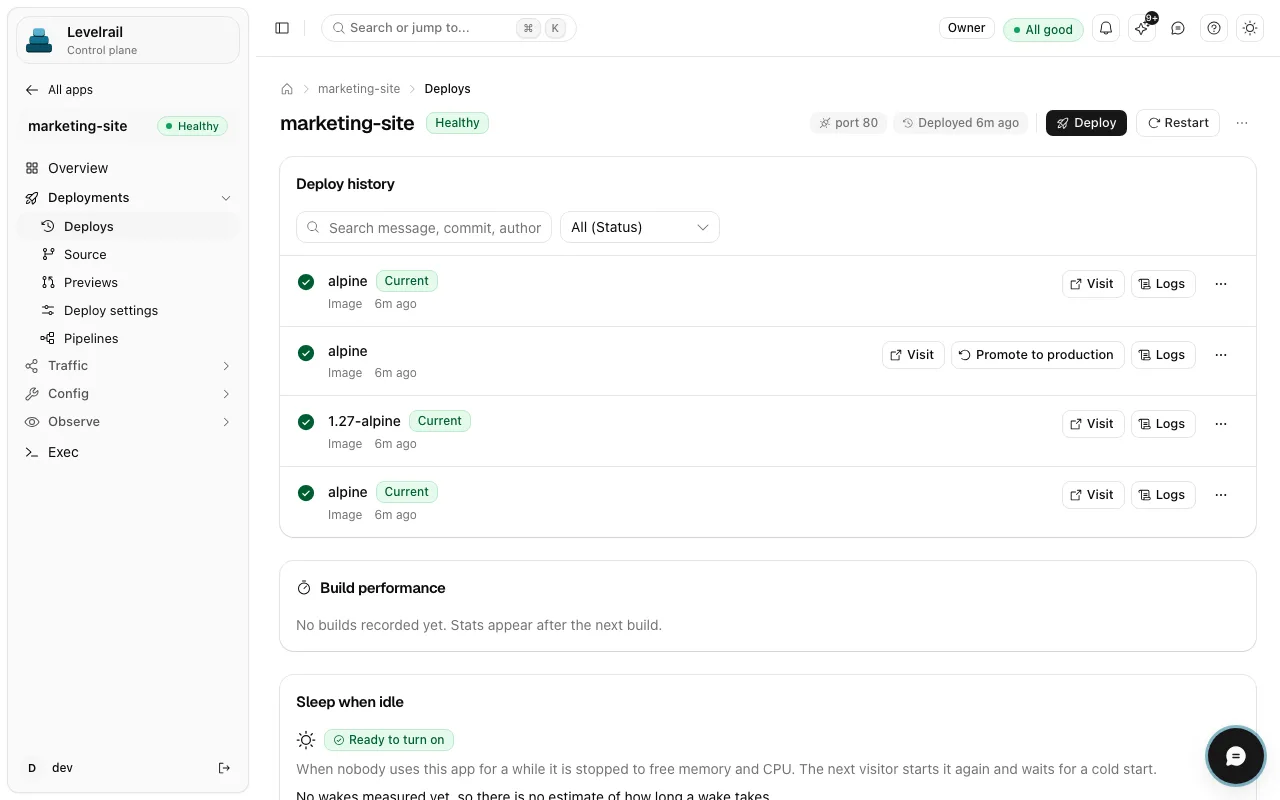
  • The Deploy history page of an app named marketing-site, listing four image deploys marked as succeeded, with Current badges, Visit and Logs buttons, and a Promote to production button on one earlier entry. The Deploy history page of an app named marketing-site, listing four image deploys marked as succeeded, with Current badges, Visit and Logs buttons, and a Promote to production button on one earlier entry.
    Every deploy is listed with its status, logs and a link to visit it. Read the docs

Get started

From zero to running

  1. Install on a server

    Run the install command on a Linux server.

  2. Connect the repository

    Add a Dockerfile to the repository, then connect it from the dashboard and pick a git host, build pack and deploy trigger.

  3. Configure and push

    Set your environment variables, add a domain and push.

Dockerfile (example)
FROM node:20-alpine AS deps
WORKDIR /app
COPY package*.json ./
RUN npm ci

FROM node:20-alpine AS build
WORKDIR /app
COPY --from=deps /app/node_modules ./node_modules
COPY . .
RUN npm run build

FROM node:20-alpine AS run
WORKDIR /app
ENV NODE_ENV=production
COPY --from=build /app/.next/standalone ./
COPY --from=build /app/.next/static ./.next/static
COPY --from=build /app/public ./public
EXPOSE 3000
CMD ["node", "server.js"]

A generic multi-stage Next.js standalone build. It assumes output: 'standalone' in next.config. Next.js inlines NEXT_PUBLIC_* values at build time, so set them before the build.

Go deeper

Read it, run it, or read the code

Good to know

Scope and maturity, stated plainly so you can plan around them.

  • Apps run as containers on your own server, which covers builds, previews, rollback and a database. There is no built-in edge runtime, ISR cache, image optimization service or visitor analytics, so put a CDN in front if you want edge delivery.
  • Browser-trusted certificates work once you enable public ACME (Let's Encrypt) in settings. Until then certificates are self-signed and browsers show a warning. Networking covers domains and TLS.
  • Deploys start from a webhook sent by your git host, and that is the supported path. A native git push remote exists, but it is in beta and off by default.

Maturity differs by feature. Feature status lists what is stable, beta or behind a flag, with the evidence for each.

FAQ

Questions

How do I self-host a Next.js app?

Install Levelrail on a Linux server, add a Dockerfile to your repository and connect it. Every push then builds the image and deploys it. Use output: 'standalone' in next.config, as in the example above.

Does Levelrail support the Next.js edge runtime and image optimization?

No. The app runs as a plain container, so features that depend on a managed edge network, such as an edge runtime or built-in image optimization, are not provided. Put a CDN in front if you want edge caching.

Can I get preview deployments for pull requests?

Yes. Pull requests get their own preview environment on GitHub (stable) and on GitLab and Bitbucket (beta). Set an apps base domain for clean preview URLs.

How do I roll back a bad deploy?

Run the rollback command and Levelrail switches back to a pinned earlier image once it passes health and readiness checks. Every deploy is listed with its status and logs on the deploy history page.

Run it on a server you own

One command installs the control plane. Apache 2.0, no license key and no paid tier.

curl -fsSL https://levelrail.com/install.sh | sudo sh