Seven layers of network. Levelrail runs three.
The mark has three rails. A network has seven layers. We own layer 7 and layer 3, and part of layer 4. Below is exactly where that stops.
- L7 Application Levelrail Ingress, TLS, HTTP balancing, firewall
- L6 Presentation Yours Encodings and compression, inside your app
- L5 Session Yours User sessions, inside your app
- L4 Transport Partly Agent link (mTLS), host firewall (ufw) No TCP balancing yet
- L3 Network Levelrail WireGuard mesh (beta), private networks, mesh DNS
- L2 Data link Yours Switches and VLANs, your host or provider
- L1 Physical Yours Cards, cables, power, your hardware
L7 Application Levelrail
Every request meets Caddy first.
Ingress is built into the control plane, so there is no separate proxy to run and nothing for config to drift from. It is the layer most of your users actually touch.
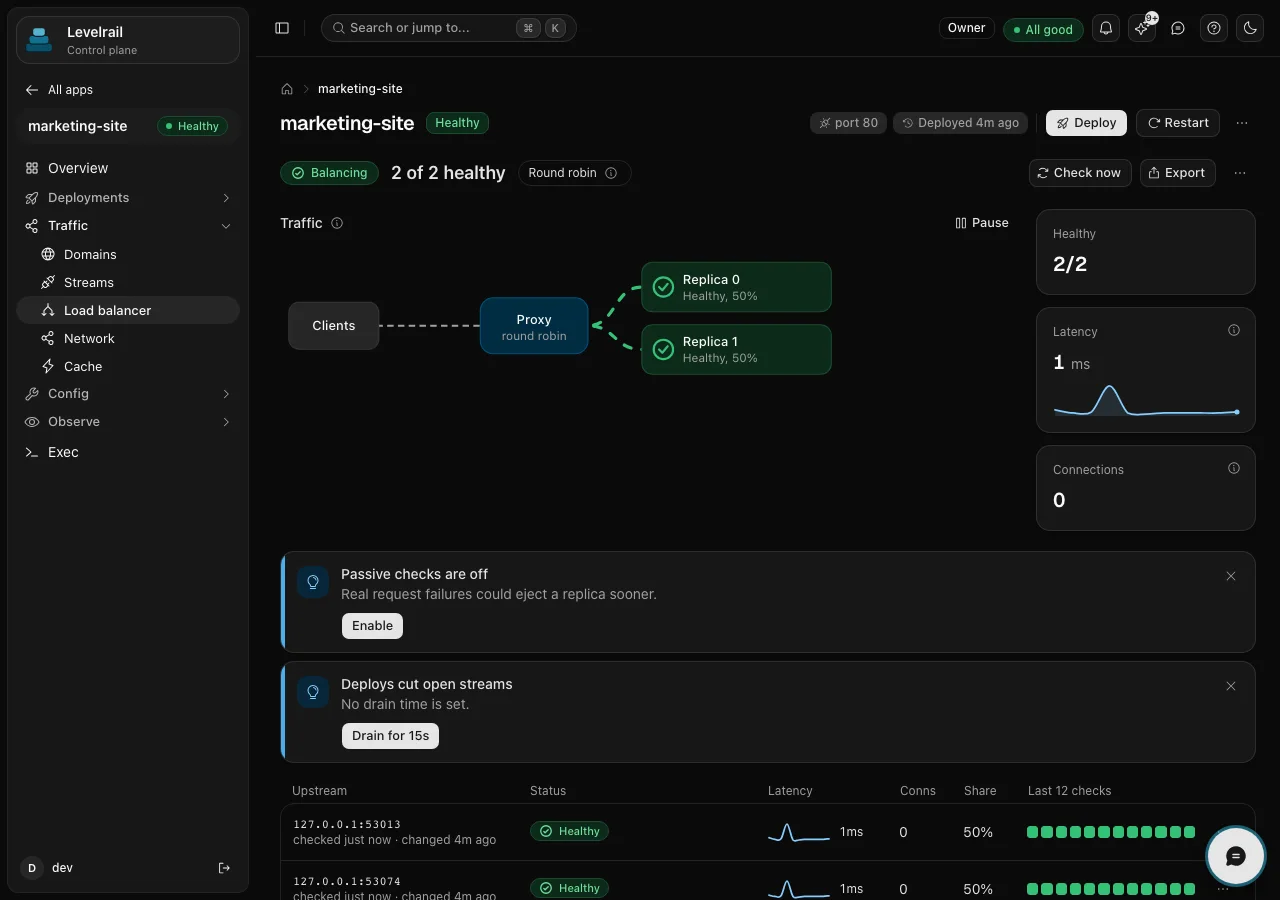
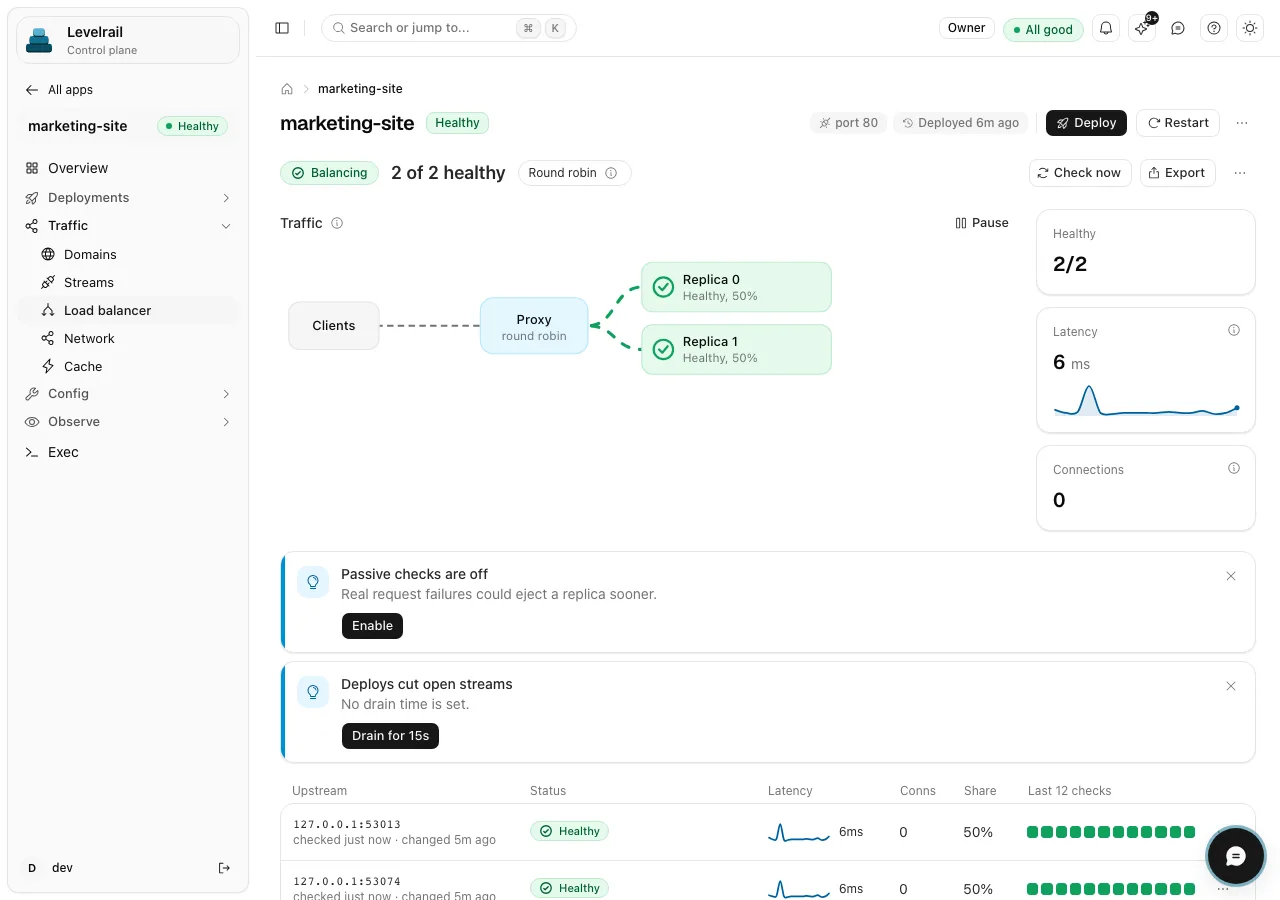
- Client
- Firewall rules
- Caddy and TLS
- Balancer
- Replica
-
TLS and certificates
Automatic certificates through the embedded Caddy. TLS defaults to an internal issuer; the public Let’s Encrypt issuer has had one live verification run, and renewal is not yet exercised live.
Read the docs -
Domain routing
Point DNS at the server, add the domain to an app, and routing follows desired state. No proxy container, no config to drift.
Read the docs -
HTTP load balancing
More than one replica is balanced round robin by default, with health checks, retries and sticky sessions. Experimental.
Read the docs -
Request firewall
Ordered rules, IP lists, automatic temporary bans, a browser challenge and bot handling, with a live view of what was blocked.
Read the docs
L4 Transport Partly
Layer 4 is half built, and we show the half that is missing.
levelrail-cli firewall statuslevelrail-cli firewall enable --dry-run# prints the commands, changes nothinglevelrail-cli firewall enable
The dashboard has the same switch under Settings, Firewall. Turning it on allows SSH first.
L3 Network Levelrail
One private network across your machines.
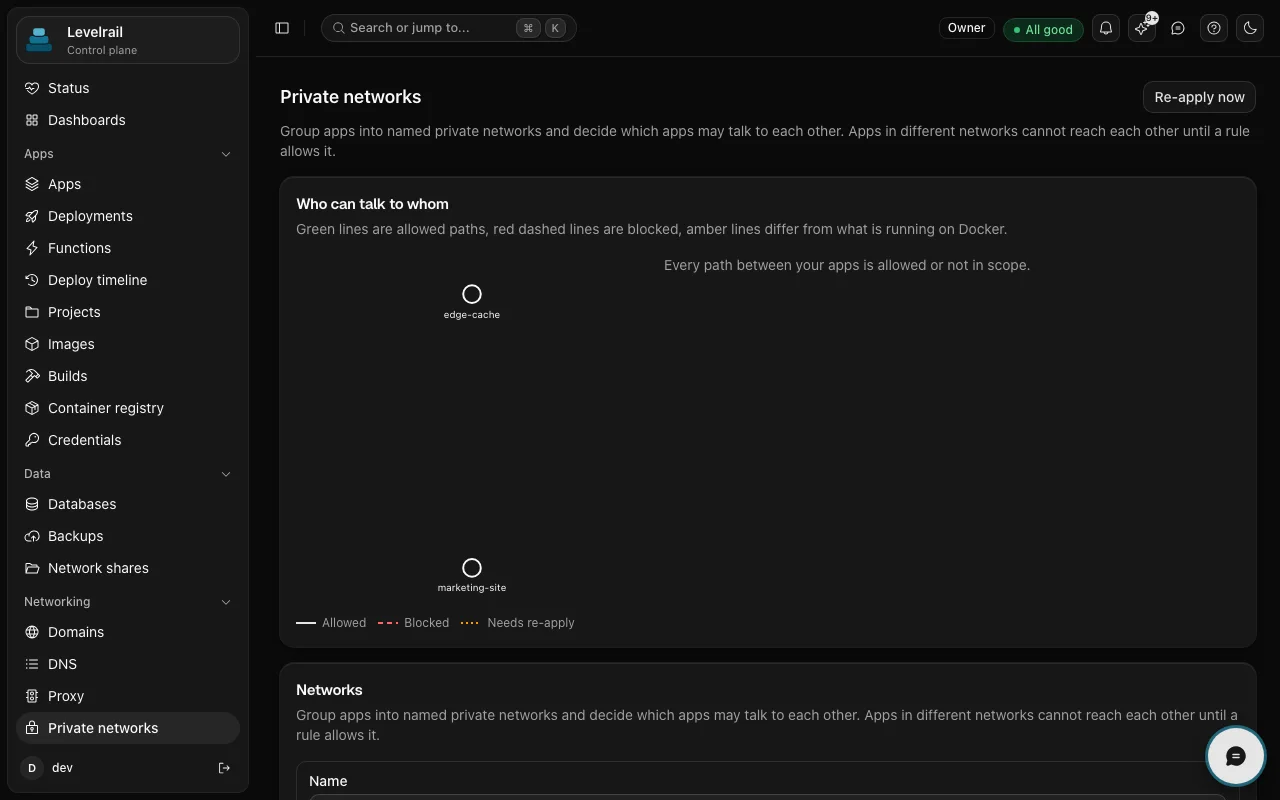
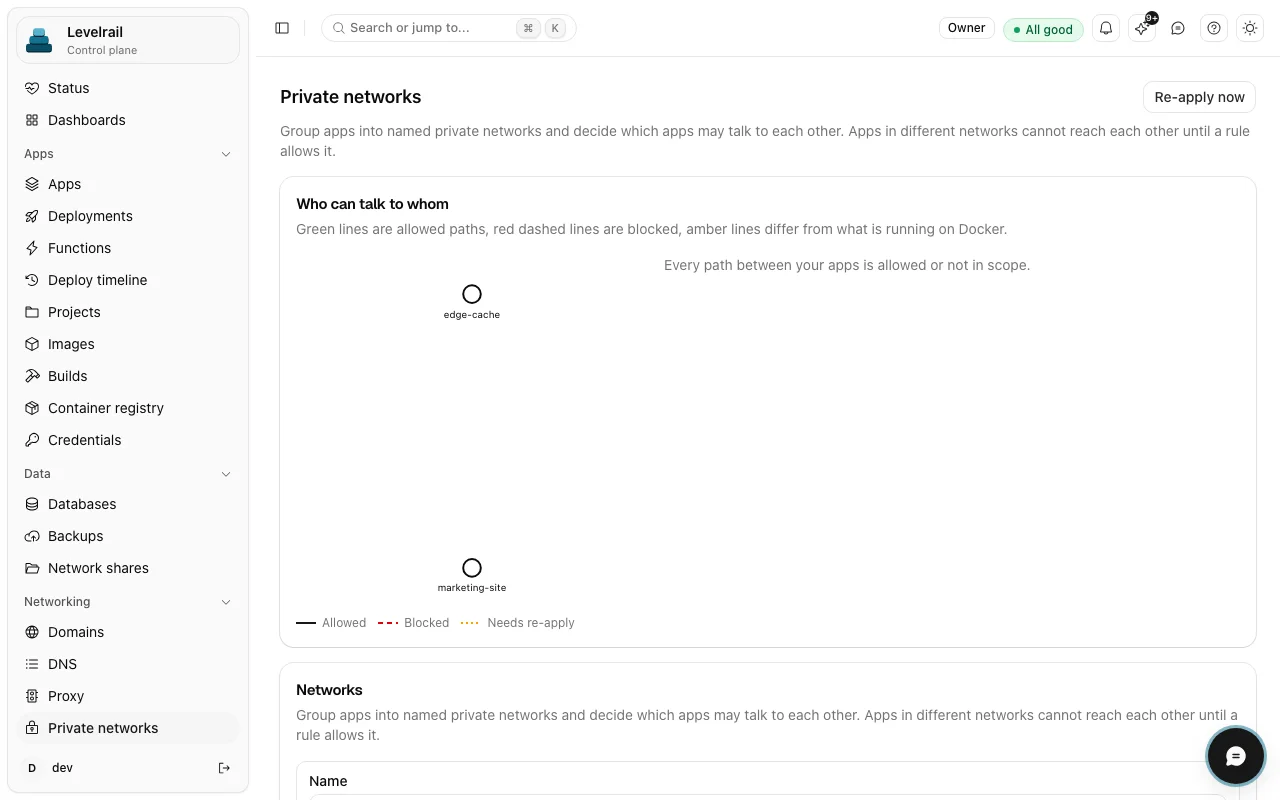
A home server, a cheap VPS and a cloud VM can sit on one mesh with stable names. It is the part of the stack that is still earning trust, so each line below says what it is not.
# each app gets a mesh nameedge-cache.<zone> 10.181.0.1marketing-site.<zone> 10.181.0.1docs-sample-db.<zone> 10.181.0.1
-
WireGuard mesh Beta
Nodes get a mesh address and peer config. Single node is the well-tested path; the mesh is not battle-tested yet.
Read the docs -
Private networks
Name which apps may talk to which. Same node, this is a Docker network per rule. Across nodes it gates name resolution, not packets.
Read the docs -
Mesh DNS
Apps get stable names that resolve across machines, like the names above. Direct IP access over the mesh is not filtered.
Read the docs
What stays yours.
Four layers sit inside your app or beneath your server. We do not touch them, and we will not pretend to.
- L6
Presentation
Encodings and compression happen inside your app. Nothing to set here.
- L5
Session
User sessions belong to your app. Sticky routing is the only touch.
- L2
Data link
Switches, VLANs and MAC addressing. Your host or your provider.
- L1
Physical
Cards, cables and power. Your hardware, or your VPS provider.
Run the three rails yourself.