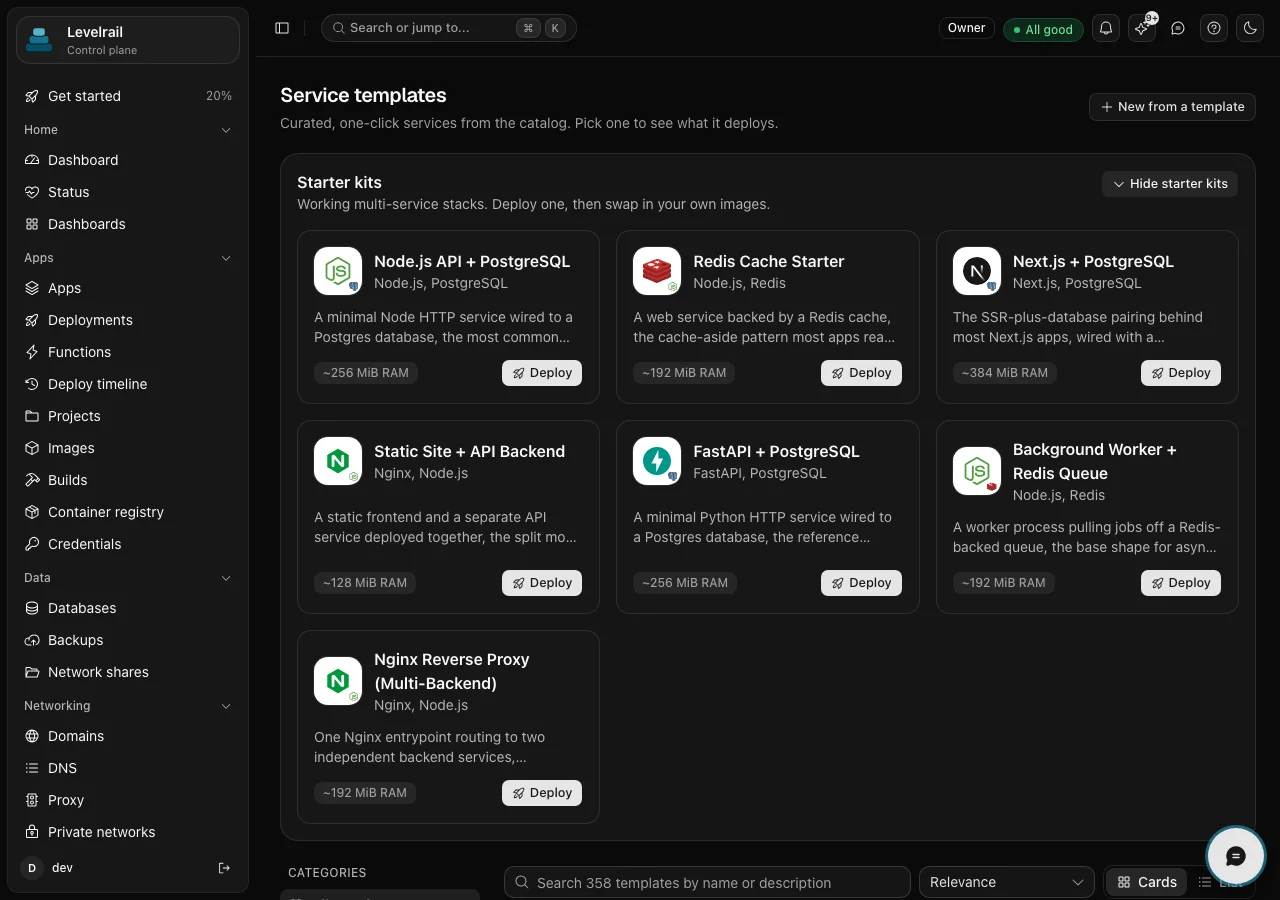
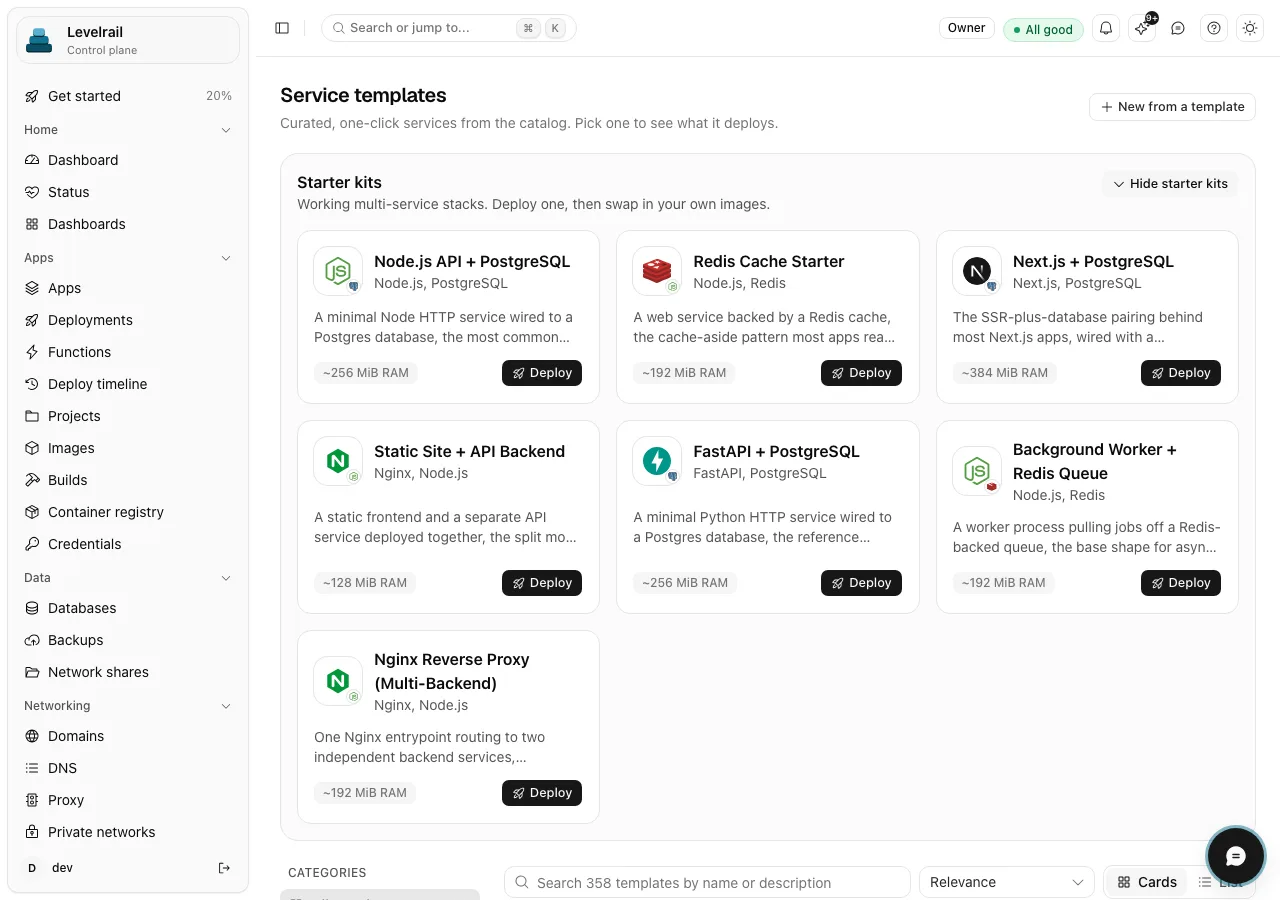
570+ templates in the catalog.
Pick a database, a wiki, an analytics tool or a media server from the catalog and deploy it as a Compose app on your own hardware. Secrets are generated, volumes are named, and a domain gets a certificate.
New templates ship with every release, and any app you run can be saved as a template of your own.
- Ghost
- Grafana
- n8n
- Immich
- Gitea
- Vaultwarden
- Jellyfin
- Nextcloud
- Prometheus
- MinIO
- Keycloak
- WordPress
Find a template and install it on a VPS.
Images, ports, volumes and memory, exactly as the catalog lists them.
574 templates
- 2FAuth A web app to manage your two-factor authentication accounts and generate one-time codes.
- Ackee A self-hosted, privacy-friendly web analytics tool that tracks page views without cookies or personal data. MIT licensed. Runs with a MongoDB service. The admin password is generated for you and shown in the deployment variables.
- ActiveMQ Classic A message broker with JMS, AMQP and MQTT support and a web console, with a data volume. The console login is admin with the password admin, so change it right after the first sign in.
- Activepieces An open-source, no-code automation tool for connecting apps and building AI-powered workflows.
- Actual Budget A local-first, envelope-style budgeting app with optional multi-device sync.
- Actual Budget A local-first personal finance and budgeting app with multi-device sync you fully own.
- AdGuard Home Network-wide ad and tracker blocking with a DNS server and a friendly admin dashboard.
- Adminer A single-file database admin tool for MySQL, PostgreSQL, SQLite, and more.
- AFFiNE A block-based workspace combining docs, whiteboards, and databases in one self-hosted app.
- Agentgateway Proxy built for agent traffic that routes MCP, A2A and LLM requests. The install form carries config.yaml as an editable file, so it starts with a listener that answers on port 3000.
- Alertmanager Prometheus Alertmanager: groups, deduplicates and routes alerts to email, Slack, webhooks and on-call tools.
- Ampache A web based audio and video streaming server with a library, playlists, users and a Subsonic compatible API, backed by MariaDB. Finish the install from the first page with the database details shown in the notes.
- Anubis A reverse proxy that makes clients pass a small proof of work before reaching your site, which blocks most scraper bots. Sits in front of one upstream you choose. The signing key is generated for you.
- AnythingLLM A private chat workspace over your documents, with built-in RAG and support for local or hosted models.
- Apache Answer A Q&A platform for building a community knowledge base, in the style of a self-hosted Stack Overflow.
- Apache Cassandra A single node Apache Cassandra wide-column database on the official image, with a persistent volume. It is not published on the host and starts without authentication, so reach it only from other services in this project at cassandra:9042. A node needs about 2 GB of memory.
- Apache Kafka A single broker Apache Kafka in KRaft mode (no ZooKeeper) on the official image, with a persistent volume. It is not published on the host and speaks plaintext, so reach it only from other services in this project at kafka:9092.
- Apache Solr The Apache Solr search platform on the official image, with a persistent volume. The admin interface has no login, so keep it private or put it behind an authenticating proxy before adding a public domain. Other services in this project reach it at solr:8983.
- Apache Superset A business intelligence platform for exploring data and building dashboards, with its metadata kept in SQLite.
- Apache Tika Server Detects and extracts text and metadata from over a thousand file types over a simple HTTP API. Single container, no storage.
- AppFlowy A self-hosted, open-source workspace for notes and collaborative knowledge, an alternative to Notion.
- Apprise API A single HTTP endpoint that fans a notification out to 100+ services such as Slack, Discord, and email.
- Appsmith A low-code platform for building internal tools and admin panels on top of your own data.
- Appwrite An open-source backend-as-a-service with auth, databases, storage, and functions behind one API.
- ArangoDB A multi model database for documents, graphs and key value data with a web interface, a generated root password and a data volume. Source available under the BSL for the community line.
- ArchiveBox A self-hosted web archiver that saves pages as HTML, PDF, screenshots, WARC and media so links never rot. Creates the admin account on first start.
- Athens A Go module proxy that caches modules from upstream so builds stay fast and repeatable. Point GOPROXY at it from your CI or developer machines.
- Audiobookshelf A self-hosted server for your audiobooks and podcasts, with sync across every device.
- Authelia Single sign-on and two-factor portal. The admin user is created at first boot from a generated password (visible in the service environment settings, never on a process command line); more users go in /data/users.yml. Sessions are scoped to this portal's own host, so widen the cookie domain in /config/configuration.yml before protecting other apps. One-time codes are written to /data/notification.txt.
- authentik An identity provider and SSO platform with flows, policies, and support for OIDC, SAML, LDAP, and proxy auth.
- autobrr Matches torrent releases from your indexers against filters and pushes hits straight to your download client.
- Baby Buddy Track sleep, feeding, diaper changes, and growth for a baby or toddler, with charts and timers.
- Background Worker + Redis Queue A worker process pulling jobs off a Redis-backed queue, the base shape for async job processing.
- Backrest A web UI for restic backups with scheduled snapshots, retention policies and restore browsing (GPL-3.0). Create the admin user on first visit, before exposing the address publicly.
- Baserow A no-code database and spreadsheet hybrid you can build internal tools and apps on top of.
- Bazarr Companion to Sonarr and Radarr that finds and downloads subtitles for your media library.
- BentoPDF A privacy-first PDF toolkit that merges, splits, converts and edits files entirely in the browser, with no uploads.
- Beszel A lightweight server monitoring hub with historical stats for CPU, memory, disk, and network.
- Bifrost Fast open source LLM gateway that routes requests to many providers behind one OpenAI compatible API, with a web UI for keys and routing rules.
- Big-AGI A multi-model chat workspace with personas, side by side answers and voice, using your own API keys. MIT licensed. Keys stay in your browser unless you set them on the server.
- Blackbox Exporter A Prometheus exporter that probes endpoints over HTTP, HTTPS, DNS, TCP and ICMP and reports the results as metrics. It ships with the standard probe modules.
- Blocky DNS proxy and ad blocker with caching and conditional forwarding. The install form carries config.yml as an editable file, so it starts with a small denylist and public upstream resolvers.
- BookStack A simple, self-hosted platform for organizing documentation into books, chapters, and pages.
- Browserless A headless Chrome browser exposed as an HTTP/WebSocket API for scraping and PDF rendering.
- Budge A self-hosted envelope budgeting app for personal finance.
- Budibase An open-source low-code platform for building internal tools, forms, and admin panels.
- Bugsink A self-hosted, lightweight error tracking server with a Sentry-compatible SDK ingestion API.
- Bytebase A database schema change and migration tool with review workflows built in.
- ByteStash A fast, self-hosted code snippet manager with syntax highlighting, tagging, and a built-in MCP endpoint for AI assistants.
- Caddy A fast web server with automatic HTTPS and a simple config file, on the official image serving its default page. Mount your own Caddyfile or site files to host real sites.
- Cal.com Open-source scheduling infrastructure for booking meetings without the back-and-forth.
- Calibre The Calibre e-book manager in a browser desktop session, for organising, converting and reading your library.
- Calibre-Web A clean web interface for browsing, reading, and downloading your existing Calibre ebook library.
- Calibre-Web Automated A Calibre-Web fork that auto imports, converts and fixes books dropped into an ingest folder.
- Campfire Basecamp's open-source group chat app: rooms, direct messages, and file sharing, self-hosted as one container.
- Cap A lightweight, privacy-friendly proof-of-work CAPTCHA, an alternative to reCAPTCHA or hCaptcha.
- Castopod An open-source podcast hosting platform with built-in analytics, a web player, and ActivityPub federation.
- Changedetection.io Monitor any webpage for changes and get notified the moment content updates.
- Chatwoot An open-source customer support platform for live chat, email, and social messaging.
- Checkmate An open-source uptime and server monitoring app with incident history and status pages.
- Chibisafe A file vault for uploading and sharing files from the cloud.
- Chisel A fast TCP and UDP tunnel over HTTP secured by SSH, for reaching services behind firewalls. MIT licensed. The tunnel password is generated for you.
- Chroma A developer-friendly embedding database for AI applications, served over a simple HTTP API. Open to anyone who can reach it, so reach it from other services in this project at chroma:8000, or attach a domain only behind Basic Auth. Not published on the host.
- Chronograf A web interface to explore, graph and alert on time series stored in InfluxDB. Add your InfluxDB connection from the first screen; it has no login of its own, so restrict who can reach it.
- Cleanuparr A companion for Sonarr, Radarr and your download client that removes stalled, failed and malicious downloads and cleans up leftovers. GPL-3.0 licensed. Open the web UI and add your arr apps and download client under Settings.
- ClickHouse A columnar database built for fast analytical queries over large datasets.
- CloudBeaver A web-based database manager for browsing and querying Postgres, MySQL, SQLite and more.
- Cloudflare DDNS Keeps Cloudflare DNS records pointed at your current public IP address.
- Cloudreve A self-hosted file management and sharing system with multiple storage backends.
- Cockpit CMS A headless content platform for managing structured content behind a clean API, without a big CMS footprint.
- CockroachDB A distributed SQL database that speaks the Postgres wire protocol, run as one insecure node for development and small workloads. The SQL port is private, the admin console is the web page. Source available license.
- code-server Run VS Code in the browser, on your own hardware, from any device with a tab open.
- Coder A self-hosted platform for cloud development environments, backed by Postgres. This runs the Coder server only, with no Docker socket, so add workspace templates that use remote infrastructure. Create the first admin on first open.
- ComfyUI A node-graph editor for building and running Stable Diffusion and other image generation pipelines.
- CommaFeed A fast self-hosted RSS reader with a clean web client and keyboard shortcuts. It uses an embedded database kept on a volume.
- Consul HashiCorp Consul in single-server mode with the web UI: service discovery, health checks and a key-value store.
- ConvertX A self-hosted file converter that handles well over a thousand image, document, and media formats.
- ConvertX A self-hosted online file converter supporting over a thousand formats.
- copyparty A portable file server with resumable uploads, a media player, and search, in a single small image.
- CoreDNS Plugin based DNS server on the official image. The install form carries the Corefile as an editable file, so it starts as a caching forwarder with health and readiness endpoints.
- CouchDB A document database with an HTTP API, built-in replication and the Fauxton admin console.
- Crawl4AI An open source web crawler API that turns pages into clean Markdown and structured data for LLM pipelines, with a built-in playground and MCP endpoint. API calls need the generated token as a Bearer header.
- CrowdSec Local API Collaborative security engine run here as the local API that other agents and bouncers register with. The log reading agent and the online API are switched off.
- Cryptgeon A self-destructing note and file sharing service inspired by PrivNote, with end-to-end encryption.
- CyberChef The cyber swiss army knife: encode, decode, hash, and analyse data in the browser.
- Dashdot A clean dashboard that shows CPU, memory, network and storage use of the host it runs on.
- Dashy A feature-rich, self-hosted start page with widgets, status checks, and full visual customization.
- Databasus A free, self-hosted backup tool for Postgres, MySQL, and MongoDB databases.
- DbGate A web database client for SQL and NoSQL databases with a generated login and a data volume. Sign in as admin with the generated password, then add connections to other services here.
- DDNS Updater Keeps DNS records pointed at your changing public IP for many providers, with a small web page showing each record's status. The install form carries config.json as an editable file, so you add your providers there.
- Deluge A lightweight BitTorrent client with a web interface and plugins. GPL-3.0 licensed. The web UI starts with the default password deluge, so change it on first sign in (Preferences, Interface). Only the web UI is published, so incoming peer connections are limited.
- Dex OpenID Connect identity provider that fronts other identity sources. The install form carries config.yaml as an editable file, so it starts with a local database and the issuer address you choose.
- Directus An open-source headless CMS and instant REST/GraphQL API layer over your own database.
- Diun Watches your running containers and notifies you the moment a new image tag is published.
- Docker Registry A private registry for storing and distributing your own container images.
- Docker Registry The official open source registry for storing and distributing your own container images.
- Docker Registry (Authenticated) A private container registry with HTTP basic auth baked in at boot, unlike the catalog's open registry entry.
- Docling Serve An API server that converts PDFs, Office files and images into Markdown, JSON or text for RAG pipelines, using the Docling library on CPU. MIT licensed. The image is about 5 GB, the interactive UI is at /ui and the API docs at /docs. There is no login, so keep it private or behind an auth proxy.
- Docmost An open-source, Notion-style collaborative wiki and documentation workspace.
- Documenso An open-source document signing platform, a self-hosted alternative to DocuSign.
- DocuSeal A free, open-source document signing tool, a lighter alternative to DocuSign.
- DokuWiki A simple, database-free wiki that stores pages as plain text files, easy to back up.
- Dolibarr An open-source ERP and CRM for small businesses: invoicing, contacts, stock, and accounting in one app.
- Domoticz A home automation system with a web UI that links sensors, switches and many device protocols.
- draw.io A self-hosted diagramming and whiteboarding editor for flowcharts, architecture diagrams, and more.
- Drupal A mature, flexible CMS for structured content, multilingual sites, and large editorial teams.
- Dufs A tiny file server with uploads, downloads, search and WebDAV over one login. Apache-2.0 licensed. The admin password is generated for you.
- Duplicati Scheduled, encrypted backups of your files to local storage, network shares, or cloud storage.
- Easy!Appointments An open-source appointment scheduler for managing bookings, staff, and services.
- Eclipse Mosquitto A lightweight MQTT broker for connecting IoT devices, sensors, and home automation hubs.
- ejabberd Robust, scalable XMPP chat and messaging server from ProcessOne. Runs with the default configuration and stores its database on a volume.
- Elasticsearch A distributed, RESTful search and analytics engine for full-text search and log analytics. Security is off, so reach it from other services in this project at elasticsearch:9200, or attach a domain only behind Basic Auth. Not published on the host.
- Elasticsearch + Kibana Elasticsearch paired with Kibana for log and document search with a visual dashboard. Kibana has no login, so anyone who can open it controls the data: before attaching a domain, enable Basic Auth or the auth gate on it. Elasticsearch is reachable only from services in this project at elasticsearch:9200 and is not published on the host.
- Element Web The Element Matrix web client, served as static files and pointed at the homeserver you choose, for example the Matrix Synapse template. AGPL-3.0 licensed client. No account lives here, sign in or register on your homeserver.
- Emby A media server that organizes your movies, shows, and music and streams them to any device.
- EmbyStat Watch statistics and insight dashboards for your Emby or Jellyfin server.
- EMQX A scalable MQTT broker for IoT and smart home devices with a web dashboard.
- Envoy Proxy Cloud native edge and service proxy on the official image. The install form carries envoy.yaml as an editable file, so it starts with a working listener instead of exiting on a missing config.
- ESPHome A dashboard to build, flash and manage firmware for ESP32 and ESP8266 smart home devices.
- EspoCRM An open-source CRM for managing sales, support, and customer relationships end to end.
- etcd A distributed key-value store for configuration and coordination, running as a single member.
- Etherpad A real-time collaborative editor for documents, with plugins and a clean export story.
- evcc A smart charging controller that charges your electric car from solar surplus and cheap tariffs.
- Excalidraw A self-hosted virtual whiteboard for sketching diagrams that feel hand-drawn.
- Factorio Server A dedicated Factorio multiplayer server with saves kept in a volume.
- FalkorDB Low latency graph database that speaks the Redis protocol and the Cypher query language, with a bundled browser UI. Source available under the SSPL-1.0, which is not an open source license, so check it before offering it as a hosted service.
- FastAPI + PostgreSQL A minimal Python HTTP service wired to a Postgres database, the reference pairing for a FastAPI backend.
- Fenrus Self-hosted dashboard that groups your apps as tiles with live status widgets, themes and per user pages.
- FerretDB A MongoDB compatible database that stores documents in PostgreSQL. Runs FerretDB with a bundled PostgreSQL that has the DocumentDB extension, a persistent volume and a generated password. It is not published on the host, so reach it from other services in this project at ferretdb:27017.
- Fider A feedback platform for collecting and prioritizing user feature requests.
- File Browser A simple web UI for browsing, uploading, and sharing files from your own storage.
- FileBrowser Quantum A web file manager with a fast index, search, sharing links and per-user access. Apache-2.0 fork of FileBrowser. Runs in one container; the admin password is generated and shown in the service environment settings.
- Firefly III A self-hosted personal finance manager for tracking budgets, bills, and spending.
- Firefox A private Firefox browser running on your server and streamed to a web page.
- Flagsmith A feature flag and remote config service with a dashboard, environments, segments and an SDK API. Runs the API and dashboard in one container with a bundled Postgres database. On first open, the sign-up page creates the first organisation and admin.
- Flame A self-hosted start page with an app launcher, bookmarks, and Docker label integration.
- FlareSolverr A headless-browser proxy that solves Cloudflare and DDoS-Guard challenges for other self-hosted tools.
- flatnotes A database-less note-taking app that keeps notes as plain Markdown files.
- Flipt A self-hosted feature flag and experimentation platform with a built-in UI and REST/gRPC APIs.
- Flood A modern web interface for rTorrent, qBittorrent, Transmission and Deluge.
- Flowise Drag-and-drop builder for LLM chatbots, agents, and RAG flows, with an API for each flow.
- Flowise (Postgres + Qdrant) Flowise with a Postgres record manager, a Redis cache, and a Qdrant vector store, for production RAG flows.
- Fluent Bit Lightweight log and metrics processor and forwarder. The install form carries fluent-bit.conf as an editable file, so it starts listening for forwarded records with a health endpoint.
- Focalboard An open-source project board for tasks and sprints with Kanban, table and calendar views, stored in a single SQLite file.
- Forgejo A lightweight, community-governed Git forge with issues, pull requests, and CI runners.
- Forgejo (Postgres) Forgejo backed by Postgres instead of its default SQLite, for a multi-writer-safe production setup.
- Formbricks An open-source survey and experience-management platform you run on your own infrastructure.
- FreeScout A free, self-hosted help desk and shared mailbox, a lighter alternative to Zendesk or Help Scout.
- FreshRSS A lightweight, self-hosted RSS aggregator with multi-user support and a mobile-friendly API.
- Gatus Developer-oriented status page and health dashboard. Ships with an example endpoint; edit the config file under the app's Files to monitor your own services.
- Ghost A fast, modern publishing platform for blogs and newsletters, with built-in memberships.
- Ghostfolio A privacy-first wealth tracker for stocks, ETFs, and crypto, with portfolio analytics and no ads.
- GitBucket A Git hosting platform with issues, pull requests and a wiki, on a data volume. The first account is root with the password root, so change it right after the first sign in.
- Gitea A lightweight, self-hosted Git service with issues, pull requests, and a package registry.
- Gitea (Postgres) Gitea backed by Postgres instead of its default MySQL, for operators standardizing on one database engine.
- GitLab GitLab Community Edition: Git hosting, CI/CD, issues, and a container registry in one Omnibus image.
- GitLab CE A complete DevOps platform for source control, code review, issues, and CI/CD in one place.
- Gitness Harness Open Source, a Git host with code review, pipelines and an artifact registry in one binary. Apache-2.0 licensed. Uses an embedded SQLite database on the data volume. The first user to register becomes the admin, then turn off sign-ups. Pipelines that run containers need Docker access, which this template does not grant.
- Glance A fast, self-hosted dashboard that pulls RSS, weather, and other widgets onto one page.
- Glances A cross-platform system monitor showing CPU, memory, disk, and network at a glance.
- GlitchTip A lightweight, self-hosted error tracking service compatible with the Sentry SDK.
- GLPI An IT asset and service management platform with helpdesk ticketing built in.
- go2rtc A camera streaming hub that turns RTSP, HomeKit and other sources into WebRTC, HLS and MJPEG.
- GoatCounter A privacy-friendly, open-source web analytics platform that never tracks individual visitors.
- GoCD A continuous delivery server with pipeline visualisation, running on a data volume. Needs about 1 GB of memory. Authentication is off until you set it up, so restrict access first.
- Gogs A painless self-hosted Git service written in Go, light enough to run on a small VPS.
- gonic A lightweight music server that speaks the Subsonic API, with a small web admin.
- Gotenberg A stateless API for converting HTML, Markdown, Office, and PDF documents in the background.
- Gotify A simple push notification server with a REST API and web UI, for sending messages to your devices.
- Grafana Dashboards and exploration for metrics, logs, and traces from any data source.
- Grafana (Postgres) Grafana backed by Postgres instead of its default embedded SQLite, for multi-instance or external-DB setups.
- Grafana Alloy A telemetry collector that scrapes metrics and ships them to Prometheus-compatible, Loki or Tempo backends. This starts with a small pipeline that scrapes its own metrics and logs them; edit the config to forward data elsewhere.
- Grafana Loki A horizontally scalable log aggregation system that indexes labels, not full text, to keep storage cheap.
- Grafana Mimir Horizontally scalable long term storage for Prometheus metrics, run here as one process on local disk. The install form carries mimir.yaml as an editable file.
- Grafana OTel LGTM An all-in-one OpenTelemetry backend with an OTLP collector, Loki logs, Tempo traces, Prometheus metrics and Grafana in one container. The Grafana admin password is generated at install. OTLP ports are not published on the host, so send telemetry from other services in this project to otel-lgtm:4317 (gRPC) or otel-lgtm:4318 (HTTP).
- Grafana Tempo Distributed tracing backend that stores traces on local disk and accepts OTLP over gRPC and HTTP. The install form carries tempo.yaml as an editable file.
- Gramps Web An online genealogy system for researching and sharing family trees.
- Grav A flat-file CMS that stores pages as Markdown files, so there is no database to run. Edit content in the admin panel or directly on the volume.
- GreptimeDB A time series database for metrics, logs and traces with SQL, PromQL and OpenTelemetry ingest. This runs a single standalone node with no login on the HTTP port.
- Grimmory Organize, read, annotate, and sync your entire book collection from one place.
- Grist A modern relational spreadsheet that combines spreadsheet flexibility with database structure.
- Grocy A self-hosted ERP for your household: groceries, chores, and a shopping list that stays in sync.
- HAProxy High-performance TCP and HTTP load balancer on the official image. The install form carries haproxy.cfg as an editable file, so it starts with a working config instead of exiting on a missing one.
- Hasura An instant GraphQL and REST API on top of Postgres with permissions, subscriptions and an admin console.
- Headscale Self-hosted Tailscale control server, configured entirely through environment variables. Embedded DERP and STUN are off (the platform has no UDP), so clients relay through the public Tailscale DERP map over HTTPS. Create users and pre-auth keys with the CLI in the container (headscale users create, headscale preauthkeys create).
- Healthchecks Cron job and scheduled task monitoring: get alerted the moment a periodic job stops checking in.
- HedgeDoc Real-time collaborative markdown notes you can host yourself.
- Heimdall An application dashboard that gathers links to all your self-hosted services on one start page.
- HertzBeat A real time monitoring system with agentless collection, alerts and a web console, on the embedded database with a data volume. Change the default login after the first sign in.
- HeyForm A form builder for surveys, quizzes and lead capture, with conversational forms and a MongoDB backend.
- Hollama A minimal web chat client for Ollama and OpenAI compatible servers. MIT licensed. Add the address of your model server in settings.
- Homarr A customizable start page dashboard for your self-hosted services with drag-and-drop widgets.
- Home Assistant Open-source home automation that puts local control and privacy first.
- Homebox A home inventory and organization system for tracking what you own and where it is.
- Homepage A fast, static, highly customizable start page for all your self-hosted services.
- Homer A dead simple static start page for your services, configured with a single YAML file.
- Hoppscotch An open-source API development platform, a self-hosted alternative to Postman, backed by Postgres.
- Huginn A tool that builds agents which watch the web and act for you, such as tracking a page, filtering a feed or sending an email when something changes. This image bundles its own MySQL, so it is one container.
- HyperDX An observability platform that brings logs, traces, metrics and session replays together in one search UI. MIT licensed. Runs the all-in-one image with its bundled ClickHouse, MongoDB and OpenTelemetry collector, so it needs about 2 GB of memory. On first open, the setup page asks you to create the admin login.
- ImgCompress An offline image compression, format conversion, and background-removal API for self-hosted pipelines.
- imgproxy A fast image processing server that resizes, crops and converts images on the fly from signed URLs. Apache-2.0 licensed. A signing key and salt are generated for you, so only URLs signed with them are served.
- Immich Self-hosted photo and video backup with mobile apps, facial recognition, and timeline search.
- Inbucket Disposable mail server that catches mail for any address and shows it in a web inbox, for testing apps without sending real email.
- Infisical An open-source secrets manager to centralize API keys, database credentials, and app config.
- InfluxDB An open-source time-series database for metrics, events, and IoT analytics.
- Inngest A durable workflow engine for background jobs, queues, cron and event-driven functions, backed by Postgres and Redis.
- Invoice Ninja Self-hosted invoicing, quotes, and payments for freelancers and small businesses.
- Isso A lightweight self-hosted comment server for static sites with a small JavaScript embed. Comments live in a SQLite file on a volume.
- IT Tools A collection of handy online tools for developers: converters, generators, formatters, and more.
- Jackett A proxy that translates queries from your media apps into torrent tracker searches.
- Jaeger Distributed tracing with an OTLP collector and query UI in one container, storing traces in memory.
- Jellyfin A free media server for streaming your own movies, shows, and music to any device.
- Jellyseerr A request manager for Jellyfin, Plex, and Emby libraries, wired to Sonarr and Radarr.
- Jellystat A statistics and history dashboard for Jellyfin with watch time, library and user insights, backed by Postgres. MIT licensed. Create the admin user on first open, then add your Jellyfin URL and an API key.
- Jenkins The long-running automation server for building, testing, and deploying with thousands of plugins.
- Joomla A long-established CMS with a large extension ecosystem for business sites, portals, and communities.
- Joplin Server A self-hosted sync server for the Joplin note-taking app, keeping notes off third-party clouds.
- Joplin Server A self-hosted sync target for the Joplin note-taking app, replacing Dropbox or OneDrive sync.
- Jupyter GPU Notebook JupyterLab with a CUDA-ready data science stack for training and experimenting with models.
- Jupyter Notebook A Jupyter Notebook server for interactive Python data work, protected by a generated access token.
- Jupyter Notebook A web-based notebook environment for interactive Python, data analysis, and visualization.
- JupyterHub Multi user server that manages and proxies notebook servers. The install form carries jupyterhub_config.py as an editable file with a generated shared password, so it starts with a working login.
- Kanboard A minimalist, keyboard-friendly kanban board for personal and team task tracking.
- Kapowarr A comic book library manager that tracks volumes, finds issues and organises files.
- Karakeep A self-hosted bookmark, note, and read-it-later manager with full-text search and tagging.
- Karma Alert dashboard that merges and filters alerts from one or more Alertmanager instances into a single view.
- Kavita A fast, feature-rich reader server for manga, comics, and ebooks.
- Kellnr Self-hosted registry for private Rust crates with a web UI and docs hosting. Runs a single container with data on a volume.
- Keycloak An open-source identity and access management server with SSO, OAuth2, and SAML support.
- Keycloak (Postgres) Keycloak backed by Postgres instead of its default embedded database, for a real multi-instance setup.
- Kimai A self-hosted time tracking tool for freelancers and teams, with invoicing and reporting.
- KitchenOwl A shared grocery list, recipe and expense app for your household, with web and mobile clients.
- Kokoro TTS A CPU text-to-speech server with an OpenAI-compatible /v1/audio/speech API, built on the Kokoro model. Apache-2.0 licensed. The image is about 3 GB and there is no login, so keep it on a private network or behind an auth proxy.
- Komga A media server for comics, manga, and digital books with a clean reading interface.
- Kong Gateway An API gateway in database-less mode on the open source image. Load routes with the admin API at kong:8001 from inside this project. With no routes the proxy answers 404, which is the healthy state.
- Kopia Fast, incremental, encrypted backups to a repository, driven from a web UI instead of a cron script.
- KrakenD Stateless high performance API gateway on the official image. The install form carries krakend.json as an editable file, so it starts with a working route table instead of exiting on a missing config.
- Kroki An API that turns diagram text such as Mermaid, PlantUML and Graphviz into images. It has no database and no login, so restrict who can reach it.
- Kutt A modern URL shortener with custom domains, link analytics and an API, backed by Postgres and Redis.
- Label Studio A flexible data labeling tool for text, images, audio, and video, with export to common ML formats.
- Langflow A visual low-code tool for building and deploying multi-agent and RAG workflows in Python.
- Langfuse Trace, evaluate, and debug LLM applications with prompt management and cost analytics.
- LanguageTool A multilingual grammar, style and spell checking server with an HTTP API at /v2/check. LGPL-2.1 licensed. Runs the community server image in one container without the optional n-gram data. There is no web login, so keep the address private or put it behind an access rule.
- Leantime A goals-focused project management tool built for people who aren't professional project managers.
- LibreChat A self-hosted ChatGPT-style interface for many model providers, with agents, search, and multi-user login.
- LibreOffice (Remote Desktop) A full LibreOffice desktop running in a container, reachable from any browser, for editing office documents.
- LibreSpeed A lightweight, self-hosted internet speed test with no ads, tracking, or Flash required.
- LibreTranslate A free and open machine translation API that runs entirely on your own hardware.
- libSQL Server Server for libSQL, the open contribution fork of SQLite, speaking the Hrana protocol over HTTP. Runs as a single primary node with data on a volume.
- Lidarr Watches your indexers for new albums from artists you follow and automatically grabs and organizes them.
- LightRAG Graph based retrieval augmented generation server with a web UI and API. Runs on local file storage; point it at a model provider with the LLM and embedding settings.
- LimeSurvey A mature, self-hosted online survey tool for building and analyzing anonymous surveys.
- LinkAce A self-hosted bookmark archive with tags, lists, link checks and a REST API. GPL-3.0 licensed. Runs on SQLite in one container. On first open, register the admin account; the public address you assign is used as the app URL, so assign the domain before the first visit.
- Linkding A minimal, fast bookmark manager built for keeping a personal link archive.
- Linkding Plus Linkding's extended image with full-page snapshot archiving bundled in, for bookmarks that must survive link rot.
- LinkStack A self hosted link in bio page builder with a web setup wizard and a data volume. Finish the setup on first visit, because the first visitor creates the admin account.
- Linkwarden A bookmark manager that archives full page snapshots, not just links, so pages stay readable.
- Listmonk A self-hosted newsletter and mailing list manager with a fast, dependency-light core.
- LiteLLM Proxy One OpenAI-format gateway in front of 100+ model providers, with keys, budgets, and spend tracking.
- Livebook Interactive and collaborative code notebooks for Elixir with a built in package manager and visualizations. A generated password protects the editor.
- LiveKit Open-source WebRTC server for real-time audio, video and data, with an API for rooms and tokens. The install form carries livekit.yaml as an editable file and generates the API key and secret.
- llama.cpp Server The llama.cpp HTTP server: run quantized GGUF models on plain CPUs with an OpenAI-compatible API.
- lldap A lightweight LDAP server with a friendly web UI, built for homelab and small-team authentication.
- Lobe Chat A modern, open-source AI chat framework supporting many model providers.
- LocalAI A drop-in OpenAI-compatible API that runs language, image, and speech models on your own hardware.
- Logto Modern, developer-first customer identity: sign-in experiences, social login, and OIDC without the plumbing.
- Lowcoder An open-source low-code platform for building internal apps, dashboards, and workflows with drag-and-drop.
- LubeLogger A self-hosted vehicle maintenance and fuel mileage tracker with reminders and document storage. MIT licensed. On first open, register the first user, which becomes the root account.
- Lychee A self-hosted photo management and gallery app with albums, sharing and public links. MIT licensed. Runs on SQLite in one container. On first open, the setup page asks you to create the admin login.
- Lyrion Music Server The successor to Logitech Media Server, streaming your music to Squeezebox players and apps.
- Mafl A minimal homepage that lists your services as a tidy grid of links. It is configured from a single YAML file, and the starter file is created for you.
- Mage AI A data pipeline tool for building, running and monitoring ETL, streaming and dbt workflows in notebooks and a UI.
- Mail server (mox, experimental) Experimental. Needs APP_EXPERIMENTAL=mail on the control plane: without it this template is hidden and cannot be installed. Install with the MAIL_FIRST_DOMAIN setting (templates install mail-mox --env MAIL_FIRST_DOMAIN=example.com). MAIL_HOSTNAME (the FQDN other servers connect to) defaults to mail. that domain and MAIL_ADMIN_EMAIL to postmaster@ that domain. Ports 25, 465, 587 and 993 are published on the host with a private bind by default. After install, open them with the CLI command mail ports open --confirm (or Open mail ports on the Mail page): that makes only those four ports public and allows them in the host firewall, then set up DNS. Webmail and the account UI are on port 8025 (private, no admin pages). The admin API and metrics are never published; never make them public. TLS: the first start makes a self-signed certificate (valid for localhost only, made by mox itself) so the server comes up with no manual steps. Replace it before sending real mail: put your certificate and key in the config volume and set MAIL_TLS_CERT_FILE and MAIL_TLS_KEY_FILE (paths under /mox/config, for example certs/cur.pem and certs/cur.key). Existing files at those paths are never overwritten. A changed certificate needs a container restart. Relay mode: set MAIL_SMARTHOST_HOST (and port, user, password) to send through a provider. Changing it needs a restart. The admin password is the generated secret SERVICE_PASSWORD_MAILADMIN. Back up the config and data volumes together. Deliverability depends on reverse DNS, SPF, DKIM and a clean IP; see the mail template guide. Licence: MIT.
- MailCatcher A development SMTP server that catches every message and shows it in a web inbox. Send mail from services in this project to mailcatcher:1025. Messages are kept in memory only.
- MailDev A local SMTP server that catches outgoing mail and shows it in a web inbox, for testing mail from your apps. Mail sent to maildev:1025 from other services in this project appears in the web page and is never delivered.
- MailHog An SMTP test server that catches outgoing mail from your apps and shows it in a web inbox.
- Mailpit A local SMTP server and web inbox for catching and inspecting outgoing email during development.
- Maintainerr Rule-based media library cleanup for Plex and Jellyfin that works with Sonarr, Radarr and Seerr. MIT licensed. On first open, add your media server and arr apps in settings, then build rules.
- Manyfold A self-hosted manager for 3D printing model libraries with tags, previews and sharing, backed by Postgres and Redis. Create the first admin on first open.
- MariaDB The MariaDB database server on the official image, with a persistent volume, generated root and user passwords, and an application database. It is not published on the host, so reach it from other services in this project at mariadb:3306.
- MariaDB with Adminer A MariaDB 11.8 server paired with the Adminer web console, already wired together. The database is not published on the host, so other services in this project reach it at db:3306. Sign in to Adminer with server db, user root and the generated root password.
- marimo A reactive Python notebook that is reproducible, git-friendly, and shareable as an app.
- Material for MkDocs A documentation site generator with a searchable Material theme. This serves your Markdown files live; put them in the docs volume and edit the generated config to set the site name and navigation.
- Matomo A privacy-friendly, self-hosted alternative to Google Analytics with full data ownership.
- Matrix Synapse A federated, end-to-end encrypted chat server implementing the Matrix protocol.
- Matrix Synapse (Postgres) A Matrix homeserver backed by Postgres, for self-hosted federated chat and voice/video signaling.
- Matterbridge Bridges chat between platforms. The install form carries matterbridge.toml as an editable file with a local API gateway, so you add your own accounts there.
- Mattermost An open-source, self-hosted alternative to Slack for team messaging and collaboration.
- MAZANOKE A private image optimizer that compresses and converts photos in the browser. Images are processed on the visitor device and never uploaded to the server.
- MCP Inspector The official visual tester for Model Context Protocol servers: connect, list tools and resources and call them from the browser. MIT licensed. Open the logs to copy the session token.
- Mealie A self-hosted recipe manager and meal planner with a clean web UI and API.
- MediaWiki The wiki engine behind Wikipedia, for large collaborative knowledge bases with rich version history.
- Meilisearch A fast, typo-tolerant search engine API you can drop into any app's search bar.
- Memcached A fast in-memory cache for query results, sessions and rendered pages, reachable by other apps on host memcached.
- Memos A lightweight, privacy-first note-taking service for jotting down quick thoughts.
- MeshCentral A remote device management server with web-based desktop, terminal and file access, plus agents for Windows, Linux and macOS. Apache-2.0 licensed. The first account you register becomes the server admin, so register it before sharing the address. Set the host name to your public domain so agents can find the server.
- Metabase Ask questions of your data and share dashboards, no SQL required.
- Metabase with Postgres Metabase business intelligence with its own application data kept in a bundled Postgres database instead of the built in file, so dashboards and questions survive upgrades and scale past a single user. Create the admin on first open.
- MetaMCP An MCP aggregator and gateway that groups many MCP servers behind one endpoint with auth, namespaces and middleware.
- MeTube A tidy web front end for yt-dlp: paste a link, pick a format, and download video or audio.
- Milvus A cloud-native vector database built for billion-scale similarity search, run here as a single standalone node. Has no authentication, so reach it from other services in this project at milvus:19530, or attach a domain (it routes to port 19530 only) only behind Basic Auth. Not published on the host.
- MindsDB A query layer that connects data sources and AI models so you can ask questions in SQL. MIT licensed. Includes the web editor and the HTTP API.
- Minecraft Bedrock Server A Minecraft Bedrock Edition dedicated server for phones, consoles and Windows players. You must accept the Minecraft EULA yourself by entering TRUE. Players connect on UDP 19132: the port binds privately by default, so set a public bind in the app's Network settings and open UDP 19132 in the host and cloud firewall. The image publishes amd64 and arm64 builds, but the Bedrock server itself is x86 software, so on arm64 it runs under emulation and needs more CPU.
- Minecraft Server A Minecraft Java server (vanilla, Paper, Fabric or Forge via the server type field) that downloads the selected version on first boot (default 1.21.11, tested on the Java 21 image). You must accept the Minecraft EULA yourself by entering TRUE; it is never accepted for you. Players connect to TCP 25565 (no web address is created for it): the port binds privately by default, so set a public bind in the app's Network settings and open TCP 25565 in the host and cloud firewall. RCON is on with a generated password but its port is not published; run apps console from the CLI. The JVM heap is the memory field and the container limit defaults to 2560M, 25 percent above the 2G heap. Defaults suit 2 CPUs and 12 GB of RAM shared with other apps. Image is multi-arch (amd64 and arm64).
- Miniflux A minimalist, fast RSS/Atom feed reader with no bloat and a keyboard-driven UI.
- MinIO S3-compatible object storage you run yourself, with a built-in web console.
- MLflow Track experiments, compare runs, and manage models with a self-hosted MLflow tracking server.
- Mongo Express A web admin console for MongoDB, bundled with its own MongoDB 7 instance and basic auth.
- MongoDB The MongoDB document database on the official image, with a persistent volume and a generated root user and password. It is not published on the host, so reach it from other services in this project at mongodb:27017.
- Monica A personal CRM that remembers the people in your life, with notes, reminders, activities and relationships.
- Moodle A widely used, highly customizable learning management system for online courses.
- mStream A lightweight personal music streaming server with a web player and mobile apps.
- Multi-Scrobbler Scrobbles your listening history from sources like Spotify, Jellyfin, Plex and Navidrome to destinations like Last.fm, ListenBrainz and Maloja. MIT licensed. Add sources and clients through the web UI or the config files under the data volume.
- Mylar3 An automated comic book downloader that watches your series, finds new issues through your indexers and download client, and renames them into a library. GPL-3.0 licensed. Open the web UI, then add your indexers and download client under Configuration.
- MySQL The MySQL Community database server on the official image, with a persistent volume, generated root and user passwords, and an application database. It is not published on the host, so reach it from other services in this project at mysql:3306.
- MySQL with phpMyAdmin A MySQL 8.4 server paired with the phpMyAdmin web console, already wired together. The database is not published on the host, so other services in this project reach it at db:3306. Sign in to phpMyAdmin as root with the generated root password.
- n8n Build automations and connect your tools with a visual, node-based workflow editor.
- n8n (Postgres) n8n backed by Postgres instead of its default SQLite file, for production workflow volumes.
- n8n AI Starter Kit n8n wired to a local Ollama model and a Qdrant vector store, ready for private AI workflows.
- n8n MCP A Model Context Protocol server that gives AI assistants searchable n8n node documentation. MIT licensed. The bearer token is generated for you.
- NATS A lightweight messaging server for pub/sub, request/reply and durable streams, with JetStream persistence enabled.
- Navidrome Stream your own music collection from a Subsonic-compatible server to any device, anywhere.
- Neo4j A graph database with the Cypher query language, Community Edition, including the browser console.
- netboot.xyz Network boot menu for installers and rescue tools, served by the official container with its web configuration page and asset mirror.
- NetBox Source-of-truth IPAM and DCIM for tracking IP space, racks, devices, and cabling.
- Netdata Per-second infrastructure metrics with zero configuration and a live dashboard out of the box.
- New API An LLM gateway and AI asset management system that unifies many model providers.
- Next.js + PostgreSQL The SSR-plus-database pairing behind most Next.js apps, wired with a healthchecked Postgres.
- Nextcloud Self-hosted file sync, sharing, and collaboration, a full private alternative to consumer cloud drives.
- Nextcloud with Postgres and Redis Nextcloud file sync, sharing and collaboration on the official image with a bundled Postgres database and a Redis cache for file locking. The admin account is created on first start with the generated password.
- Nginx The Nginx web server on the official Alpine image, serving a persistent web root. It starts with the default welcome page; put your site files in the web root volume through the app's Files.
- Nginx Proxy Manager A web UI for managing Nginx reverse-proxy hosts, redirects, and Let's Encrypt certificates.
- Nginx Reverse Proxy (Multi-Backend) One Nginx entrypoint routing to two independent backend services, demonstrating depends_on across three services.
- Nginx UI A web interface to edit nginx configuration, certificates and sites. This runs its own nginx inside the container and stores its config in volumes.
- NocoBase An extensible no-code/low-code platform for building internal tools and databases.
- NocoDB Turn any database into a smart spreadsheet, with a real-time collaborative grid UI.
- Node Exporter A Prometheus exporter for hardware and OS metrics of the host it runs on. It serves plain metrics at /metrics for a Prometheus server to scrape.
- Node-RED A flow-based visual editor for wiring together hardware, APIs, and online services.
- Node.js API + PostgreSQL A minimal Node HTTP service wired to a Postgres database, the most common backend pairing.
- NodeBB A modern forum platform with real-time discussions, SSO, and a plugin ecosystem, backed by Postgres.
- Notifiarr Client for the Notifiarr service that relays notifications and syncs profiles for your media apps. The install form carries notifiarr.conf as an editable file and asks for your API key.
- NSQ A realtime distributed message queue with a lookup daemon, a queue daemon and the nsqadmin web page, run together. Producers and consumers in this project connect to nsqd:4150 and nsqd:4151.
- ntfy A simple pub-sub push notification service you can send alerts to from any script or app.
- NZBGet A fast, light Usenet downloader with a web interface and scripting support.
- OAuth2 Proxy Reverse proxy that puts an OAuth2 or OIDC login in front of any upstream. The install form carries oauth2-proxy.cfg as an editable file with a generated cookie secret, so it starts without extra flags.
- Obsidian LiveSync (CouchDB) A self-hosted CouchDB backend for the Obsidian LiveSync plugin, syncing your notes across devices.
- Odoo An all-in-one business suite covering CRM, sales, inventory, accounting, and a website builder.
- Ollama A local LLM runtime with an HTTP API. Pull any model yourself once it's running.
- Ollama + Open WebUI A local LLM runtime paired with a ChatGPT-style web interface, for running open models on your own hardware.
- Ollama: DeepSeek-R1 7B DeepSeek's R1 distilled 7B reasoning model, served locally through Ollama's HTTP API.
- Ollama: Llama 3 8B Meta's Llama 3 8B model, served locally through Ollama's HTTP API.
- Ollama: Mistral 7B Mistral's 7B instruct model, served locally through Ollama's HTTP API.
- Ollama: Phi-3 Mini Microsoft's Phi-3 Mini (3.8B), the smallest model in this catalog, good for constrained nodes.
- Ollama: Qwen 2.5 7B Alibaba's Qwen 2.5 7B model, served locally through Ollama's HTTP API.
- Ombi A request portal where media server users ask for movies and shows and your download apps fill them. GPL-2.0 licensed. On first open, the wizard creates the admin account and connects your media server and Sonarr or Radarr.
- Once Campfire A simple, self-hosted group chat app from 37signals, no subscription required.
- One-Time Secret Share a password or API key through a link that self-destructs after the first view, backed by Redis.
- OneDev A self-hosted Git server with built-in CI/CD, issue tracking and code search, in one container.
- Open Notebook An open source, self-hosted alternative to NotebookLM for researching with your own sources, with podcasts and chat. Add model provider keys in the app after install.
- Open WebUI A self-hosted chat interface for running local large language models through Ollama.
- OpenBao OpenBao, the open source secrets manager forked from Vault, with integrated Raft storage. It is reachable only from services in this project at openbao:8200 over plain HTTP and is not published on the host.
- OpenClaw A self-hosted personal AI agent gateway that connects chat apps and tools to the model provider you choose. Recommended container limit is 2 GiB. Measured use is 0.9 to 1.3 GiB, so a Levelrail VM needs at least 4096 MiB. The gateway trusts the ingress proxy through gateway.trustedProxies, written once to openclaw.json in the data volume.
- Opengist A self-hosted pastebin powered by Git, for sharing snippets and gists with revisions, topics and search. AGPL-3.0 licensed. Uses SQLite in one container. SSH Git access is off, so clone and push over HTTPS. The first account you register becomes the admin.
- openHAB A vendor neutral home automation hub that connects thousands of smart devices and services.
- OpenObserve A lightweight, single-binary observability platform for logs, metrics, and traces with a built-in UI.
- OpenResty The OpenResty web platform, Nginx with LuaJIT, on the Alpine image with a persistent web root. It serves the default page until you add content or configuration.
- OpenSearch A single node OpenSearch search and analytics engine with the security plugin on, a persistent volume, a generated admin password and a 512 MB Java heap. The API speaks HTTPS with a self signed certificate and is not published on the host, so reach it from other services in this project at opensearch:9200.
- OpenSpeedTest A browser speed test you host yourself. It measures download and upload speed between a visitor and this server, with no account and no stored results.
- OrangeHRM An open-source human resources management suite: PTO, recruitment, performance, and an employee directory.
- Organizr A unified homepage and tabbed dashboard for linking every self-hosted app behind one interface.
- OrientDB A multi model database for graphs and documents with the Studio web console, a generated root password and data volumes. The binary protocol port 2424 stays private.
- osTicket A widely used open-source support ticket system for teams handling customer requests.
- Outline A fast, structured team wiki and knowledge base with real-time collaborative editing.
- Overseerr Lets your Plex users request new movies and TV shows straight from a shared web UI.
- Owncast Run your own live video streaming server with built-in chat, no third-party platform required.
- ownCloud The classic self-hosted file sync and share platform, with MariaDB and Redis for metadata and locking.
- ownCloud Infinite Scale File sync and share platform in one binary with spaces, search and a modern web UI. Initializes its own config and a generated admin password on first start.
- PairDrop An AirDrop-style app for sending files and messages between devices on the same network, from any browser.
- Palworld Server A dedicated Palworld server with a generated admin password and RCON kept internal.
- Paperless-AI Adds automatic tagging, titles and document chat to a Paperless-ngx server using your choice of AI provider. MIT licensed. A setup wizard collects the Paperless address and token.
- Paperless-ngx Scan, index, and archive your paper documents into a searchable digital library.
- Passbolt An open-source password manager built for teams, compatible with the usual browser extensions.
- Paymenter Open-source billing and client management for hosting providers, with invoices, subscriptions and provisioning extensions.
- Penpot An open-source design and prototyping platform, a self-hosted alternative to Figma.
- PG Back Web A web UI for scheduling, encrypting, and restoring PostgreSQL backups.
- pgAdmin A full-featured web GUI for administering and querying PostgreSQL databases.
- pgvector Postgres PostgreSQL 17 with the pgvector extension preinstalled, for embeddings next to your relational data.
- Pgweb A small web client for browsing and querying PostgreSQL databases, with a table browser, query editor and export. Runs as one container with no storage of its own. Sign in with the username and password from the install form, then enter the connection details of your database.
- PhotoPrism An AI-powered photo management app that indexes and organizes your library as you own it.
- Photoview A fast, simple photo gallery that indexes an existing folder tree without importing or duplicating files.
- phpIPAM An open source IP address management app for tracking subnets, addresses, VLANs and devices, backed by MariaDB. Finish the database install from the first page with the generated root password.
- phpMyAdmin A web-based admin tool for MySQL and MariaDB, built for ad-hoc use against any reachable database.
- Pi-hole Network-wide ad blocking that works as a DNS sinkhole for your whole network.
- PicoShare Minimalist file sharing service for sending large files by link with an optional expiry. A generated shared secret protects the upload page.
- PiGallery2 A directory-first photo gallery that shows your folders as they are on disk, with search, maps and thumbnails. Photos are read from a volume, so you copy them in or mount a folder.
- Pinchflat Automatically download and organize YouTube channels and playlists into your media library.
- Pingvin Share A self-hosted, ad-free alternative to WeTransfer for sending files with expiring links.
- Plane An open-source project management tool for tracking issues and cycles, an alternative to Linear and Jira.
- Planka A Trello-style kanban board for visualizing and tracking work across a team.
- PlantUML Server Turns PlantUML text into UML diagrams as images over HTTP. It has no database and no login, so restrict who can reach it.
- Plausible Analytics Lightweight, privacy-friendly, cookie-free web analytics with no consent banner required.
- Plex A media server that organizes your movies, TV, and music and streams them to any device.
- Plunk An email platform for transactional mail, marketing campaigns and automations that sends through your own AWS SES account.
- Pocket ID A simple, secure OIDC provider that authenticates with passkeys instead of passwords.
- PocketBase An open-source backend in one file: embedded database, auth, file storage, and realtime API.
- Portainer A web UI for managing containers, images, volumes, and networks.
- PostgreSQL The PostgreSQL relational database server on the official Alpine image, with a persistent volume and a generated password. It is not published on the host, so reach it from other services in this project at postgres:5432.
- PostgreSQL with pgweb A PostgreSQL 17 server paired with the pgweb browser console, already wired together. The database is not published on the host, so other services in this project reach it at db:5432. pgweb opens straight into the database with the generated credentials, so keep its address private.
- Postiz Schedules and publishes posts across social platforms from one calendar, with basic analytics.
- Prefect Python-native workflow orchestration with scheduling, retries, and a dashboard for every flow run.
- PrivateBin A minimalist, encrypted pastebin where the server has zero knowledge of what you paste.
- Prometheus A metrics time-series database and alerting engine built for pull-based scraping.
- Promptfoo Test and compare prompts, models and agents with a local web UI for browsing evaluation results. Runs the viewer with results stored on a volume.
- Prowlarr An indexer manager that syncs your torrent and Usenet indexers across the whole Arr stack.
- Proxyscotch A small CORS proxy that lets Hoppscotch call APIs from the browser.
- Pushgateway A Prometheus Pushgateway that holds metrics pushed by short-lived batch jobs so a Prometheus server can scrape them. Pushed groups are kept on a persistent volume.
- Pyroscope A continuous profiling database with a web UI and a data volume. The UI has no login, so restrict access before exposing it. Applications push profiles to port 4040.
- qBittorrent A free, self-hosted BitTorrent client with a full web UI for remote download management.
- Qdrant A vector similarity search engine for storing, searching, and managing embeddings.
- QuestDB A fast time series database with SQL, a web console, the PostgreSQL wire protocol on 8812 and InfluxDB line protocol ingestion on 9009. The console and the PostgreSQL port share one generated password. Only the console is offered a domain.
- RabbitMQ A widely used open-source message broker supporting AMQP, MQTT, and STOMP.
- Radarr Watches your favorite indexers for movies and automatically grabs, sorts, and renames them.
- Radicale Calendar (CalDAV) and contacts (CardDAV) server. One user is created at first boot with a generated password (visible in the service environment settings, never on a process command line); it is stored as a SHA-512 hash in /var/lib/radicale/users and each user only sees their own collections. Add users by appending htpasswd lines to that file.
- Rallly Find a time that works for everyone with polls for scheduling meetings and events.
- Raneto A flat file knowledge base that renders a folder of Markdown files as a searchable wiki, packaged by the community maintainers. MIT licensed. Edit pages from the file volume or the built-in editor.
- rclone The rclone remote control web GUI for managing and syncing files across dozens of cloud storage providers.
- Reactive Resume A free resume builder with live preview, templates and PDF export, backed by Postgres. MIT licensed. Register an account on first open, uploads are stored on a local volume.
- Readeck Save the readable content of web pages you want to keep, free of ads and clutter.
- Redash Connect data sources, write SQL and build shareable dashboards. Runs the Redash web server, a query worker and a scheduler with a bundled PostgreSQL and Redis, persistent volumes and generated secrets. Create the first admin account on first visit.
- Redis The Redis in-memory data store on the BSD licensed 7.2 line, with append-only persistence and a generated password. It is not published on the host, so reach it from other services in this project at redis:6379.
- Redis Cache Starter A web service backed by a Redis cache, the cache-aside pattern most apps reach for first.
- Redis Commander A web interface to browse and edit Redis keys. It comes with its own Redis service, and both the Redis password and the web login password are generated for you and shown in the deployment variables.
- Redis Insight A GUI for exploring keys, running commands, and profiling workloads on any Redis-compatible server.
- RedisInsight A GUI for browsing keys, running commands, and profiling performance on any Redis instance.
- Redlib A private, lightweight front-end for browsing Reddit without tracking or ads.
- Redmine A mature project management and issue tracker with Gantt charts, wikis and time tracking, backed by Postgres.
- Remark42 A privacy friendly comment engine for blogs and static sites, with social login and anonymous comments. Comments are stored in a file database on a volume.
- RethinkDB A document database with live query feeds and a web admin console, on the official image with a data volume. The console has no login, so restrict access before exposing it. Client driver port 28015 stays private.
- Rocket.Chat A full-featured, self-hosted team chat platform with video calls and app integrations.
- RomM A self-hosted retro game library manager. It scans your ROM collection, matches metadata and cover art, and lets you browse, search and play games in the browser. Runs with a bundled MariaDB database. On first open, the setup page asks you to create the admin login.
- Roundcube Webmail A browser-based IMAP email client with a clean interface, address books, and plugin support.
- RSS-Bridge Generates RSS and Atom feeds for websites that do not offer them, using a library of small bridges. Unlicense (public domain). Runs in one container with no database. Public to anyone with the link, so restrict it if you only want private use.
- RSSHub Turns sites without a feed into RSS feeds, with thousands of ready-made routes (AGPL-3.0). The instance is open to anyone who can reach it, so restrict access.
- RustDesk Server Self-hosted RustDesk ID and relay servers (AGPL-3.0).
- RustFS An S3-compatible object storage server written in Rust, with a web console. One container serves the S3 API on port 9000 and the console on port 9001. Access and secret keys are generated at install time.
- Ryot A self-hosted tracker for media, fitness, and other parts of life.
- SABnzbd A Usenet binary downloader with a web interface, RSS and post-processing. GPL-2.0 licensed. On first open, run the setup wizard to add your Usenet provider; if you serve it on a domain, add that host name under Config, Special, host_whitelist.
- ScyllaDB A wide column database compatible with Cassandra, running as one node in developer mode with a data volume. It has no web page, so connect over the project network at scylladb:9042.
- Seafile Self-hosted file sync and share with real file-level versioning and client-side encryption options.
- SearXNG A privacy-respecting metasearch engine that aggregates results from dozens of search services.
- SeaweedFS A distributed file and object store with an S3 gateway, built for billions of small files.
- Seerr A media request manager for Jellyfin, Plex and Emby with Sonarr and Radarr hand-off, the merged successor of Overseerr and Jellyseerr. MIT licensed. On first open, sign in with your media server account to become the admin.
- Semaphore UI A modern web UI for running Ansible, Terraform, and shell tasks with schedules, history, and access control.
- SFTPGo An SFTP, FTP/S, and WebDAV server with a web admin UI and per-user storage backends.
- Shaarli A minimalist personal bookmark manager, link sharer and microblog with no database. zlib licensed. On first open, the install page asks you to create the admin login.
- Shelfmark A web app to search for books and audiobooks and send them to your library folders.
- Shiori A simple bookmark manager with offline archiving, built as a single Go binary.
- Shlink A self-hosted URL shortener with a full REST API for creating and tracking short links.
- SillyTavern A local chat front end for language models with characters, lorem books and extensions, bringing your own model API. AGPL-3.0 licensed. Sign in with the admin user and the generated password.
- SilverBullet A programmable, Markdown-based notes app you can extend with your own scripts and queries.
- SiYuan A privacy-first, self-hosted personal knowledge management app with block-based markdown notes.
- Slash A self-hosted link shortener and bookmark sharing platform with tags and full-text search.
- slskd A modern web client and server for the Soulseek peer to peer network, with a REST API.
- SmokePing A latency and packet loss monitor that pings your targets and graphs jitter over time. GPL-2.0 licensed. Targets live in the Targets file under the config volume. There is no login, so keep it private or behind an auth proxy.
- smtp4dev Fake SMTP server that catches outgoing mail in a web inbox, for testing apps without sending real email.
- Snapdrop Local network file sharing in the browser, inspired by AirDrop.
- SnappyMail A fast, light webmail client that connects to your IMAP and SMTP servers.
- Snipe-IT IT asset management for tracking hardware, licenses, and accessories, and who currently has what.
- Soketi A simple, fast, Pusher-protocol-compatible WebSockets server for real-time app features.
- SonarQube Community Continuous code quality and security analysis across 30+ languages, with quality gates for every pull request.
- Sonarr Watches your favorite indexers for new TV episodes and automatically grabs, sorts, and renames them.
- Sonatype Nexus Repository A universal artifact repository for Maven, npm, Docker, PyPI, and more, with proxying and caching.
- Sonic Fast, lightweight schema less search index server that stores identifiers instead of documents. The install form carries config.cfg as an editable file and a generated channel password.
- SparkyFitness A fitness tracker for nutrition, exercise, and body measurements.
- Speaches An OpenAI-compatible speech server: Whisper transcription and text-to-speech behind one API.
- Speedtest Tracker Runs Ookla speed tests on a schedule and charts your connection's throughput, latency, and jitter over time.
- Spliit A free way to split expenses with friends and groups, no accounts needed. Share a group link and everyone adds expenses. MIT licensed, backed by Postgres.
- Spoolman A filament spool inventory manager for 3D printers with usage tracking and printer firmware integrations. MIT licensed. On first open, add your filaments and vendors; there is no login, so keep it behind a private network or an auth proxy.
- SQLPad Web based SQL editor for running queries against many databases, with saved queries, charts and sharing. The admin account is created from the install form.
- Stable Diffusion WebUI A browser interface for generating and editing images with Stable Diffusion checkpoints.
- Stalwart Mail Server An all-in-one SMTP, IMAP, JMAP, and WebDAV mail server in a single lightweight container.
- Stash A self hosted organiser and player for your personal video library, with tags and scraping.
- Static Site + API Backend A static frontend and a separate API service deployed together, the split most SPAs actually run.
- Statping-ng A status page and uptime monitor for sites, APIs and TCP services with alerts.
- Statusnook Deploy a status page and start monitoring endpoints in minutes.
- Step CA A private certificate authority that issues and renews TLS and SSH certificates over ACME or a CLI. Apache-2.0 licensed. The CA password is generated for you and shown in the deployment variables.
- Stirling PDF A self-hosted, all-in-one toolkit for merging, splitting, converting, and editing PDFs.
- Strapi An open-source headless CMS with a customizable admin panel and a REST/GraphQL content API.
- Stump A comics, manga and digital book server with a web reader and OPDS support.
- SuperTokens A self-hosted authentication backend with session management, social login, and passwordless, backed by Postgres.
- Sure A privacy-first personal finance app for tracking net worth, budgets, and investments across every account.
- SurrealDB A multi-model database for documents, graphs and relations with a SQL-like query language, using the RocksDB engine on a named volume. The root password is generated at install. Source available under the BSL.
- Svix A webhooks sending service with retries, signatures, a message log and an HTTP API, backed by Postgres and Redis. Create applications and send events through the API with a token signed by your JWT secret.
- Swagger UI Renders an OpenAPI description as interactive API documentation you can try from the browser. It is static, has no login and no database.
- Syncthing Continuous, peer-to-peer file synchronization between your own devices, no cloud in between.
- Syncthing Discovery Server Private global discovery server that lets your Syncthing devices find each other without the public one. Plain HTTP mode, meant to sit behind your own TLS proxy.
- Syncthing Relay Server Private relay server that carries Syncthing traffic between devices that cannot connect directly. Exposes a small status page.
- Tandoor Recipes A recipe manager and meal planner with shopping lists and shared cookbooks.
- TasmoAdmin A web panel to manage and update many Tasmota smart home devices from one place.
- Tautulli Monitors your Plex server and shows who watched what, with history, stats, and notifications.
- Tdarr Automated media transcoding, health checks, and library-wide format standardization.
- Teable A spreadsheet-style visual database backed by real PostgreSQL, an Airtable alternative.
- Technitium DNS Server A full-featured authoritative and recursive DNS server with DNS-over-HTTPS/TLS and a web console.
- Telegraf Plugin driven agent that collects metrics and exposes them for Prometheus. The install form carries telegraf.conf as an editable file, so it starts with CPU, memory and disk inputs already wired.
- Temporal Durable workflow execution: write long-running business logic as code and let Temporal survive failures.
- Termix A web-based SSH, RDP, and VNC terminal manager for organizing and connecting to every server from one dashboard.
- Terraria Server A vanilla Terraria dedicated server that creates a world on first start.
- Text Embeddings Inference A lean server that turns text into embeddings with popular open models, on CPU with no extra setup.
- Text Generation Inference Hugging Face's production inference server for transformer language models, with continuous batching and streaming.
- The Lounge A modern web IRC client that stays connected for you, so you can read what you missed from any device. Users are created from the command line, and chat history is kept on a volume.
- ThingsBoard An IoT platform to collect, store and visualise device data, in one container with its own PostgreSQL.
- Tianji An all-in-one insight hub that combines website analytics, uptime monitoring and server status in one dashboard.
- TiDB A MySQL compatible distributed SQL database, run here as a single node on local storage for development and testing. Apache-2.0 licensed. The root user has no password, so keep it private.
- TimescaleDB PostgreSQL with the TimescaleDB extension for time series data, with a persistent volume and a generated password. The core is Apache-2.0 and some features fall under the Timescale License. It is not published on the host, so reach it from other services in this project at timescaledb:5432.
- Tinyauth A small login screen and forward-auth server that protects other apps behind your reverse proxy with username and password or OAuth. Runs on SQLite in one container. Users are set with a bcrypt hash in the install form.
- Tolgee A localization management platform where developers and translators work in one shared UI.
- Traccar An open-source GPS tracking platform supporting over 170 device protocols.
- Traefik A cloud native reverse proxy and load balancer with a built-in dashboard, on the official image. The dashboard has no login, so put it behind an access rule before you give it a public address.
- Traggo Self-hosted time tracking with tags instead of projects, a timeline and dashboards. Runs a single container with data on a volume.
- TrailBase A fast Rust and SQLite application server with type-safe APIs and auth.
- Transmission A fast, lightweight BitTorrent client with a simple web interface.
- TriliumNext A hierarchical, self-hosted notebook for building a personal knowledge base, with full-text search.
- TriliumNext Notes A hierarchical, self-hosted note-taking application built for large personal knowledge bases.
- ttyd Shares a terminal over the web. Starts a shell inside its own container behind a generated password, handy for demos and short lived admin tasks.
- TubeSync Syncs chosen video channels and playlists to local storage on a schedule and keeps media library files tidy.
- Twenty CRM An open-source CRM you fully control, built to look and feel like a modern spreadsheet.
- Typesense A fast, typo-tolerant search engine API built as a lighter alternative to Elasticsearch.
- Ubooquity A home server for comics and ebooks with a reader in the browser and OPDS support, packaged by the community maintainers. GPL-3.0 licensed. Set an admin password on first visit.
- Umami Simple, privacy-focused website analytics without tracking cookies or ad-tech.
- Unleash (Postgres) An open-source feature flag platform with gradual rollouts, A/B testing, and a permission model.
- UnPoller Polls a UniFi controller and exposes network, client and device statistics as Prometheus metrics. The install form carries up.conf as an editable file and asks for a read-only controller login.
- Unstructured An API that turns PDFs, Word files, and other documents into clean data for RAG pipelines.
- UpSnap Web dashboard to wake, shut down and ping devices on your network, with scheduled wake ups and per device ports.
- Uptime Kuma A self-hosted uptime monitor with a clean dashboard for HTTP, TCP, DNS, and ping checks.
- Uptime Kuma (MariaDB) Uptime Kuma with a MariaDB sidecar provisioned, for the setups that opt out of its default SQLite file.
- Valkey A Redis-compatible in-memory key-value store under the Linux Foundation, with password auth and append-only persistence.
- Vault HashiCorp Vault for secrets storage, encryption as a service, and dynamic credentials, with integrated Raft storage. Vault is reachable only from services in this project at vault:8200 over plain HTTP and is not published on the host. It starts uninitialized and sealed: run vault operator init and vault operator unseal from the app console, keep the unseal keys and root token offline, and put a domain with HTTPS in front of it before anything outside this project talks to it.
- Vaultwarden A lightweight, self-hosted password manager server compatible with the Bitwarden clients.
- Vector High performance observability data pipeline for logs and metrics. The install form carries vector.yaml as an editable file, so it starts with an HTTP source and a console sink.
- Verdaccio A lightweight private npm proxy registry with caching and local package publishing.
- VerneMQ A scalable MQTT broker with a status page and a data volume, with one generated admin user and anonymous access off. MQTT on 1883 stays private.
- Vert A fast file converter for images, video, audio, and documents, processed entirely without a third-party upload.
- VictoriaLogs A log database with a built in web UI and low memory use, with a data volume. Send logs to port 9428 from this project. The API has no login, so restrict access before exposing it.
- VictoriaMetrics A fast, resource-frugal time-series database that speaks the Prometheus query and remote-write APIs. Has no authentication, so point Prometheus-style senders at victoriametrics:8428 from other services in this project, or attach a domain only behind Basic Auth. Not published on the host.
- Vikunja An open-source task and project manager for teams that outgrew sticky notes.
- vLLM A fast, high-throughput inference server that exposes an OpenAI-compatible API for open-weight language models.
- VoidAuth A self-hosted single sign-on and identity provider with OIDC, passkeys, user invitations and self-service profiles, backed by Postgres. Create the first admin from the invitation link printed in the container log.
- Vvveb CMS A CMS for building websites, blogs, and ecommerce stores.
- Wakapi A self-hosted, WakaTime-compatible backend for tracking coding time and stats.
- Wallabag A read-it-later app that saves web articles in a clean, distraction-free format.
- Wallabag with Postgres A read it later app that saves web articles in a clean, distraction free format, with its data kept in a bundled Postgres database instead of SQLite. The default login is wallabag with the password wallabag, change it first.
- Wallos A personal subscription tracker that shows what you pay each month, with reminders and multi-currency support.
- Weaviate An open-source vector database with hybrid search, built-in modules, and a GraphQL and REST API.
- Web Check An all-in-one OSINT tool for inspecting a website's DNS, headers, certs, and security posture.
- WebDAV Server Small standalone WebDAV server with per user permissions. The install form carries config.yml as an editable file and a generated admin password.
- Weblate A continuous localization system for translating software with a web-based editor and review flow.
- Webtop A full Linux desktop in your browser, running as a container with a login.
- Wekan An open-source Kanban board with swimlanes, checklists and webhooks, a self-hosted alternative to Trello.
- Whoogle Search A privacy-focused front end for Google search results, with no tracking, ads, or JavaScript required.
- Wiki.js A modern wiki with Markdown and visual editing, page permissions and full-text search, backed by Postgres.
- Windmill Turn scripts in Python, TypeScript, Go, and SQL into webhooks, workflows, and internal UIs.
- WireMock An HTTP mock server that stubs and records API responses for development and tests. Stubs are managed through its admin API, so restrict who can reach it.
- Wizarr An invitation and onboarding manager for Jellyfin, Plex and Emby servers. MIT licensed. On first open, create the admin account, then connect your media server.
- Woodpecker CI A simple, container-native CI engine with a server and an agent, driven by pipelines in your repo.
- WordPress The world's most widely used content management system, self-hosted with its own database.
- Wyoming openWakeWord Local wake word detection over the Wyoming protocol for Home Assistant voice assistants, preloaded with the ok nabu model.
- Wyoming Piper Fast local text to speech over the Wyoming protocol, used by Home Assistant voice assistants. Downloads the chosen voice on first start.
- Yamtrack A self-hosted media tracker for movies, TV, anime, manga, games, and books.
- YOURLS A self-hosted URL shortener with custom keywords, click statistics and a plugin system. Runs with a bundled MariaDB database. The admin login is the user and password you set in the install form.
- Z-Wave JS UI A control panel and MQTT gateway for Z-Wave networks that pairs with Home Assistant.
- Zabbix Enterprise-grade network, server, and application monitoring with alerting and trend graphs.
- Zipkin A distributed tracing system that collects timing data from your services and shows request traces. This uses in-memory storage, so traces reset when the container restarts.
- Zipline A self-hosted file and screenshot host with a share-first upload flow and its own URL shortener.
- Zot Registry OCI native container image registry with a web UI, search and optional sync. The install form carries config.json as an editable file and images are stored on a volume.
No template matches. Clear a filter or try a shorter word.
Category pages: AI, Analytics, Applications, Automation, Backups, Communication, Dashboard, Database Tools, Databases, Developer Tools, Finance, Games, Infrastructure, IoT, Mail, Media, Monitoring, Networking, Productivity, Security, Starter Kits, Storage.
arm64 listed is a registry manifest fact, not proof it runs. Verified means the pinned image tag reached healthy in a smoke run. Templates without that mark are plain catalog templates.
- in the catalog
- 574
- 574 catalog entries, 565 active, 346 proven on a real engine, 228 previews. Each has its own page: what it deploys, what it needs and how to install it on a VPS.
- categories
- 22
- From AI and databases to media, finance and IoT.
- starter kits
- 7
- Multi-service stacks: web plus database, worker plus queue, reverse proxy plus backends.
More than a Compose file.
Each template is set up to deploy cleanly: secrets, domains and settings are handled so you do not copy values between files.
-
Secrets generated for you
Passwords and keys are generated at deploy time, stored as secrets, and shared between an app and its database.
Magic variables -
A domain and a certificate
Give a service a domain at deploy time and it is routed with HTTPS, no proxy config to write.
Domains and ingress -
An install form, not a YAML hunt
Templates with an install manifest ask for just the settings that matter: defaults filled in, required values called out.
How templates are defined -
Seven starter kits
Small multi-service templates that show common wiring, so you can copy a pattern for your own stack.
Starter kits -
Ready for local AI
Templates for local models can reserve an NVIDIA GPU on a node that has one, with the runtime installed.
AI models and GPUs -
Save your own as a template
Turn an app you already run into a template, so a second copy is one click away.
Save an app as a template -
Try it, then keep it
One-click deploys start as a trial you can stop and delete, or keep with a single click.
Keep a trial deployment -
CLI and API too
List, inspect and deploy templates from the command line or the API, in scripts and CI.
CLI and API reference
$ levelrail-cli templates deploy uptime-kuma --name my-status-pageWiki.js, with its own Postgres.
Productivity, two services
A wiki with Markdown, page permissions and search. The template starts the app and a Postgres next to it, generates the database password, and puts the wiki on your domain.
- db
- postgres:16-alpine, volume pgdata
- wiki
- ghcr.io/requarks/wiki:2, port 3000
- memory
- about 512 MiB recommended
- wiki ghcr.io/requarks/wiki:2healthy
- db postgres:16-alpinehealthy
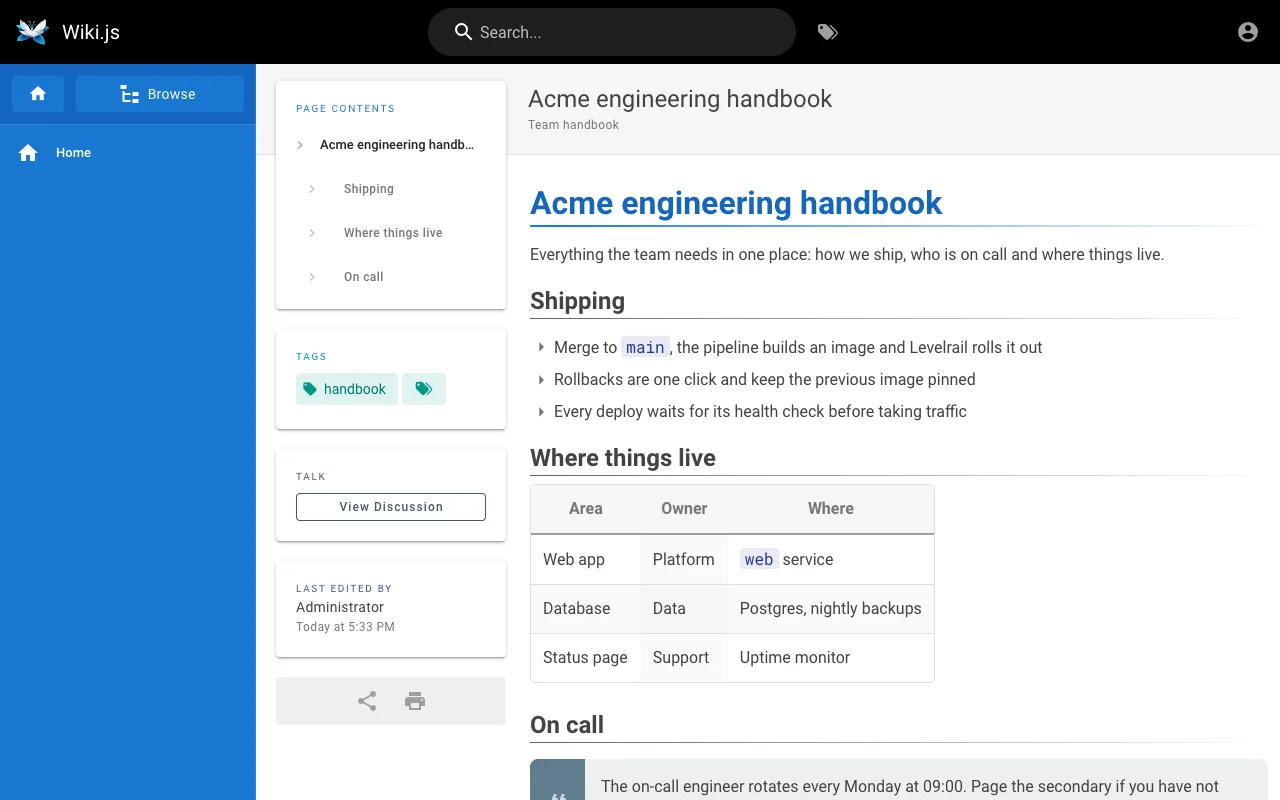
- Ghost
- Grafana
- n8n
- Immich
- Gitea
- Vaultwarden
- Jellyfin
- Nextcloud
- + 566 more
levelrail-cli templates get wikijsSERVICE IMAGE PORTdb postgres:16-alpine nonewiki ghcr.io/requarks/wiki:2 3000levelrail-cli templates install wikijs --name wiki --domain wiki=wiki.acme.devdatabase password generated, stored as a secretwiki is running, HTTPS follows once DNS points at this server
Terminal output is abbreviated. The domain is an example.
It is a Compose app, so it behaves like one.
- 01
A Compose file, nothing hidden
Each template is a curated Docker Compose body. Deploying one sends it through the same path as any Compose app, so you can read it, edit it first, or save it and deploy it yourself. One app, one service per Compose service, each reconciled on its own.
- 02
Secrets are made for you
Passwords and keys are generated at deploy time and stored as secrets. The app and its database get the same value, and the generated value is never written into the stored Compose file.
- 03
Volumes hold the data
State lives in the named volumes the file declares, such as the Postgres volume behind Wiki.js. Images are pinned to a tag, and the previous image stays pinned so a bad upgrade can roll back.
- 04
A domain and a certificate
Map a service to a domain at install. Ingress issues the HTTPS certificate once DNS points at your server.
How the catalog is checked.
All 574 catalog entries pass structural tests in CI: the Compose file parses, validates against the platform rules and expands into services. 346 are proven on a real engine; the other 228 are previews without that pass yet.
As with any self-hosted app, take a backup before moving an image tag. The status table lists what each template has been through.
Your server, 570+ templates deep.
One command on a Linux server, then browse templates from the dashboard or the CLI.
curl -fsSL https://levelrail.com/install.sh | sudo sh