01 / deploys
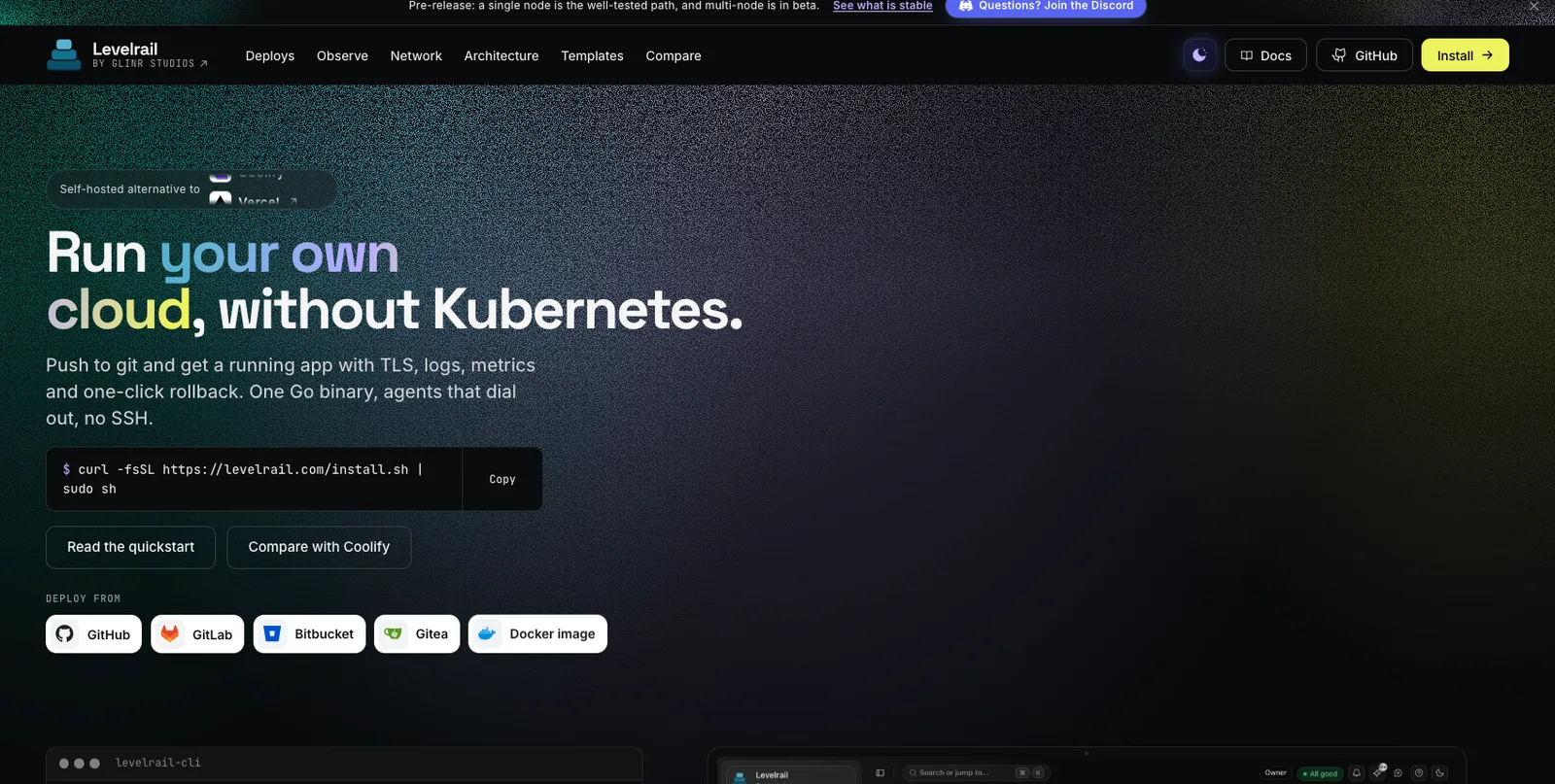
Deploys that wait for health.
Traffic moves only after the new container passes its readiness probe. If it never does, the old one keeps serving, and the previous image stays pinned for one-click rollback.
How deploys workDeploy from a git webhook and get a running app with logs, metrics and one-click rollback, from one Go binary with no SSH.
curl -fsSL https://levelrail.com/install.sh | sudo sh 136 stars on GitHub Latest release v0.8.8
levelrail-cli apps deploy webblue servinggreen readiness passedcutover blue to greenlevelrail-cli apps deploys list weba3f9c1e live, 2 min agoa3f9c1d previous, image pinnedlevelrail-cli apps deploys rollback-to web a3f9c1drolled back, no rebuild
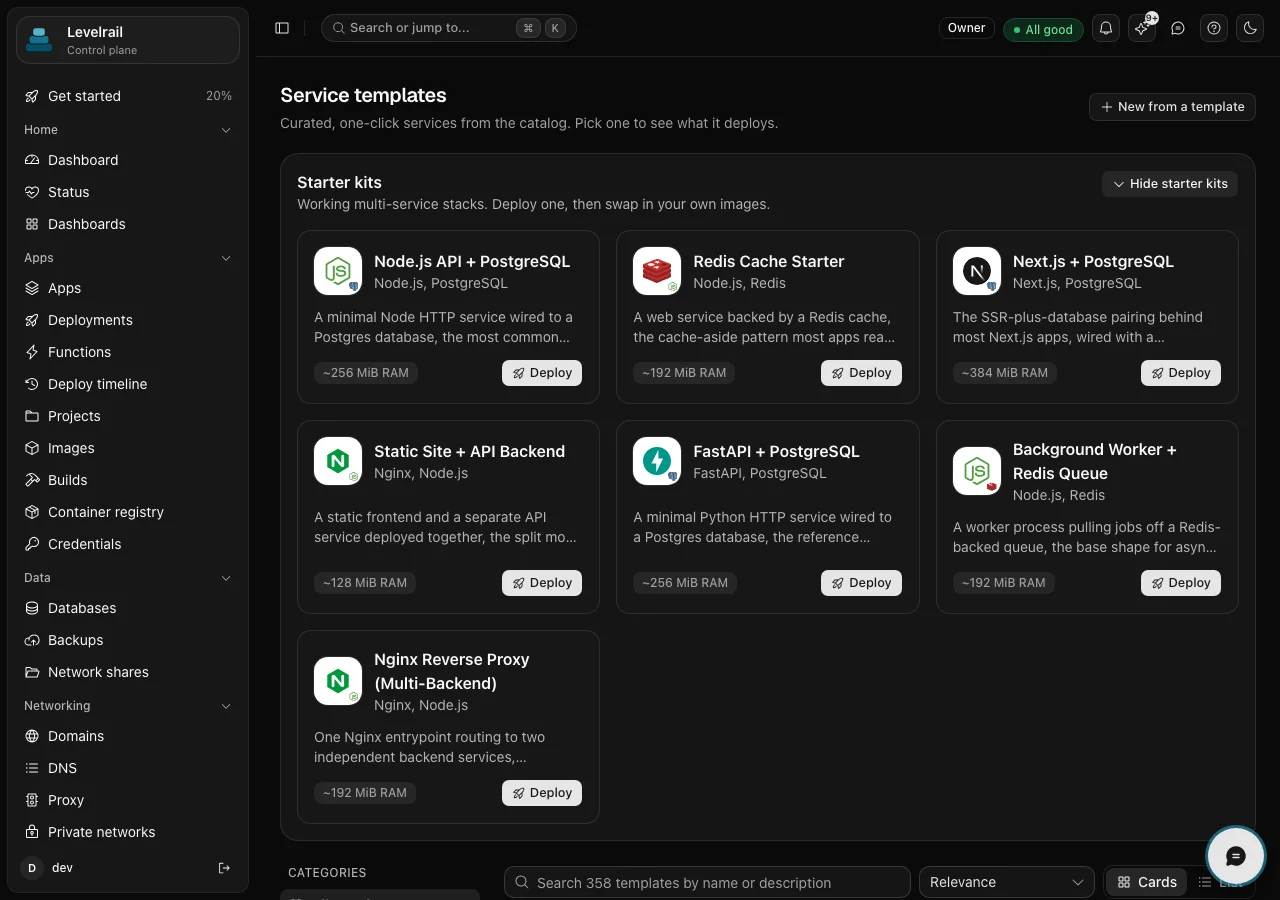
Template gallery
Databases, CMSs, analytics, automation, storage and monitoring ship as ready-made Compose templates. Pick one, set a domain if you want one, deploy.
What it does
Levelrail is one Go binary on the servers you already own. These three cards show what it takes care of, and how far it goes today.
Traffic moves only after the new container passes its readiness probe. If it never does, the old one keeps serving, and the previous image stays pinned for one-click rollback.
How deploys workBoth stay on the node that produced them and queries fan out to the agents. Nothing to install, nothing shipped to a third party.
See observabilityLevelrail owns L7 and L3 and part of L4. The WireGuard mesh is beta and TCP load balancing is not built.
Read the layer mapTry it
Break the deploy and watch the old version keep serving. Filter the logs the way you would on a real node.
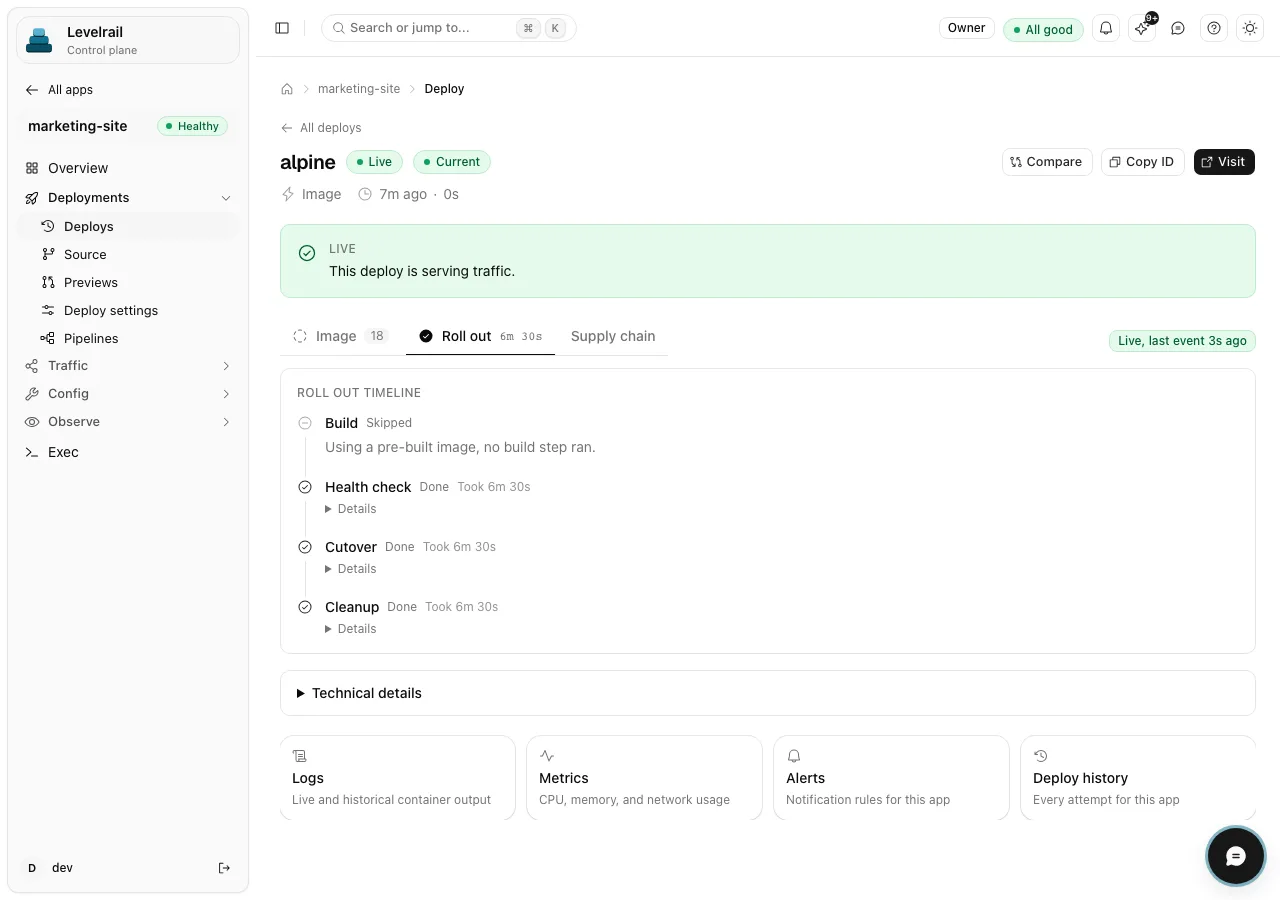
marketing-site / deploy
alpineRolling out
Rolling out
Traffic stays on the current deploy until the new one is healthy.
Using a pre-built image, no build step ran.
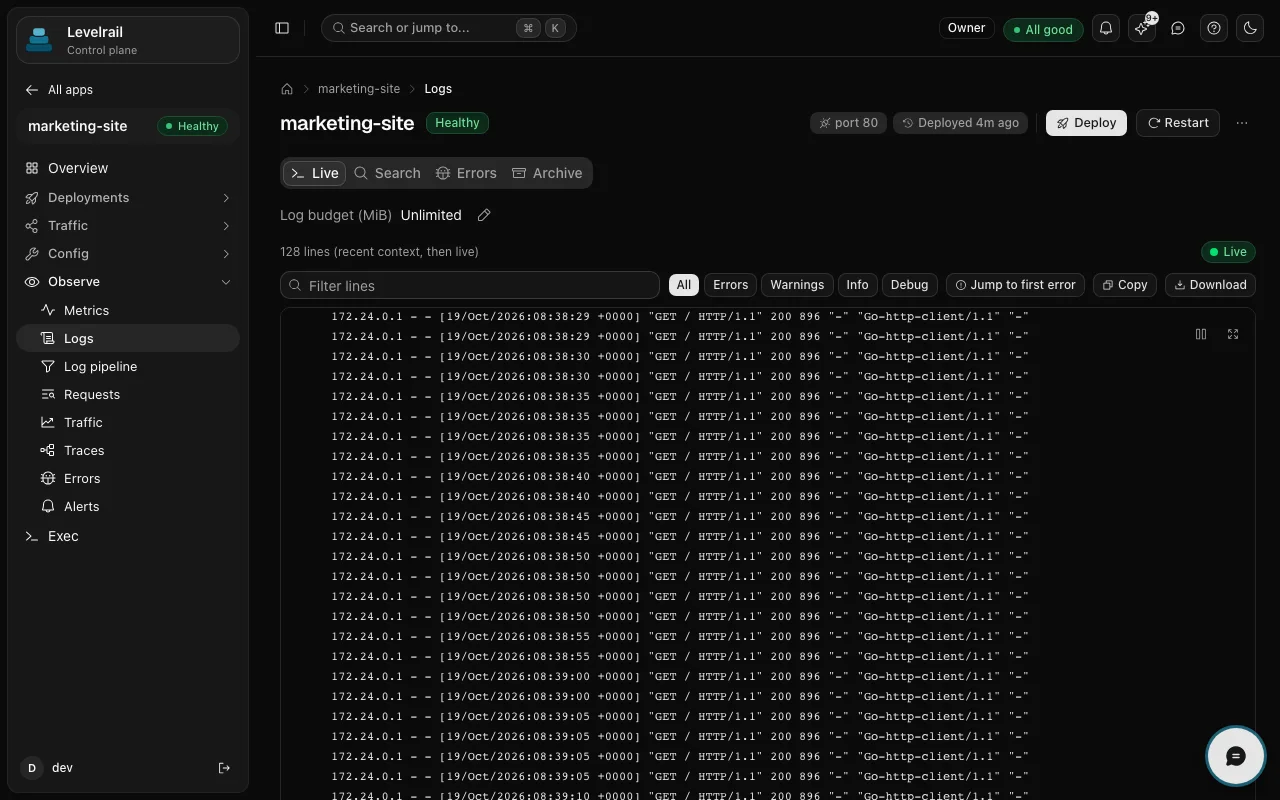
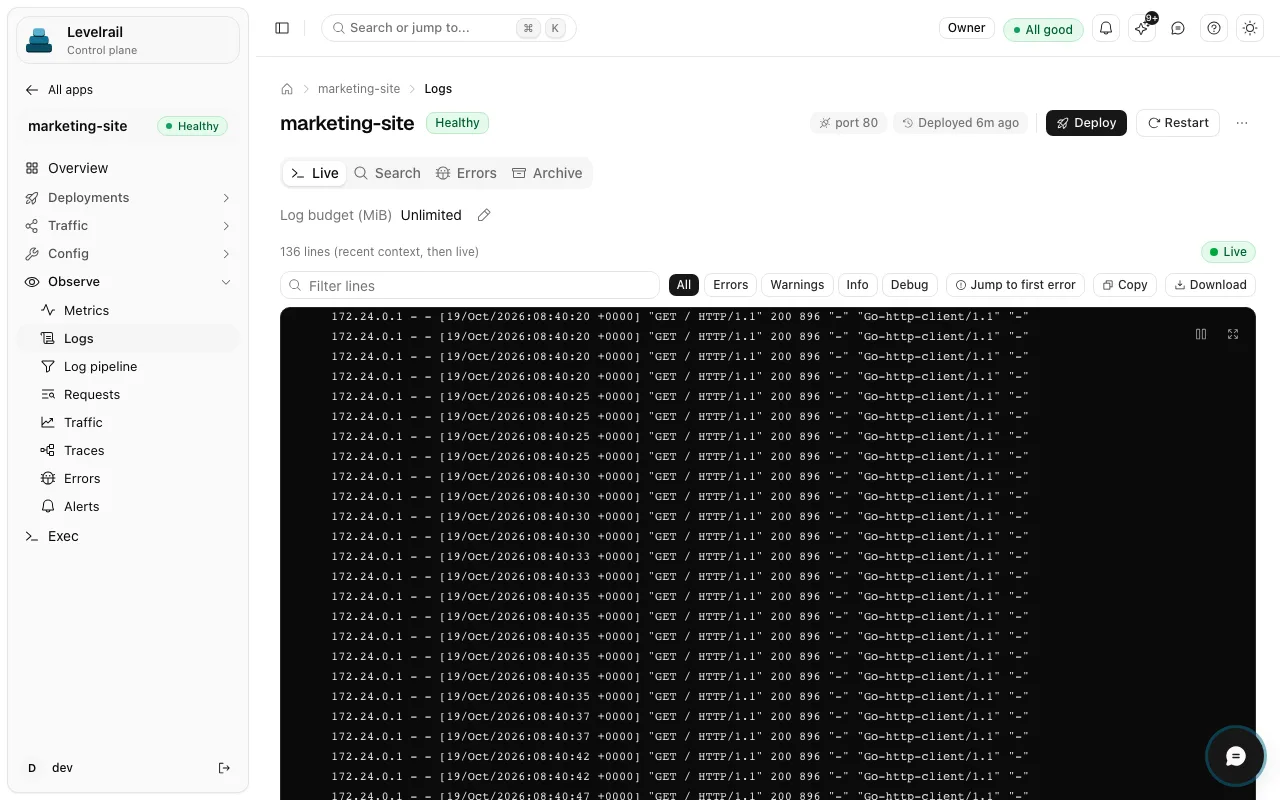
marketing-site / observe
LogsLive
Nothing matches yet. New lines show up here as they arrive.
Sample traffic. Real logs stay on the node that wrote them.
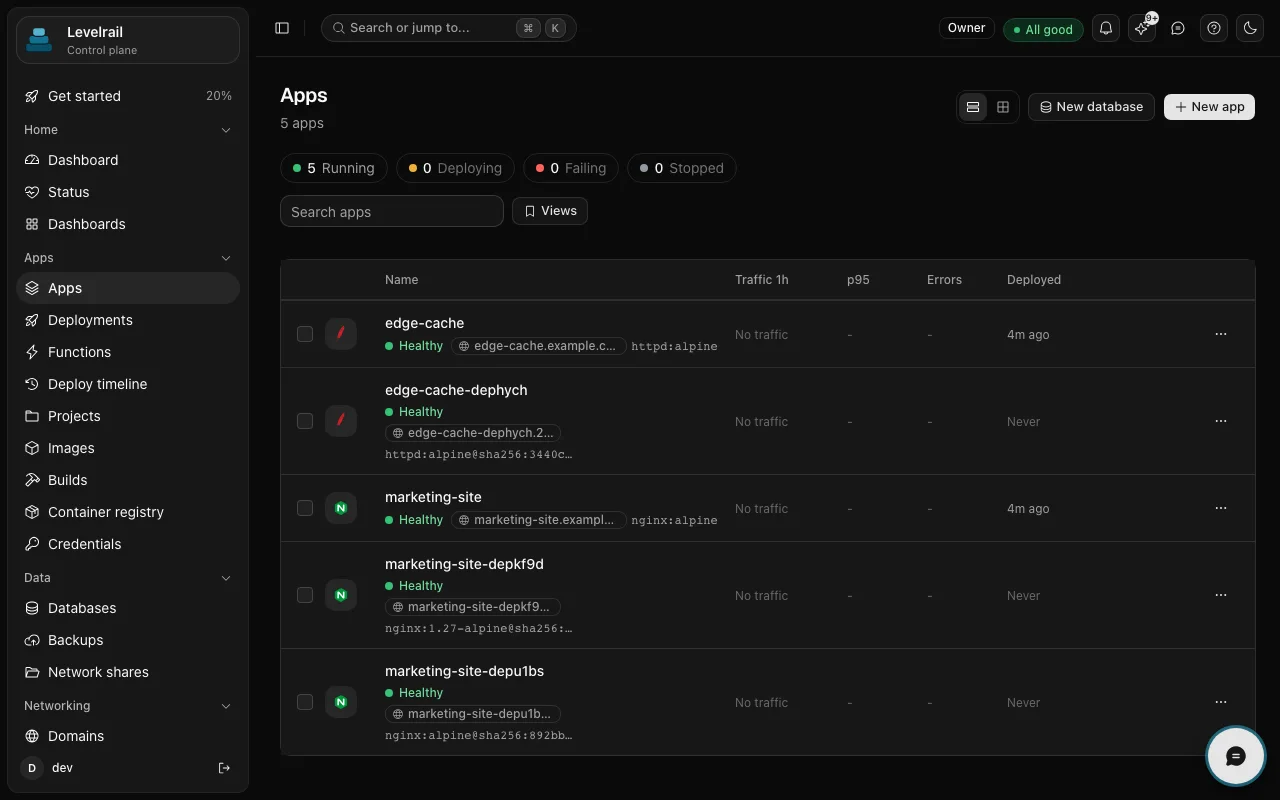
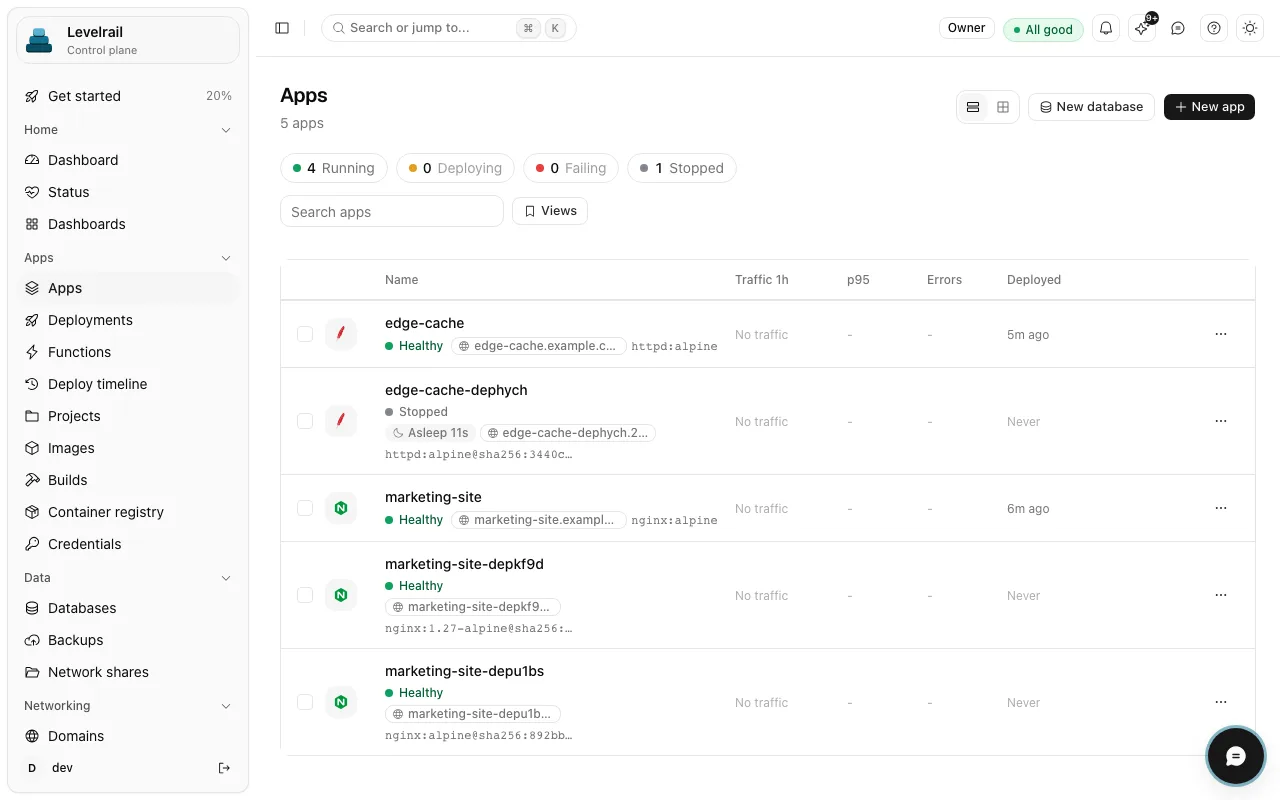
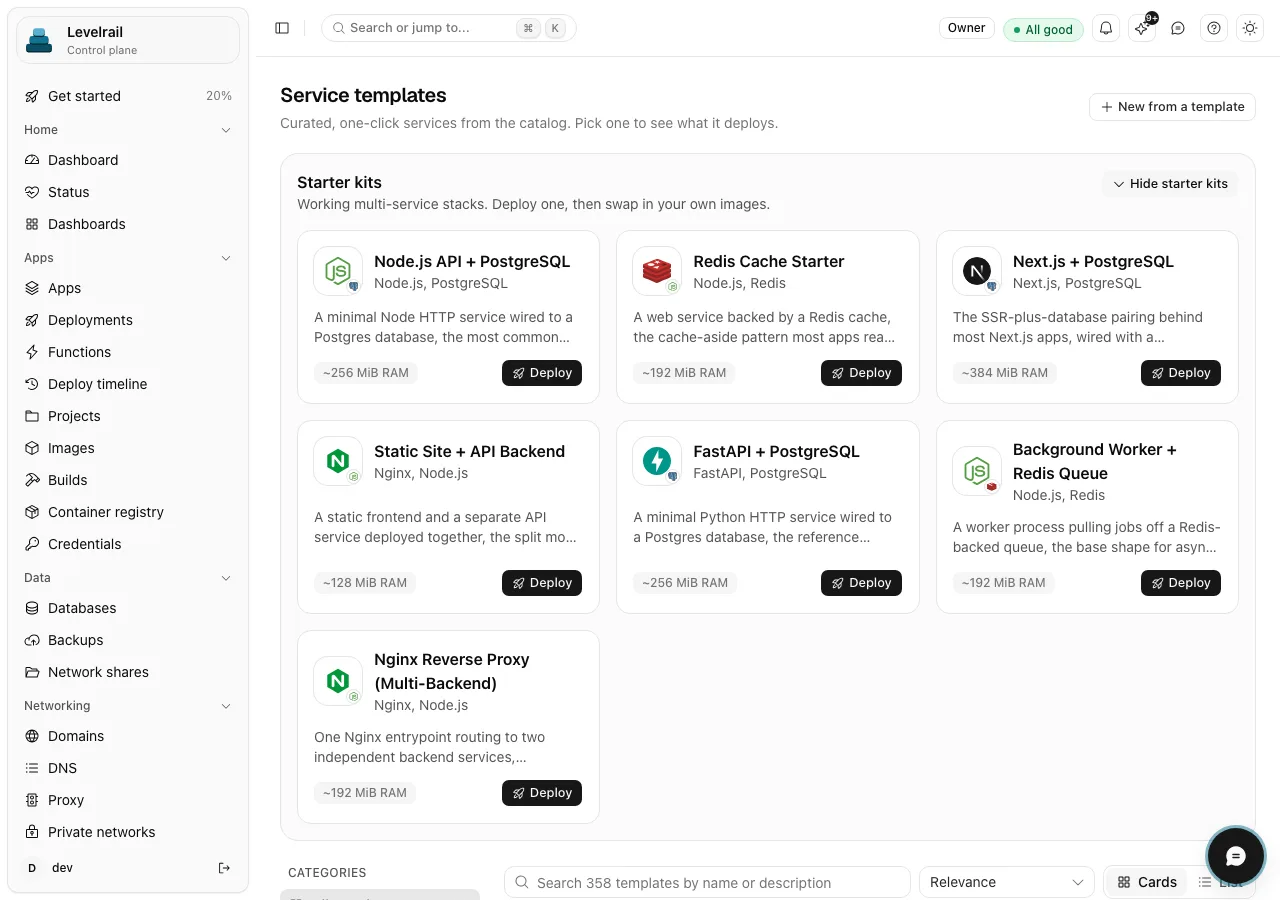
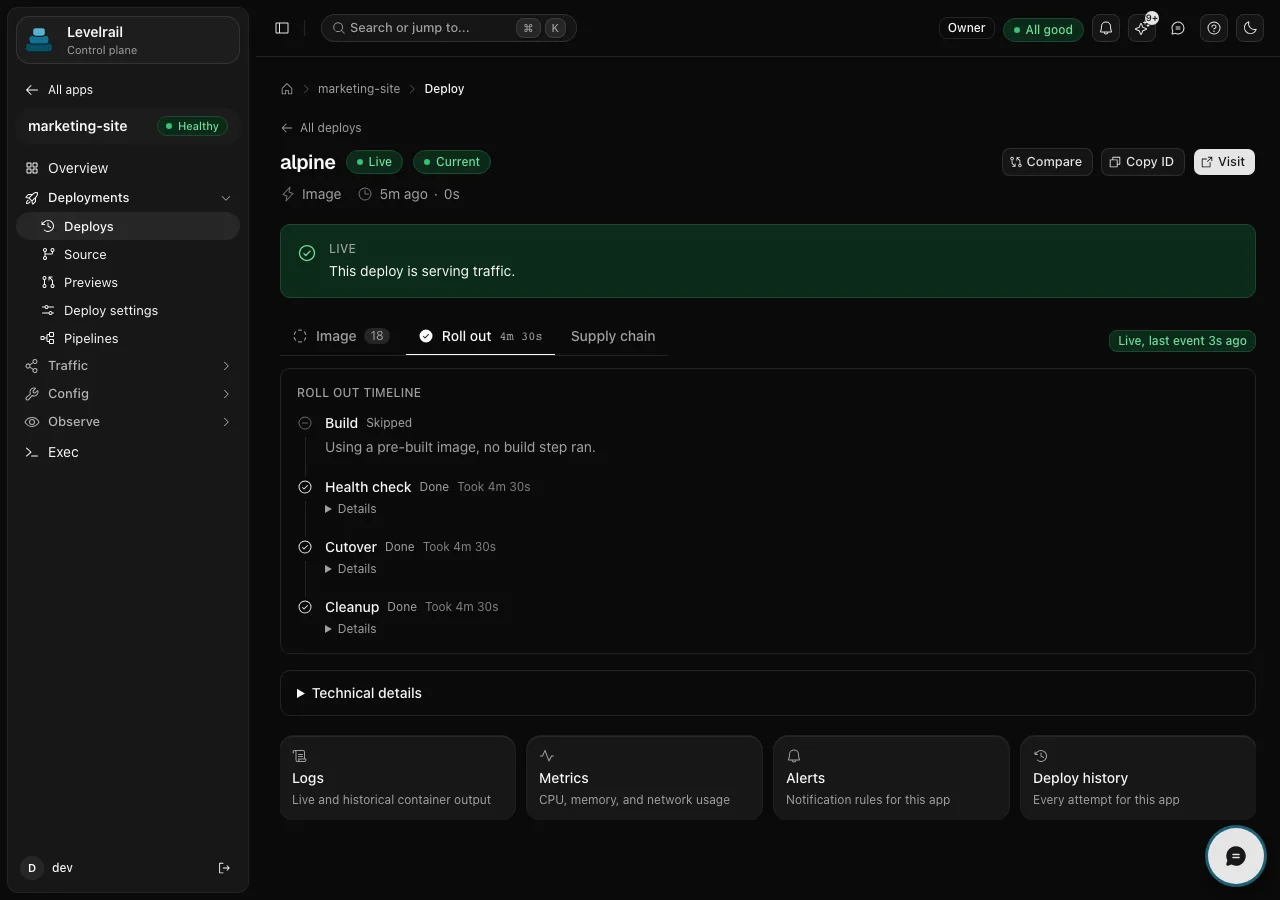
Real screens from a running control plane. Click through them, or leave it alone and it pages through for you.
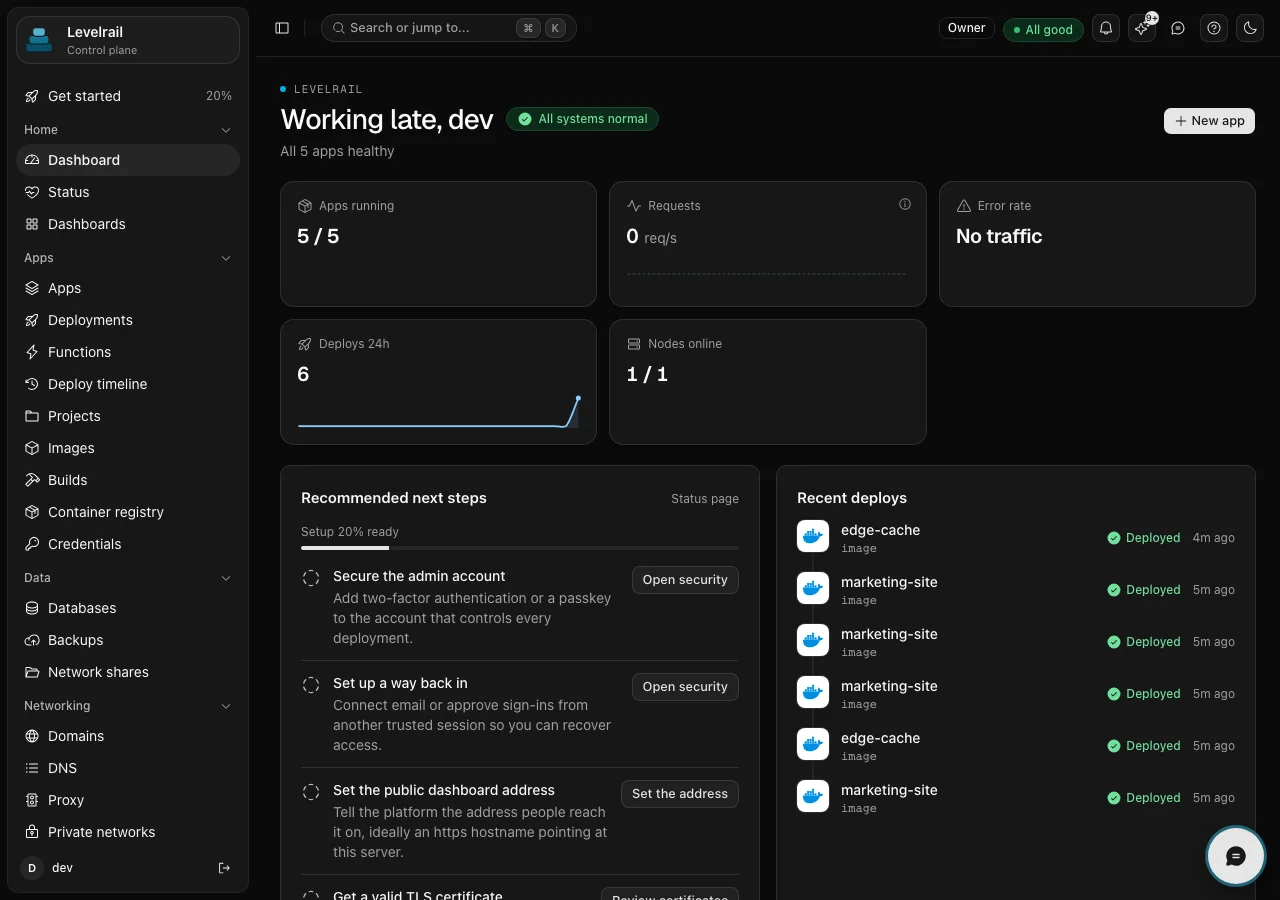
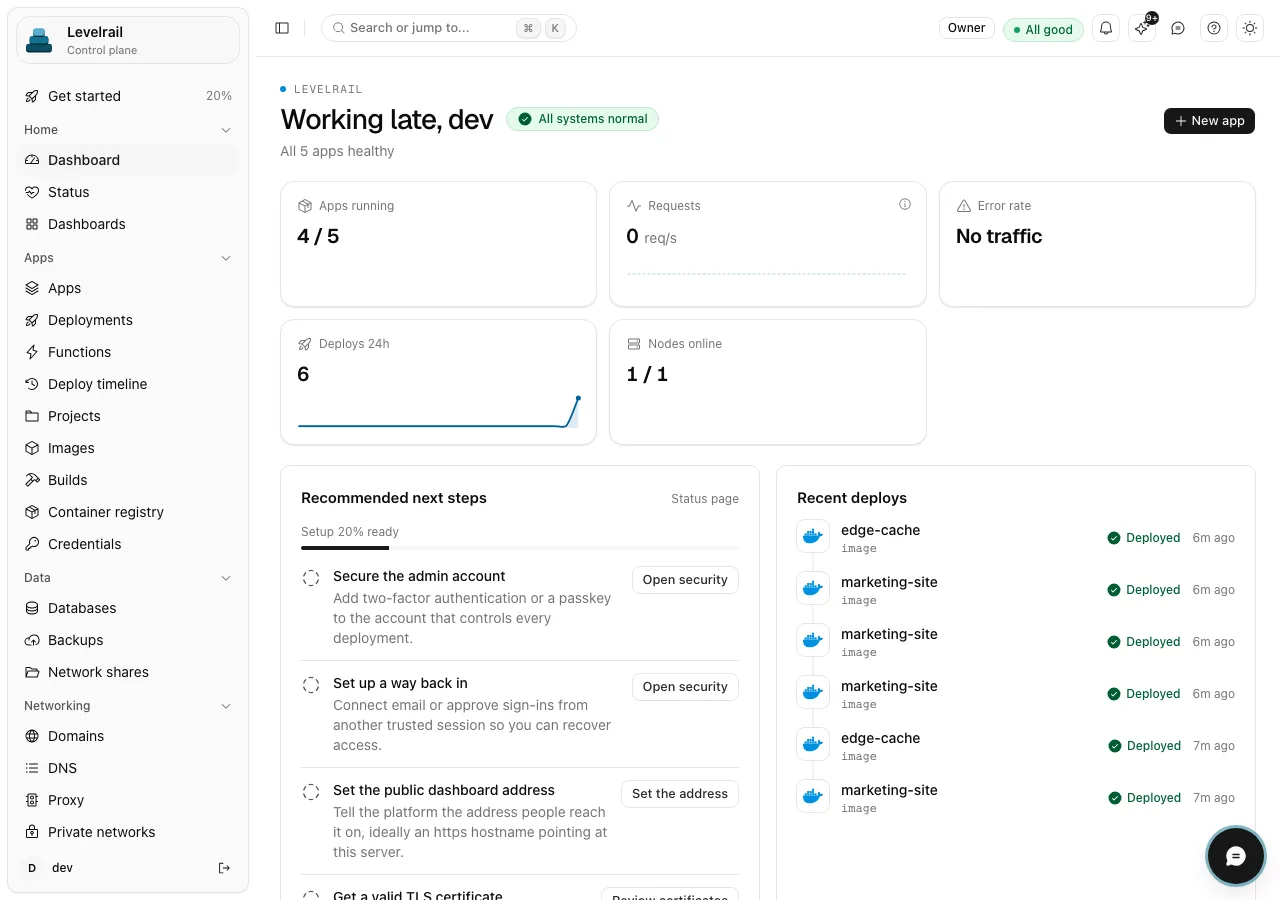
Apps running, requests, error rate, deploys in the last day and nodes online, with the recent deploys beside the next steps.
Every app with its state, domain, image, traffic, p95 latency, errors and last deploy time.
A rollout timeline: health check, cutover and cleanup, each with how long it took, and a banner saying this deploy is serving traffic.
Live container output on the node that produced it, with search, error and warning filters, and an archive.
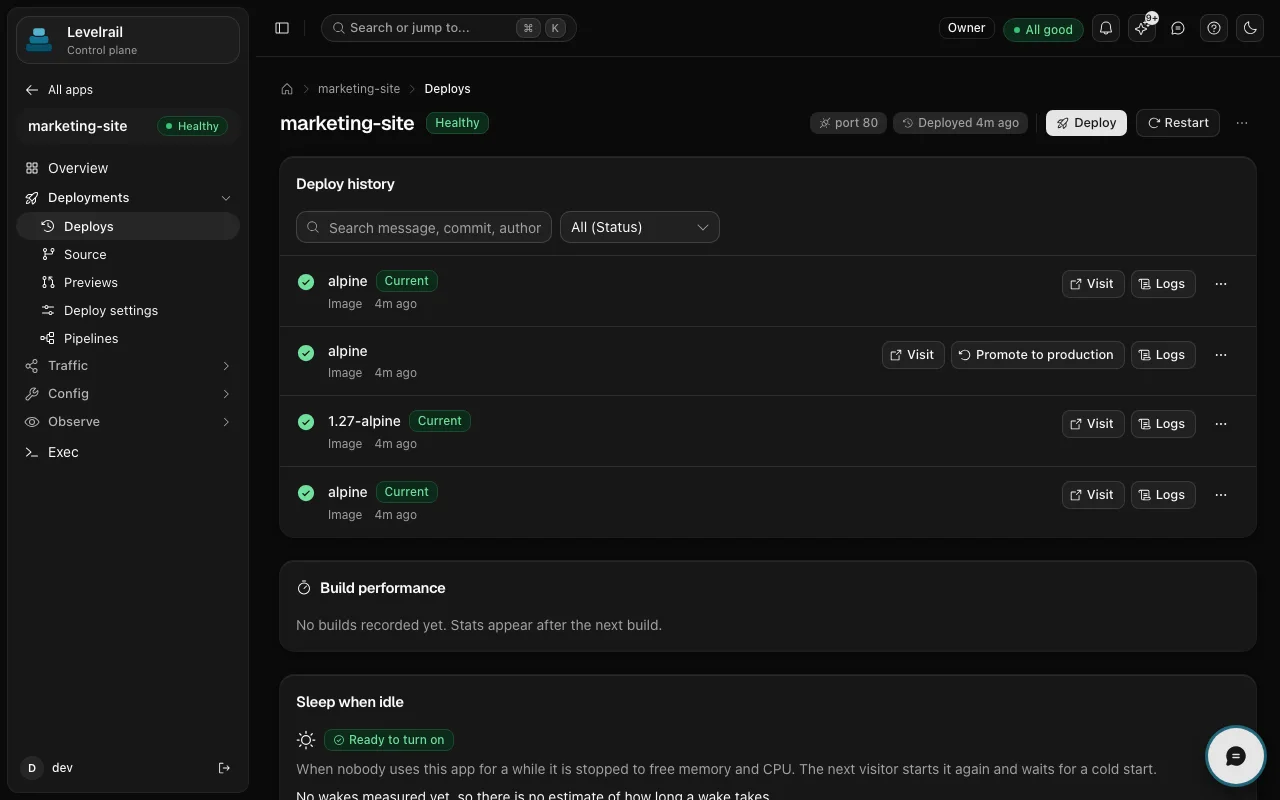
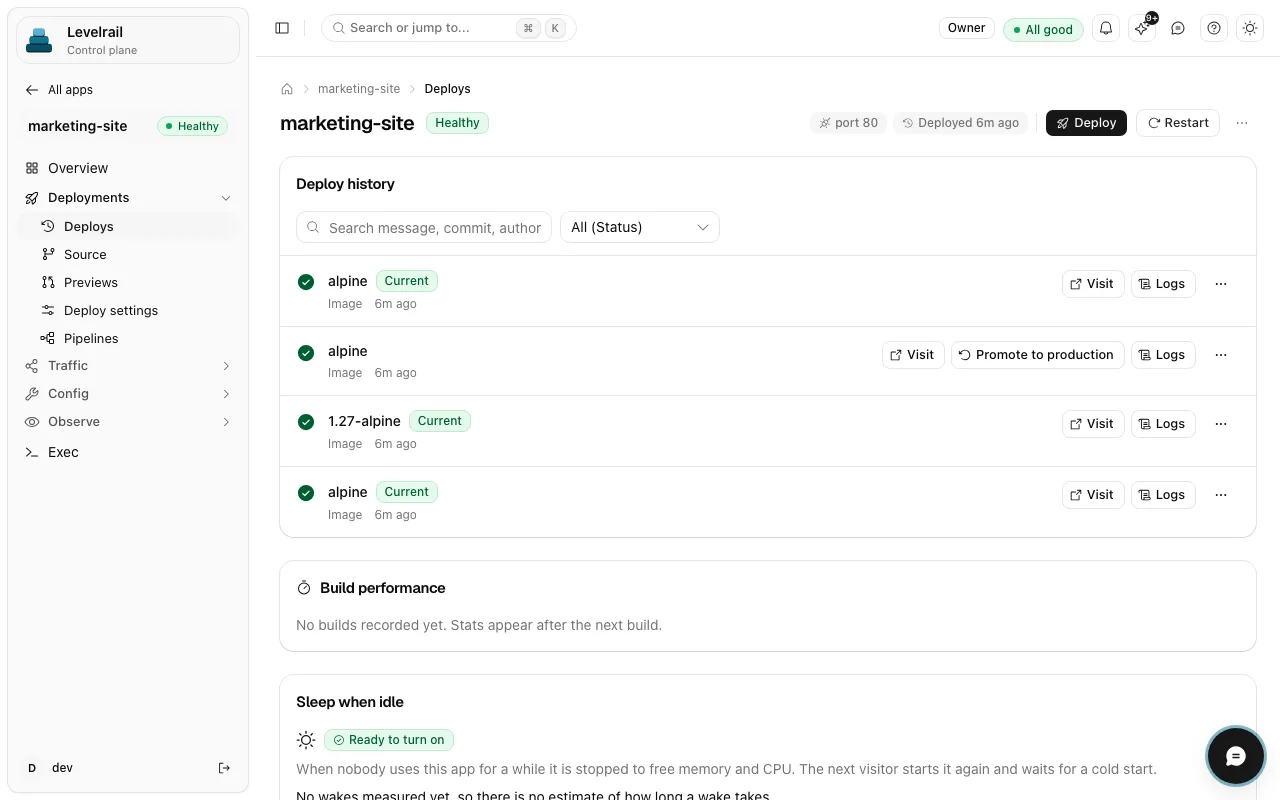
Every deploy attempt, which one is current, and a one-click promote to production.
Day two
Six situations you will meet, with the real command for each. Output shown is illustrative.
Rollback redeploys a past successful deploy by its pinned image and config, and follows it through the readiness gate.
levelrail-cli apps deploys rollback-to web a3f9c1d --watch# same image, same config, no rebuild
Cordon stops new work landing on a node. Drain moves what runs there to a target node you pick. Multi-node is beta.
levelrail-cli nodes cordon <id>levelrail-cli nodes drain <id> --target <node-id> --wait
Turn previews on per app. Stable on GitHub, beta on GitLab and Bitbucket. Each pull request is deployed on its own, listed, extended or torn down from the CLI or the dashboard.
levelrail-cli apps previews enable weblevelrail-cli apps previews list web
A cron expression and a branch redeploy it on a schedule. For commands in your app, use the jobs create command.
levelrail-cli apps schedule set web --cron "0 3 * * *" --branch mainlevelrail-cli apps schedule history web
After a quiet period the app stops, and the next request wakes it. Idle apps stop costing memory.
levelrail-cli apps sleep enable weblevelrail-cli apps sleep status web
Verify a backup, then restore it as a new database next to the original, so nothing live is touched.
levelrail-cli backups verify <database> --backup IDlevelrail-cli backups restore-as-new <database> --backup ID --new-name NAME
Use cases
Pick the one closest to your setup. Each page shows how it works, what ships today and where to read the docs.
Measured on 2026-10-19 on a 2 vCPU, 8 GB Linux test box, with no apps under load. One run on one box, not a benchmark of your hardware. What is verified and the method.
Integrations
Git hosts, databases, DNS, alerts, cloud accounts and AI assistants plug in without a plugin marketplace. Each one is documented, and the beta ones say so.
Push to deploy from GitHub, GitLab, Bitbucket or Gitea, or deploy an image straight from a registry.
Git integrationsPostgres is stable. MySQL, MariaDB and MongoDB are beta. Backups go to S3 compatible storage.
Backups and storageOnboard servers from your own cloud account. Most provider paths are tested against fakes so far.
Cloud onboardingCaddy is embedded for TLS and routing, Cloudflare handles DNS and wildcard certificates, and a WireGuard mesh joins nodes (beta).
Domains and ingressNotification channels for Slack, Discord and Telegram, plus webhooks and email, with credentials stored encrypted.
How secrets are storedAny MCP client can connect with a scoped token, such as Claude, Cursor, Copilot or Windsurf.
Connect an assistantTrigger deploys from any pipeline with the CLI and API tokens, from GitHub Actions, Jenkins or CircleCI.
Deploy from CIAnything that speaks Git, Docker, S3, webhooks or MCP already works. Tell us what is missing and it goes on the roadmap.
Product names and logos belong to their owners and are used for identification only.
Open source
No license key. Everything below ships in the same binary, free.
> why did the last deploy of web fail?explain_failed_deploy app=web# structured failure, last good deploy compared, a cause and a fix> roll it back# held for your approval: a write needs confirmation
Beta
An MCP server exposes Levelrail to your assistant with the same permissions as the person asking: over 240 tools in on-demand toolsets, with read-only and standard modes.
The assistant never holds a standing credential, and writes need confirmation. AI is never in the reconciliation path: the deterministic reconciler does the work, the assistant only reads and suggests.
The network
Guides and write-ups
Step by step install on a small VPS, from a bare server to a first deploy.
Read the articleWhere each self-hosted platform is stronger, with the caveats left in.
Read the articleMove apps over while the old platform keeps serving, then cut over.
Read the articleLevelrail, one word. People often search for it as "Level Rail" or "LevelRail", and all of those mean the same open source, self-hosted deployment platform at levelrail.com, not a railway product.
A self-hosted platform that turns one or more Linux servers into a private cloud. Point it at a git repository or a Docker image and it builds, deploys, and keeps the app running, with TLS, logs, metrics, and rollback. The control plane and the node agent are each a single Go binary, and Docker is the only container runtime.
Most self-hosted platforms in this category, Coolify included, manage remote servers by SSHing in and running docker CLI commands, then parsing the text output. Levelrail's agent dials out over mTLS and talks to the Docker Engine API directly, nothing shells out to the docker CLI, and a level-triggered reconciler replaces polling loops. Railway is a managed cloud you don't control, while Levelrail runs on servers you own. The comparison page covers where the other projects are the better choice.
No. Levelrail is not a Kubernetes alternative: there is no scheduler with bin-packing or autoscaling, no CRDs, and nothing to learn beyond apps, domains, and databases. It is built for running 3 to 50 services on 1 to 10 machines without operating a cluster.
Yes. Levelrail is Apache 2.0 licensed with one edition: no license key and no feature gated behind a plan. OAuth sign-in, two-factor authentication, audit logging, resource-scoped IAM, and scheduled backups all ship in the same binary for everyone. SAML and SCIM are not supported yet.
A single node is the well-tested path. APIs, the app spec format, and the on-disk layout can change between releases on the way to 1.0. A single node is the well-tested path, and the feature status page labels every area as stable, beta, or behind a flag, with the evidence for each.
Yes, and that is the default. On one server the control plane runs the node agent in the same process and talks to it through an in-process transport, so there is nothing extra to install. The same code path serves one node or ten.
With the default blue-green strategy, and with rolling, traffic only moves to the new container once its readiness probe passes, not once the process merely starts. If the probe never passes, the old container keeps serving and the deploy fails with a specific reason such as OOMKilledDuringReadiness. The recreate strategy stops the old container before starting the new one, so expect a short gap. Prior images stay pinned, so garbage collection cannot remove a rollback target.
Yes, and it is in beta. A second server joins with a one-time token and gets its own client certificate. Every agent dials out to the control plane, so managed servers need no inbound ports. You can cordon and drain nodes and pin apps to them. The WireGuard mesh and cross-host service DNS are the least verified part of this area.
Yes, in beta. An MCP server exposes up to 186 tools (145 in read-only mode) over the same HTTP API and permission model the dashboard uses, so an AI client can list apps, read logs, get metrics, diagnose a failed deploy, trigger a deploy, or roll back. A token limited to fewer abilities gets the same 403 the REST API returns. AI is never part of the reconciliation path.
One command on a Linux box, then a setup wizard. About ten minutes to your first deployed app.
curl -fsSL https://levelrail.com/install.sh | sudo sh Levelrail is Apache 2.0 licensed, with one edition and nothing behind a plan. What is open, and what is not here yet.
curl -fsSL https://levelrail.com/install.sh | sudo shchecking host, docker and portsrelease downloaded, checksum verifiedlevelrail service starteddashboard URL printed, on your server at port 8080one-time setup link printed, keep master.key safe