



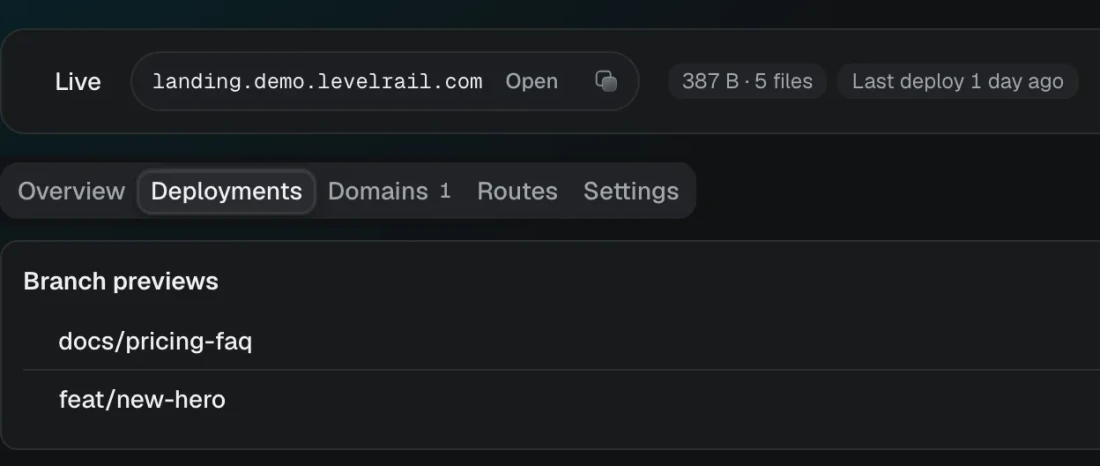
A URL for every deploy
Each deploy keeps its own address, so you can open it and check it before it goes live.
Deploys and rollback about A URL for every deployLevelrail Pages serves static sites beside your apps and databases.
docker pull ghcr.io/glincker/levelrail:latest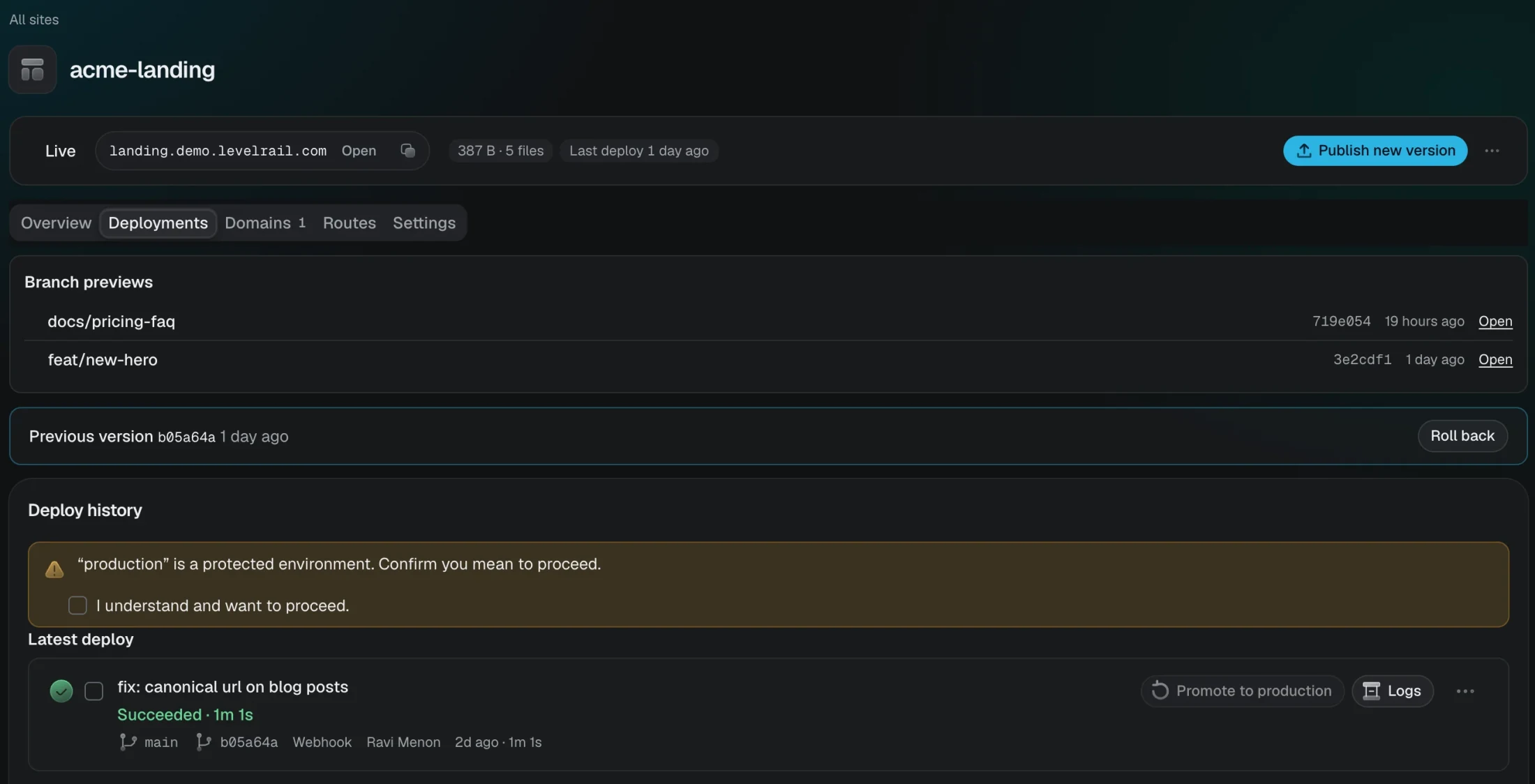
Promote one to make it live, or roll back to the previous version.
levelrail-cli pages list
NAME           DOMAINS
acme-handbook  handbook.demo.levelrail.com
acme-landing   landing.demo.levelrail.com
levelrail-cli pages deploys acme-landing
DEPLOY                STATUS     LIVE  STARTED               URL
dep_acme-landing_006  succeeded        2026-11-23T13:32:00Z
dep_acme-landing_005  succeeded        2026-11-21T16:32:00Z
dep_acme-landing_004  succeeded        2026-11-19T15:32:00Z
dep_acme-landing_003  failed           2026-11-17T16:32:00Z
dep_acme-landing_002  succeeded        2026-11-15T16:32:00Z
dep_acme-landing_001  succeeded        2026-11-13T14:32:00Z
Output as printed by the CLI against a demo instance. Demo data. The LIVE and URL columns are blank in this demo.
Each deploy keeps its own address, so you can open it and check it before it goes live.
Deploys and rollback about A URL for every deploy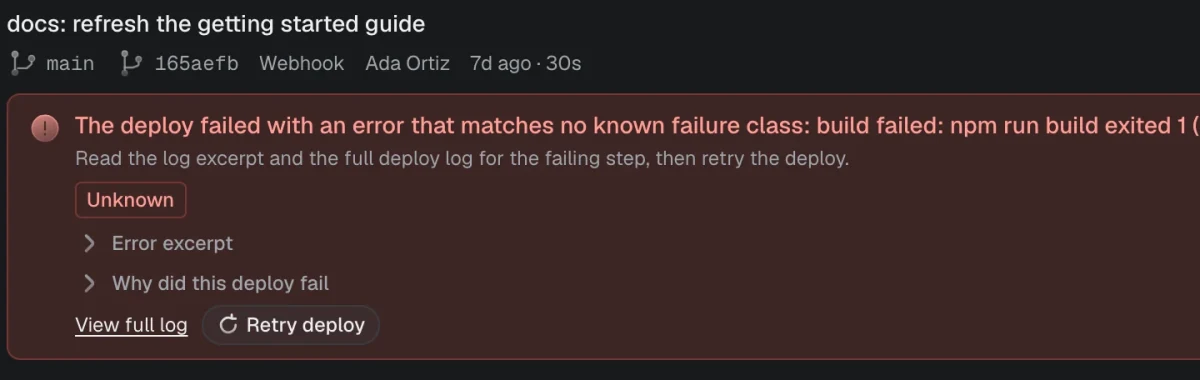
A failed deploy shows the step that failed and the last lines of the build log.
Read the Pages docs about Failed builds say where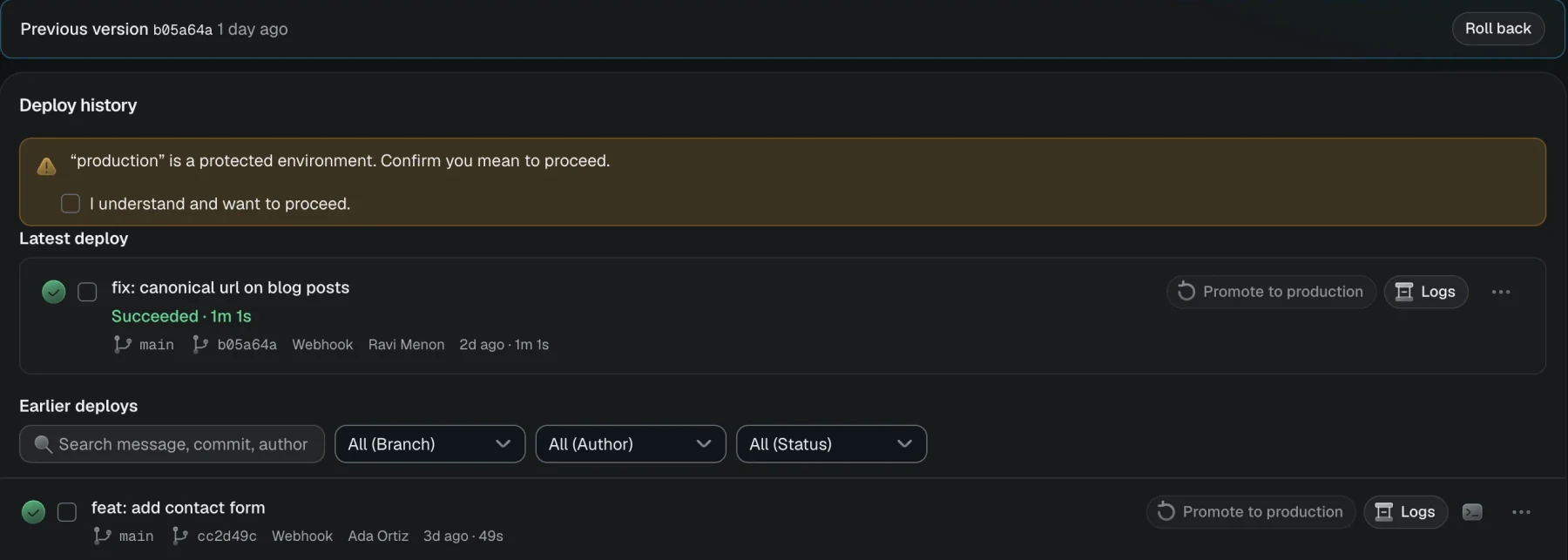
Make any deploy live, or serve the previous version again, without a rebuild.
Read the Pages docs about Promote and roll back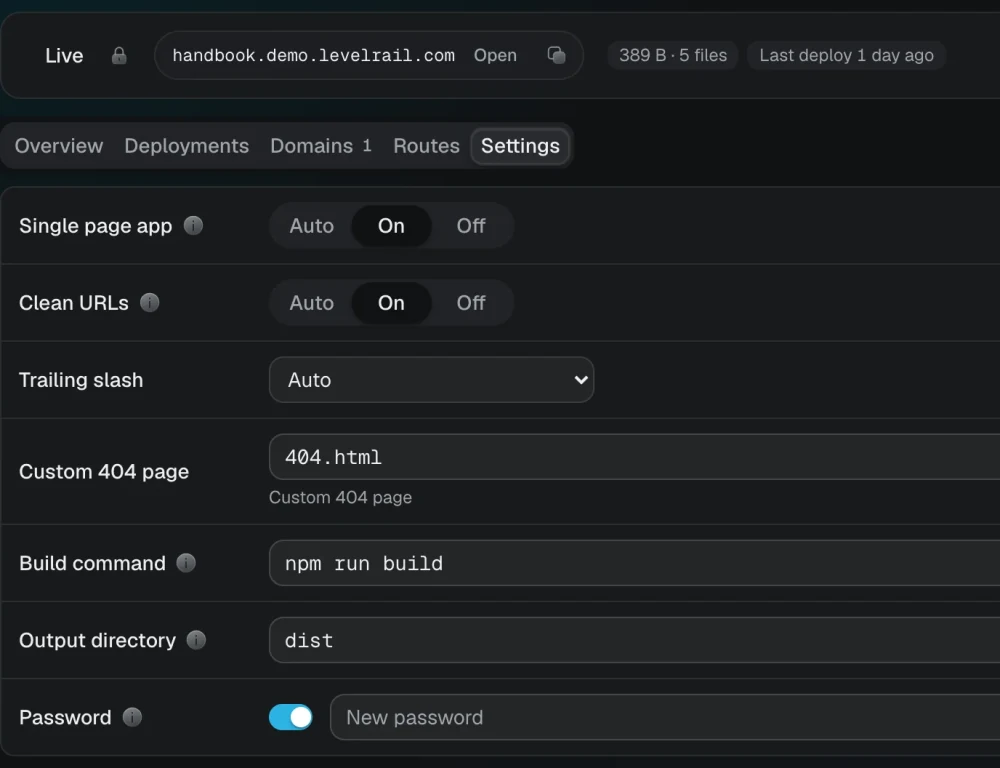
Protect a site and its deploy URLs with one shared password.
Read the Pages docs about Password gate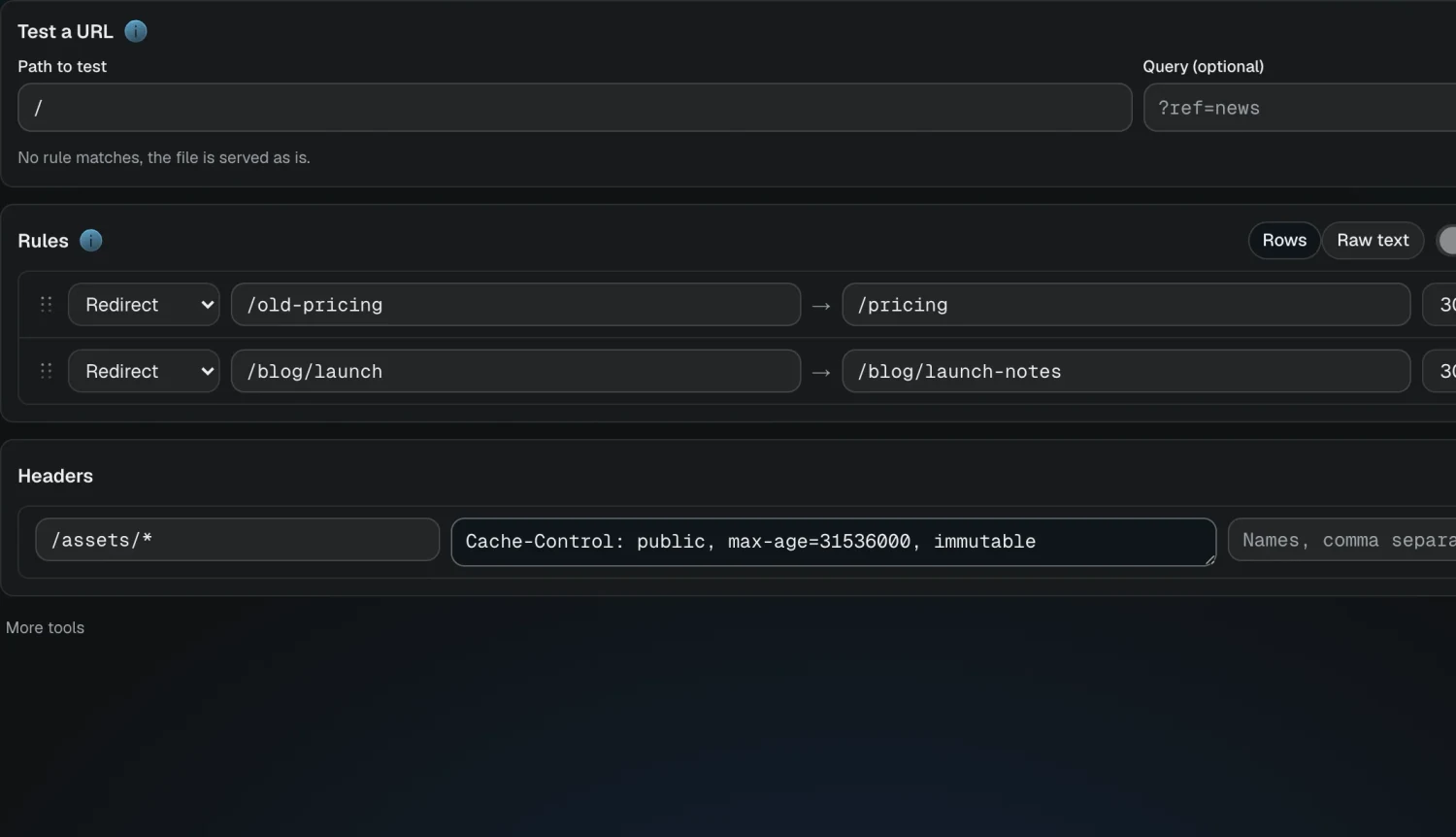
Put _redirects and _headers in the site and test a URL against them before you publish.
Read the Pages docs about Redirects and headersTop pages, referrers and status codes, built from the edge access log with no cookies.
Read the Pages docs about TrafficPOST /_forms/<name>Post a form to /_forms/<name> and Levelrail handles it, with no extra service to wire up.
Read the Pages docs about Forms, built inDeploys, promote, rollback, clean URLs, redirects, headers, the password gate, forms and traffic were shown working on a development instance. Screens are captures of a demo instance, shown here without the top bar.
We build Levelrail, so read this as a vendor comparison. Figures come from each vendor’s own docs, as of 2026-11-24, and vendor limits change, so check the vendor docs before you decide.
| Feature | Cloudflare Pages | GitHub Pages | Levelrail Pages |
|---|---|---|---|
| Builds per month, free plan | 500 500 builds, 1 concurrent build per account Set by the vendorSource for Builds per month, free plan, Cloudflare Pages | 10 per hour No monthly count. Soft limit of 10 builds per hour, not applied to custom Actions workflows Set by the vendorSource for Builds per month, free plan, GitHub Pages | No count No monthly count. Limits are your own server’s CPU and disk Set by you |
| Build or deploy timeout | 20 min Build timeout 20 minutes Set by the vendorSource for Build or deploy timeout, Cloudflare Pages | 10 min Deployment timeout 10 minutes Set by the vendorSource for Build or deploy timeout, GitHub Pages | You set it Per-build limits you set on your server Set by you |
| Site size | 20,000 files 20,000 files per site, 25 MiB per file, free plan Set by the vendorSource for Site size, Cloudflare Pages | 1 GB Published site up to 1 GB Set by the vendorSource for Site size, GitHub Pages | 2048 MB Output cap of 2048 MB by default, adjustable Set by you |
| Bandwidth | Unlimited Static asset requests are free and unlimited Set by the vendorSource for Bandwidth, Cloudflare Pages | 100 GB Soft limit of 100 GB per month Set by the vendorSource for Bandwidth, GitHub Pages | Your network Your server’s network allowance Set by you |
| Redirects and headers | 2,100 rules 2,100 redirect rules and 100 header rules Set by the vendorSource for Redirects and headers, Cloudflare Pages | Not covered Not covered here Not verified | 1000 rules _redirects and _headers files, 1000 rules and 100 header blocks by default Set by you |
| A URL for each deploy | Per PR or branch Preview URL per pull request and per non-production branch push Set by the vendorSource for A URL for each deploy, Cloudflare Pages | Not covered Not covered here Not verified | Every deploy Every deploy gets its own URL, which you can promote Set by you |
| Password or access control | Previews only Optional access policy, previews only Set by the vendorSource for Password or access control, Cloudflare Pages | Enterprise Cloud Private Pages sites need GitHub Enterprise Cloud Set by the vendorSource for Password or access control, GitHub Pages | Site and deploys Password gate on the site and on each deploy URL Set by you |
| Rollback | Instant Instant revert to an earlier production deployment, from the dashboard Set by the vendorSource for Rollback, Cloudflare Pages | Not covered Not covered here Not verified | While on disk Roll back to an earlier deploy, as long as its files are still on disk Set by you |
| Forms | You write it Static Forms plugin for Pages Functions, you write the handler Set by youSource for Forms, Cloudflare Pages | Not covered Not covered here Not verified | POST /_forms/ Built in: a POST to /_forms/<name> Set by you |
| Server-side code | Functions Pages Functions, counted against the Workers quota Set by the vendorSource for Server-side code, Cloudflare Pages | Static only Static files only Set by the vendorSource for Server-side code, GitHub Pages | None Set by you |
As of 2026-11-24, check the vendor docs. “Not covered here” means we did not verify that row, which is not the same as “no”. Levelrail figures describe a server you run yourself.
Yes. Levelrail Pages serves static sites from your own server, with a URL for each deploy, rollback, redirects and headers. You run the server, so uptime and patching are your job.
With Levelrail Pages you can put a password gate on a site or on a single deploy URL. Cloudflare Pages offers an optional access policy for previews only, and GitHub Pages needs GitHub Enterprise Cloud for private sites, per their docs on the date above.
They work differently. Cloudflare serves sites from its own network, while Levelrail Pages serves from a server you run. It fits when you want sites next to your apps and databases.
Levelrail does not count builds or seats. Because it runs on your own hardware, the limits are your disk, CPU and network. Levelrail is Apache 2.0 and you pay only for your servers.
Levelrail Pages has forms built in: post to /_forms/<name> and Levelrail handles it on your server. On Cloudflare Pages you write the handler yourself with the Static Forms plugin.
docker pull ghcr.io/glincker/levelrail:latest