
Deploy a Docker app to your own server
By the end of this tutorial you will have a Docker image running on your own server, reachable on a domain you control, with a second version deployed and a one-command rollback to the first. It takes about ten minutes and needs no Dockerfile or build step.
Before you start
- A running Levelrail instance. If you do not have one, install it first.
- The CLI, logged in to that instance: see Installing just the CLI.
- Optional: a domain whose DNS you can edit.
The examples deploy the public nginx image so you can follow along without any code of your own. Swap in any image you like.
1. Create the app
levelrail-cli apps create --name hello --image nginx:alpine --port 80app "hello" created
name: hello
image: nginx:alpine@sha256:df221db836e1...
port: 80Levelrail resolves the tag to a digest and pins it, so what you deployed is exactly what keeps running. Block until the app is up:
levelrail-cli apps wait hellowaiting for "hello" to converge... (pending)
waiting for "hello" to converge... (succeeded)
"hello" rolled outThe exit code tells a script whether it worked: 0 for success, non-zero for a failed or timed-out rollout.
2. Check that it is healthy
levelrail-cli apps status helloTYPE STATUS REASON MESSAGE LAST TRANSITION
EgressPolicyReady Unknown NotConfigured 2026-10-05T02:15:40Z
Ready True AlreadyRunning 2026-10-05T02:15:40ZReady: True is the line that matters. Every reconcile records a condition with a reason, so a failure always comes with an explanation instead of a blank status.
3. Add a custom domain
levelrail-cli apps domains add hello hello.example.comThen create an A record for that name pointing at your server's public IP. Check whether DNS has caught up:
levelrail-cli domains check hello hello.example.comdomain: hello.example.com
status: not_resolving
expected: 203.0.113.10not_resolving means the record has not propagated yet. Run the check again in a few minutes. Routing starts as soon as the domain is added, with no proxy to configure: Levelrail embeds Caddy and updates its routes itself.
What about HTTPS?
Every routed domain gets a TLS certificate automatically. Out of the box it is self-signed, so browsers show a trust warning. That is fine for internal tools and first trials.
Real Let's Encrypt certificates are built in and switched on under Settings, Domains. That path is not yet verified issuing against a real public domain, so read the domains and ingress guide and the ACME verification runbook before relying on it for production traffic.
If you have no domain at all, an app with none still gets a working hostname once APP_PUBLIC_HOST is set to your server's public IP; see Zero-config URL.
4. Ship a second version
levelrail-cli apps deploy hello --image nginx:1.27-alpine
levelrail-cli apps wait hello
Every deploy is recorded. List the history:
levelrail-cli apps deploys list helloID IMAGE DIGEST SOURCE STATUS ROLLOUT STARTED
dep_IUrA3qUFg7DV nginx:1.27-alpine 65645c7bb6a0 image succeeded serving 2026-10-05T02:15:47Z
dep_FnrJJJnuh0Md nginx:alpine df221db836e1 image succeeded serving 2026-10-05T02:15:38Z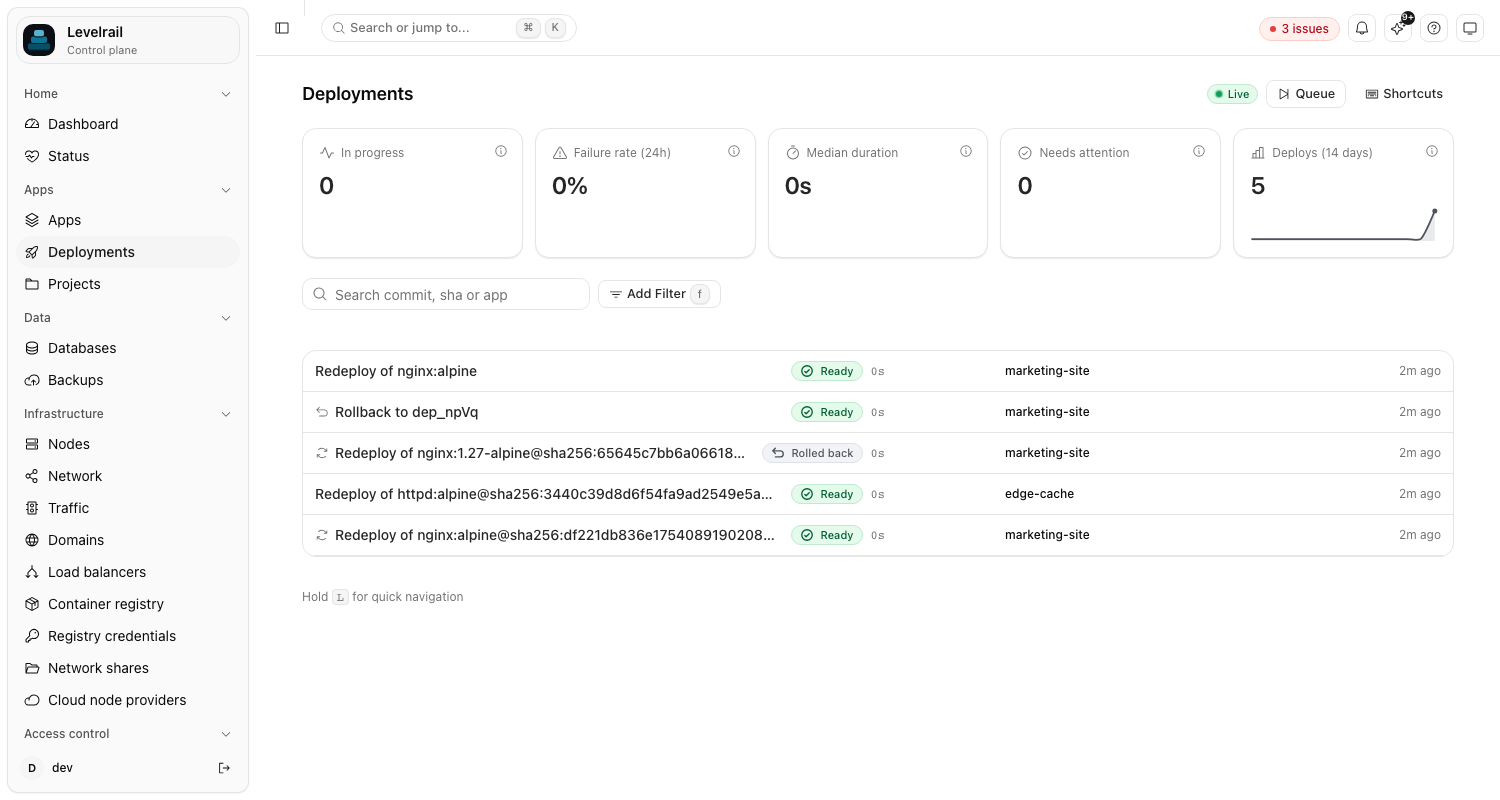
The same history is on the dashboard's Deployments page, across every app.
5. Roll back
Something wrong with version two? Roll back to the first deploy by its ID:
levelrail-cli apps deploys rollback-to hello dep_FnrJJJnuh0Md
levelrail-cli apps wait helloapp "hello" now targets image "nginx:alpine@sha256:df221db836e1..."No rebuild happens. Levelrail keeps previous images pinned, so garbage collection cannot remove a rollback target, and the rollback is just another deploy of an image it already has.
To roll back to a specific image tag instead of a past deploy, use levelrail-cli apps rollback hello --image nginx:alpine. The --image flag is required there.
Clean up
levelrail-cli apps delete helloWhere to go next
- Zero-downtime deploys with health checks: make a bad release fail before it takes over.
- Deploy from GitHub Actions: run this same flow on every push.
- Deploy safety: the guarantees behind pinned images and rollback.
- Deploying apps: git builds, Compose, and
app.yamlas other ways to create an app.