
Back up Postgres to S3 and test the restore
A backup you have never restored is a guess. In this tutorial you will connect an S3-compatible bucket, take a backup of a real Postgres database, schedule the next ones, delete data on purpose, and bring it back two ways: over the original database and into a brand-new copy.
Before you start
- A running Levelrail instance and the CLI logged in to it (installing).
- A Postgres database. Create
main-dbas in Connect an app to Postgres, or use your own. - A bucket and an access key pair with read and write access. AWS S3, Cloudflare R2, Backblaze B2, and MinIO all work.
1. Connect the bucket as a backup target
levelrail-cli backup-targets create \
  --name offsite \
  --provider custom \
  --endpoint https://s3.example.com \
  --region us-east-1 \
  --bucket my-backups \
  --access-key-id "$ACCESS_KEY" \
--secret-access-key "$SECRET_KEY"backup target "offsite" (id bkt_Ra-kILVUyJaw, provider custom) connected--provider is aws, r2, or custom. For r2 and custom, --endpoint is required; for aws it is not. Credentials are write-only: Levelrail never returns them after you save them.
Test the connection now, so a bad key shows up today and not at 3am:
levelrail-cli backup-targets test bkt_Ra-kILVUyJawbackup target "bkt_Ra-kILVUyJaw" connected successfully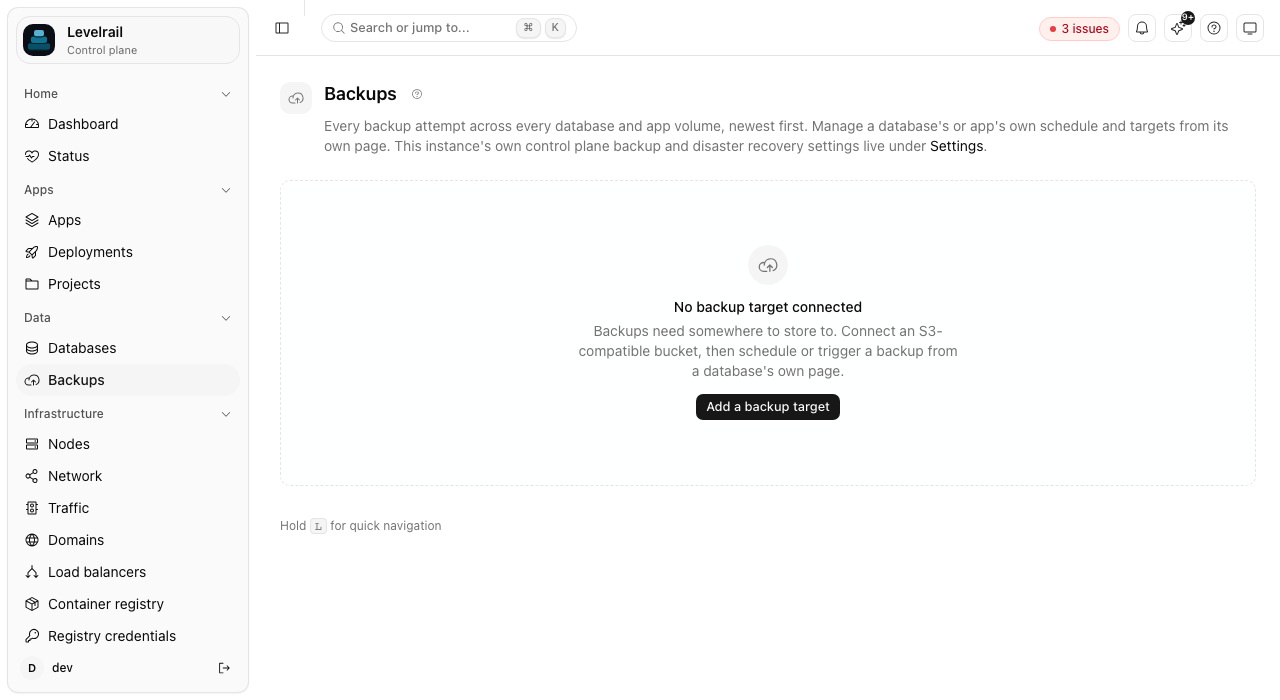
2. Take a first backup
Put something in the database so you can tell whether a restore worked. The docker exec commands in this tutorial run on the server that hosts the database:
docker exec db-main-db psql -U main-db -d main-db \
  -c "create table notes(id serial primary key, body text); insert into notes(body) values ('first note'),('second note');"
Then trigger a backup:
levelrail-cli backups trigger main-db --target bkt_Ra-kILVUyJaw
levelrail-cli backups list main-dbID TARGET STATUS SIZE STARTED FINISHED
bkh_4cyttV-ZZ3kp bkt_Ra-kILVUyJaw succeeded 1999 2026-10-05T02:23:29Z 2026-10-05T02:23:29Z3. Schedule the rest
levelrail-cli backups schedule set main-db \
  --target bkt_Ra-kILVUyJaw \
  --cron "0 3 * * *" \
  --retain 7
This takes a backup at 03:00 every day and keeps the newest seven. --retain-days prunes by age instead, and the two limits work independently. Setting a schedule replaces any earlier one for that database.
4. Verify the backup
levelrail-cli backups verify main-db --backup bkh_4cyttV-ZZ3kp
levelrail-cli backups verifications main-db --backup bkh_4cyttV-ZZ3kpID STATUS CHECKSUM SIZE FORMAT
bkv_FY0ZygdKOLdV passed ok ok okVerification downloads the object again, recomputes its checksum, and compares size and format against what was recorded when the backup was taken. It also runs automatically after every backup.
5. Restore over the original
Simulate a mistake:
docker exec db-main-db psql -U main-db -d main-db -c "drop table notes;"Restore from the backup. Restoring overwrites the database, so you must type its name to confirm:
levelrail-cli backups restore main-db --backup bkh_4cyttV-ZZ3kp --confirm main-db
levelrail-cli backups restores main-dbID BACKUP STATUS STARTED FINISHED ERROR
rsh_TDdbpDDv8iYN bkh_4cyttV-ZZ3kp succeeded 2026-10-05T02:24:41Z 2026-10-05T02:24:41Z -docker exec db-main-db psql -U main-db -d main-db -tc "select count(*) from notes;"The count is 2 again.
6. Restore into a new database
Overwriting is the right call when you are recovering. To inspect old data without touching the live database, restore into a copy:
levelrail-cli backups restore-as-new main-db --backup bkh_4cyttV-ZZ3kp --new-name main-db-copy
levelrail-cli backups clone-restores main-db
Wait for the status to read succeeded, then query main-db-copy. The live database was never touched.
Older releases
Up to v0.2.0-beta.15, a restore into a new database could fail with database "..." does not exist because it started before the new Postgres had finished initializing. It is fixed in later releases. On an older one, delete the copy with levelrail-cli databases delete main-db-copy and run the restore again.
Clean up
levelrail-cli databases delete main-db-copy
levelrail-cli backup-targets delete bkt_Ra-kILVUyJaw
Keep the target if you want to keep the schedule running.
Where to go next
- Back up an app's data volumes: the same target also protects app volumes.
- Backups and storage: retention, instance-wide visibility, and how schedules are stored.
- Control plane backup and disaster recovery: protect Levelrail's own state.